
AI Agents for Restaurants: They Do the Drafting, You Do the Deciding
Restaurant AI Manager’s AI helpers do the repetitive drafting in a restaurant: they draft tomorrow’s orders from the forecast, draft credit claims when a delivery or invoice is wrong, and suggest which items to count. Every draft shows its reasoning and a confidence label — High, Check or Unsure — and nothing reaches a supplier or your books until a person approves it. Every AI action is logged and can be undone, and each one can be switched off per venue.
- Orders drafted from the forecast, rounded to packs
- Credit claims drafted from check-offs and price lists
- High, Check or Unsure on every draft, with the reason
- Connect Claude, ChatGPT or Gemini with your own role
Built on Open Pantry ordering — free, and used by 5,000+ venues
Recommended by:




The AI tools you have tried either do nothing or do too much
A chatbot that answers questions but never does any of the work
Automation that sends an order nobody looked at
No way to see why the AI suggested what it did
One switch for “AI on” across every venue and every job
Your figures pasted into a public chatbot by whoever was curious
Nobody can say afterwards what the AI changed
How the AI helpers work
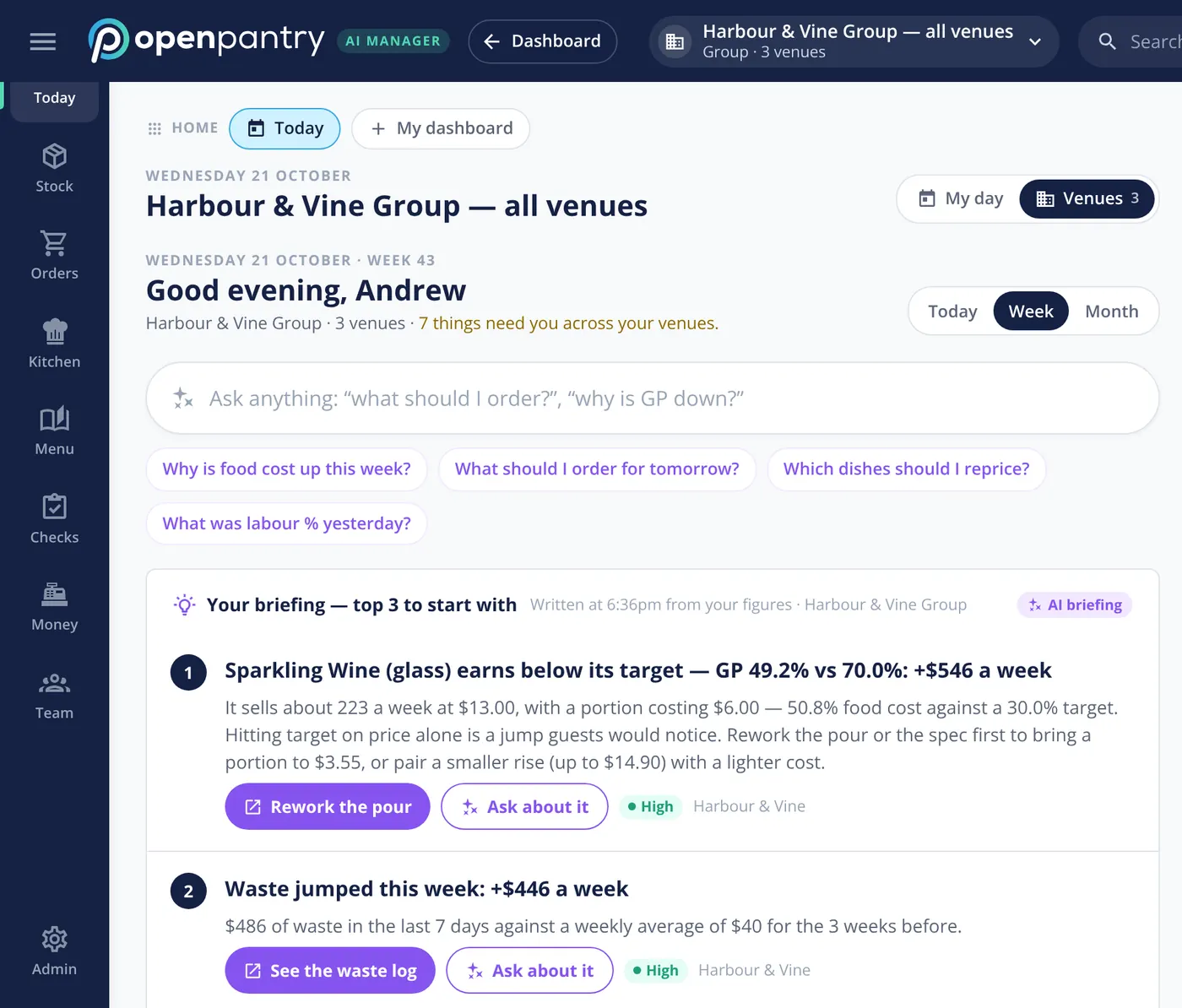
They watch the same numbers you do
The helpers read your own orders, deliveries, invoices, counts, recipes and POS sales — the same figures the reports use, and only what the venue’s settings allow.
They draft the job
An order for tomorrow’s deliveries, a credit claim for a short delivery, a short list of items to count this week. Each draft says what it is based on and how sure it is: High, Check or Unsure.
A person approves
Drafts wait in the normal screens — the order basket, the purchaser queue, the credits list. A person edits, approves and sends. The helpers cannot send an order, pay a bill or post a count by themselves.
Everything is on the record
Every AI action is written to a journal, can be undone, and each helper can be switched off for one venue or the whole group. The sums behind a suggestion are done in code; the AI writes them up.
No sign-up — a demo restaurant group with a guide that shows you around
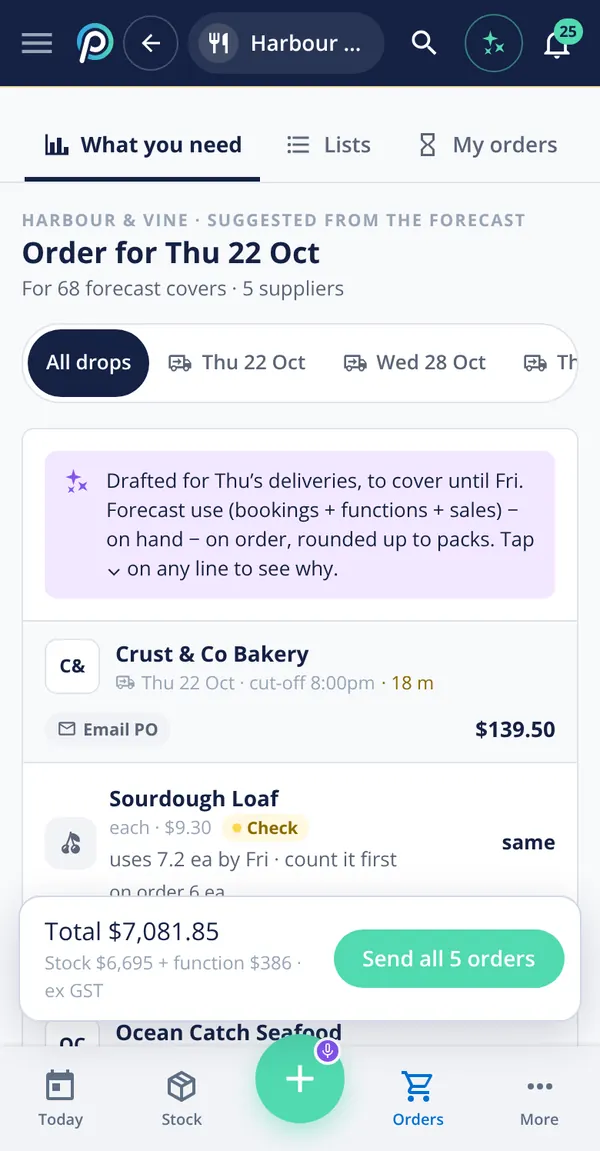
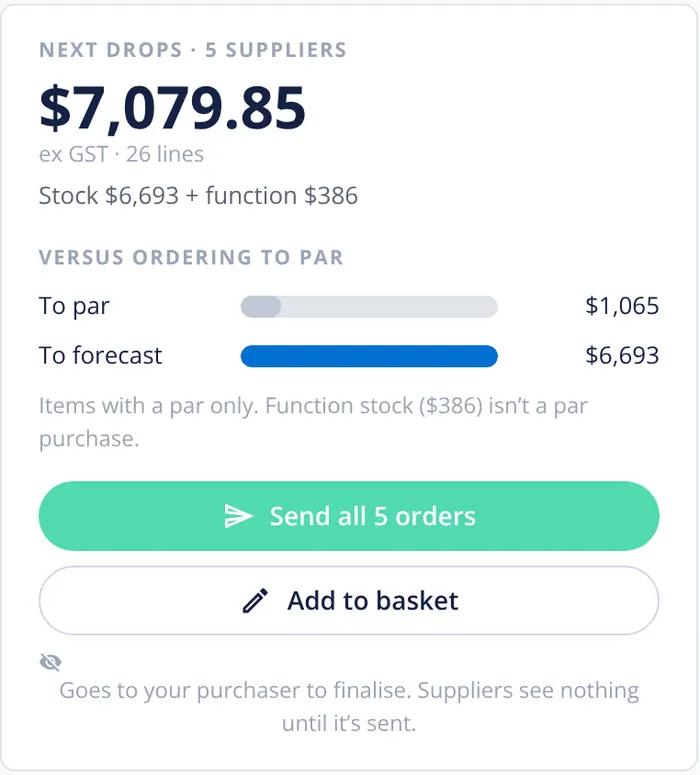
The order drafter
Once an owner switches it on, the order drafter turns the sales forecast into draft orders for each supplier’s next delivery: forecast use from sales, bookings and functions, less what is on hand and on order, rounded up to the supplier’s packs. Lines it is less sure about are marked Check — “count it first” — so the chef knows where to look. It only ever suggests or drafts; sending stays with a person, and with the purchaser where approvals are on.
- Drafts for each supplier’s next delivery
- Check labels where a count would help
- Never sends — a person or the purchaser does
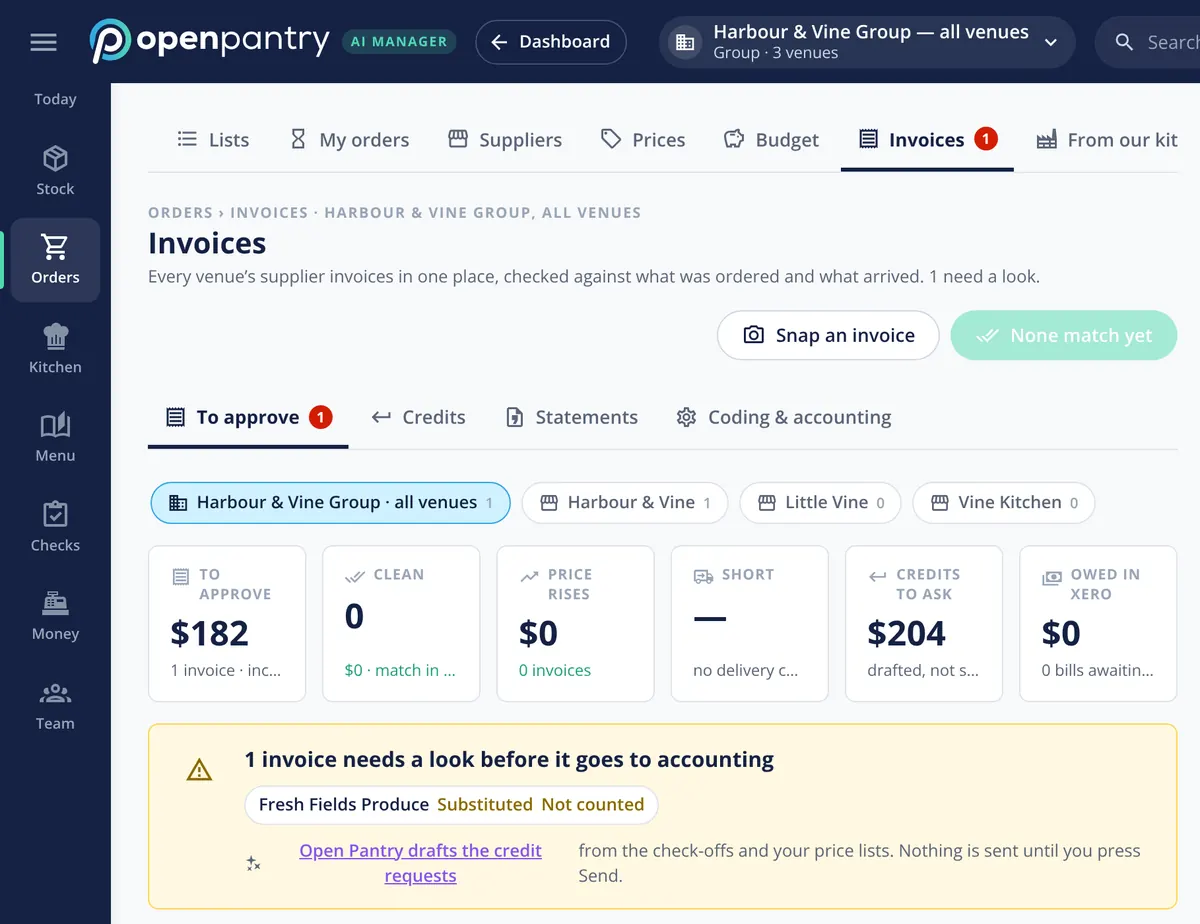
The claims helper
When a delivery is short, an item is substituted or an invoice price is above your price list, the claims helper drafts the credit request from the check-off and the invoice, with the evidence attached. The invoice is held with the reason before it goes to your accounting. Credits are tracked until the supplier issues them, and nothing is sent until you press Send.
- Drafted from the check-off, the invoice and your price list
- Evidence attached, tracked to credit
- Sent only when a person presses Send
Connect your own AI
An owner can switch on Connect your AI to ask Claude, ChatGPT or Gemini about the business directly. Each person connects as themselves, with their own role, so the AI sees exactly what that person could see in Restaurant AI Manager and nothing more — a chef asking about wages gets no figures. It can read and draft; it cannot send, pay or post.
- Claude, ChatGPT or Gemini
- Each person’s own role and money visibility
- Read and draft only
AI on the floor, with a person confirming
Owners can switch on more AI where it saves a job: a photo stock take that spots items on a shelf and estimates how full each open bottle is, a camera delivery check that compares a photo of the delivery with the order, and a guest feed that tells an AI phone or online ordering system which dishes to suggest today and what is 86’d — never your costs or your suppliers. Each one proposes and a person confirms.
- Photo stock take and camera delivery check
- Guest feed for AI phone and online ordering
- Proposals only — a person saves them
What the AI helpers read
Built by the team venues already order with
Chefs Love Open Pantry

Thank you OPEN PANTRY, we used to have to use 6 apps to get access to ordering from our suppliers, the fact we can do it all in one has saved an incredible amount of time & effort! We love you!

We’ve been using Open Pantry for a few months now and it’s been an absolute lifesaver. We’re short staffed so being able to place all of our orders with all of our suppliers in the one spot is a massive help.

So glad this service exists. Has made it so easy for my manager & chefs to order & all payments are settled in one go. The recurring orders & pantry lists are amazing time savers!!
Why not let the AI just place the orders?
Because the person who signs for the delivery is the one who has to live with it. A draft that shows its working and waits for a tap saves nearly all of the time and keeps all of the judgement: the chef still knows the walk-in is full of a delivery that never got checked off, and the owner still decides what goes to a supplier. When a helper is wrong, it costs a correction, not a cool room of salmon.
AI agents for restaurants — questions owners ask
What do the AI helpers in Restaurant AI Manager actually do?+
Can the AI send an order or pay a supplier without me?+
How do I know why the AI suggested something?+
Can I connect ChatGPT, Claude or Gemini to my restaurant’s data?+
Can I turn the AI off for one venue or one job?+
Does the AI see staff wages or other things a chef shouldn’t?+
Is the AI included in the price of Restaurant AI Manager?+
Can I try the AI helpers before I sign up?+
Works even better with
AI Restaurant Assistant
The morning briefing and Ask, over your own figures.
Explore →Ordering & Suppliers
Where the drafted orders go to be checked and sent.
Explore →Supplier Credit Requests
The claims the helper drafts, tracked to credit.
Explore →Restaurant Stock Control
The counts the count planner points you to.
Explore →See the AI helpers at work in a demo group
Sign in as the owner of Harbour & Vine and approve an order the AI drafted — no sign-up.
€65.04/month per venue billed yearly (save 20%) · or €81 month to month, no contract · plus tax