
Food Warehouse Picking Software: Digital Pick & Pack on a Tablet, No Paper
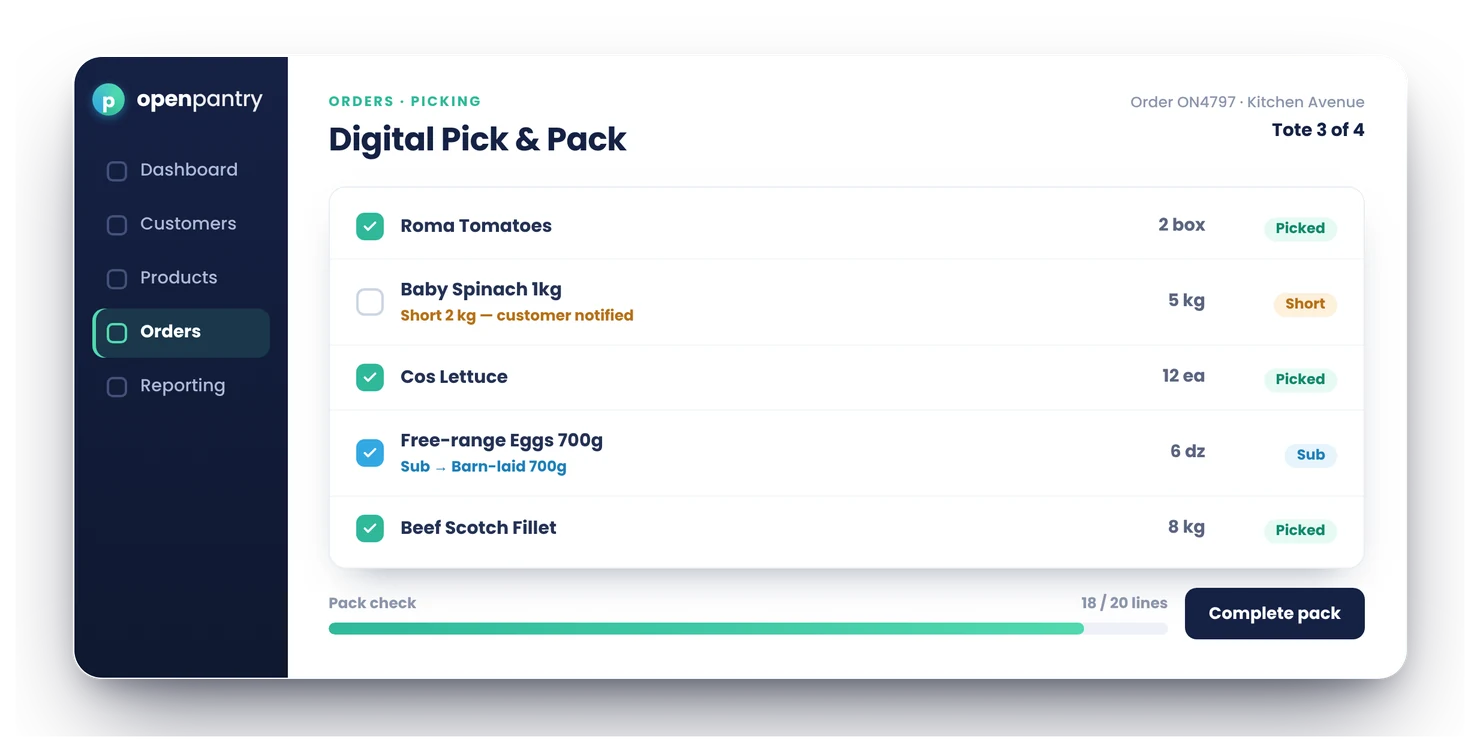
Digital Pick & Pack replaces printed pick sheets with a tablet workflow built for food warehouses: a picking board with a column per picker, waves built for you from released orders, big readable line items, one-tap shorts and substitutions, and a pack check before anything goes on the truck. Invoices update automatically to match what was actually packed.
- Works on the tablets you already have — and scan-to-pick with barcodes on Enterprise when you want it
- Shorts and substitutions flagged in one tap, invoices adjust automatically
- 80% fewer picking errors than paper lists
★★★★★ Trusted by 600+ suppliers



Paper pick lists are where good orders go wrong

Printed sheets are out of date the moment an order changes

Shorts scribbled in a margin never make it to the invoice — so you invoice for stock you didn’t send

No record of who picked what, so repeat mistakes stay invisible

Substitutions decided on the fly with no customer trace
From Order to Truck, All on Screen
Orders become picking waves
The wave builder suggests waves from released orders — each run kept together, chilled and frozen split, every wave capped by minutes and orders.
The board hands out the work
Drag waves onto pickers, or let auto-assign do it. The top card is the next job on that picker’s tablet, with large, readable line items and tap or scan to confirm.
Shorts and subs in one tap
Short a line or substitute a product; the order, the customer’s paperwork and the invoice all update automatically.
Pack check, then dispatch
A final check confirms the order is complete before it’s marked ready and flows to delivery runs and invoicing.
Free trial · Cancel anytime
Built for warehouse reality
Big fonts, high contrast, glove-friendly targets — the picking screens are deliberately designed for tablets in coolrooms, not desks. Supervisors run the floor from a picking board and a packing board, one column per person.
- Drag to reprioritise or reassign; urgent waves starred
- Pick by area: Dry Store, Chiller and Freezer picked in parallel, freezer last
- Bench screen for packers, with labels printed from the packing board
Shorts that fix the invoice, not just the order
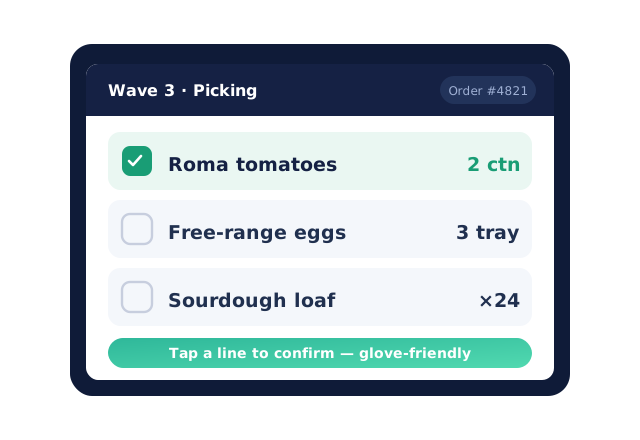
Mark a line short and the invoice reflects what actually shipped — no more crediting customers after they call about missing stock they were billed for.
Substitutions with a paper trail
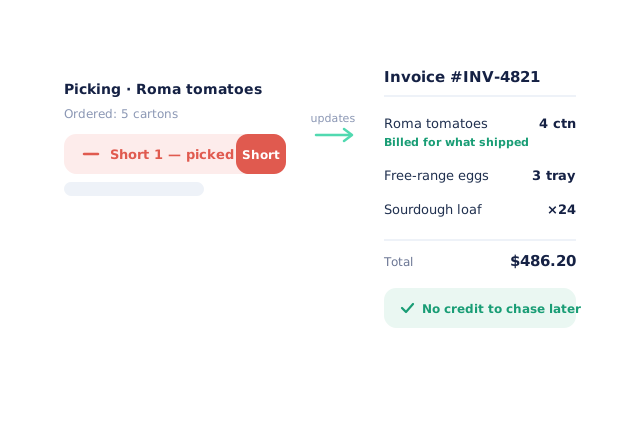
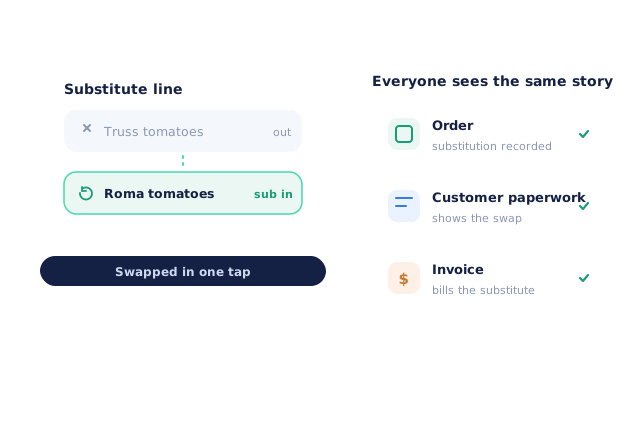
Swap in a substitute with one tap. The change is recorded on the order so the customer, the driver and the invoice all tell the same story.
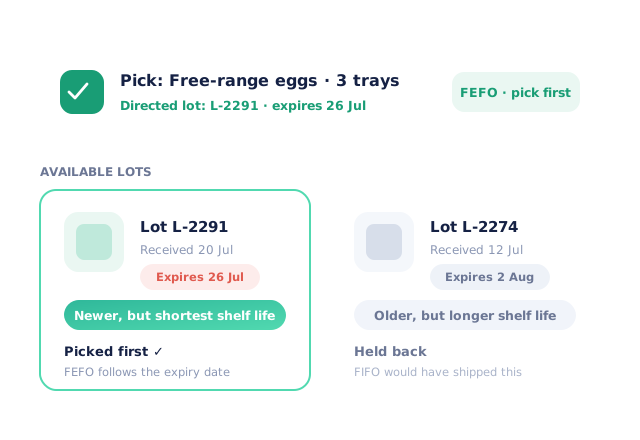
Pick the right lot, automatically
With lot and expiry tracking on, pickers are directed to the earliest-expiring lot first (FEFO) — stock rotation happens by default.
- More product lines purchased
- 24%
- Your always-on branded store and app put your full range in front of customers, so baskets grow.
- Less order-processing cost
- 95%
- AI order capture and auto-invoicing remove the manual keying between order and books.
- Fewer picking errors
- 80%
- Tablet pick & pack with FEFO lot and expiry tracking catches shorts and wrong items before they ship.
Real gains suppliers report after moving ordering, fulfilment and invoicing onto Open Pantry.
Picking Connects Your Whole Order Flow
Trusted by M&J Chickens
- $175m+
- Annual turnover
M&J Chickens use Open Pantry to move ordering out of calls and messages and into one digital workflow — giving customers a smooth ordering experience and giving the team fewer errors and less admin.
“With Open Pantry, we launched our own fully branded ordering app — it’s helped us protect our customer base, move to digital ordering, and deliver a much better experience to our venues.”

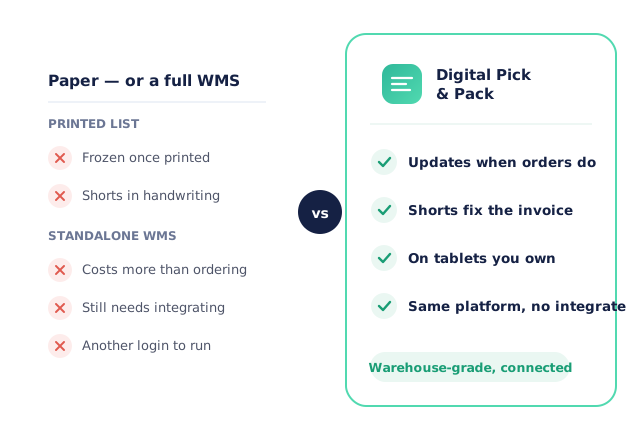
Paper can’t update; a warehouse ERP is overkill
A printed list is frozen the moment it leaves the printer — every change after that lives in handwriting. At the other extreme, standalone warehouse systems cost more than your ordering platform and still need integrating. Digital Pick & Pack sits in the middle deliberately: warehouse-grade picking that’s already connected to your orders, stock, invoices and deliveries, because it’s the same platform.
Questions Suppliers Ask About Digital Pick & Pack
What is pick and pack?+
Do I need barcode scanners or special hardware?+
What happens when a picker finds we’re short on a product?+
Can pickers substitute a product, and does the invoice update?+
Is there a final check before orders go on the truck?+
How do orders get to the picking screen — do I still print anything?+
Can multiple pickers work at once without doubling up?+
Can several people pick one order across chiller, freezer and dry store?+
Does Open Pantry build the picking waves for me?+
Can picking be organised by storage zone or delivery run?+
How do short-picked items affect stock levels?+
Does it work for mobile/tablet use in coolrooms?+
How long does it take to move my warehouse team off paper?+
What does it cost?+
Works Even Better With
Lot, Expiry & FEFO
Picking is directed to the earliest-expiring lot first, so stock rotation happens by default.
Explore →Warehouse Barcode Scanning
Scan to receive, put away, move and count stock, from a handheld floor app.
Explore →Catch Weight, Scales & Labels
A connected scale reads the weight into the line, and carton labels print as you pack.
Explore →Get Your Warehouse Off Paper This Week.
Join 600+ Australian suppliers running their ordering, fulfilment and invoicing on Open Pantry.
Setup done for you · Cancel anytime · Your data stays yours