
AI Restaurant Assistant: The Few Things Costing You Money, Every Morning
Restaurant AI Manager reads your venue’s own orders, deliveries, invoices, stock counts and POS sales, and each morning puts the handful of things costing you the most at the top of the day — each with a dollar figure, the reason, and a fix drafted for you to approve. You can also ask it questions in plain English, such as “why is food cost up this week?”, and it answers from your own numbers.
- A morning briefing ranked by what each issue costs you a week
- Plain-English answers from your own data — “what should I order for tomorrow?”
- Every suggestion shows how sure it is: High, Check or Unsure
- It drafts the fix; nothing is sent or changed until a person approves it
Built on Open Pantry ordering — free, and used by 5,000+ venues
Recommended by:




The numbers are all there. Nobody has time to read them.
The reports exist, but no one opens them before service
A drink pouring below target costs money every night until someone notices
Waste jumps for a week and only shows up in the month-end food cost
The owner asks “why is GP down?” and the answer takes a day to find
Alerts from five different systems all shout at the same volume
An AI tool that acts on its own is a risk nobody wants near the books
From your own figures to a fix you approve
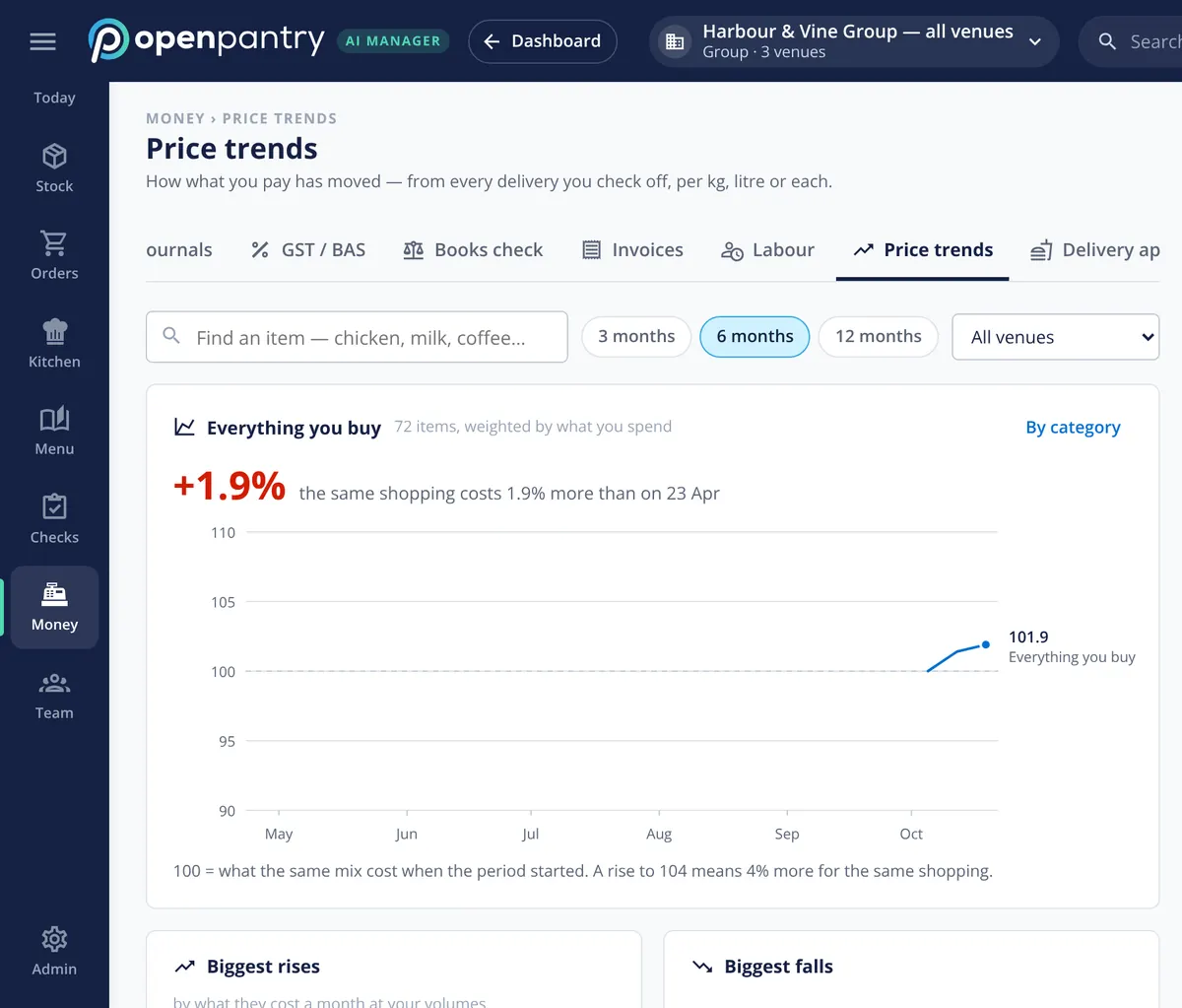
It reads what the venue already records
Orders, deliveries checked off at the door, supplier invoices, stock counts, waste and POS sales — the same records the team keeps anyway, venue by venue.
It ranks what matters in dollars
Each morning it works out which issues are costing the most this week — a dish below its GP target, a jump in waste, a price rise — and puts the top few first, with the figures behind them.
It drafts the fix
Each item has a one-tap next step: rework a pour, open the waste log, reprice a dish, adjust an order. The tap opens a draft; it never sends or changes anything by itself.
You ask, it answers from your data
Type a question in plain English and the answer comes from your own venue’s records, limited to what your role is allowed to see.
No sign-up — a demo restaurant group with a guide that shows you around
A briefing with the dollar figure first
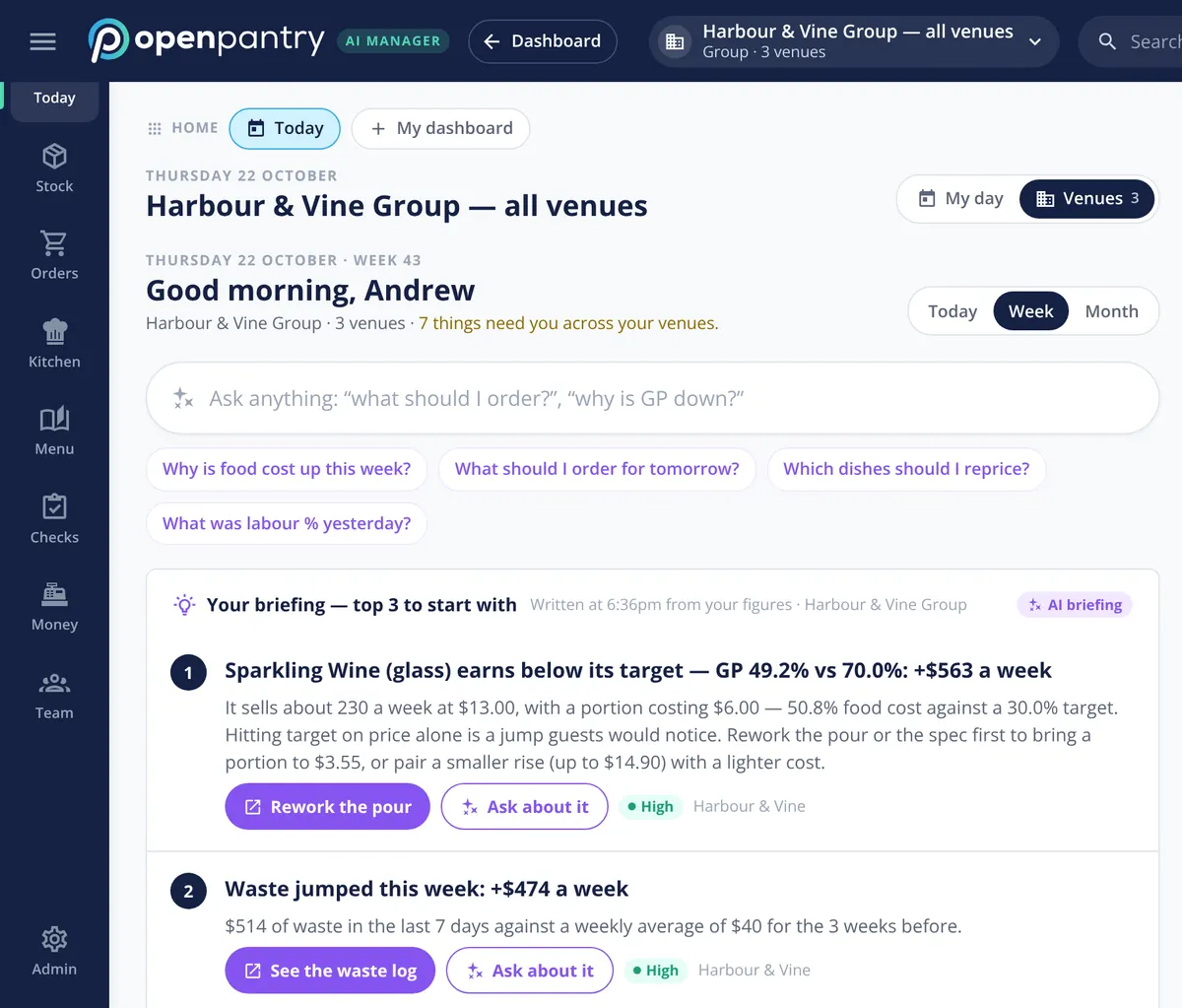
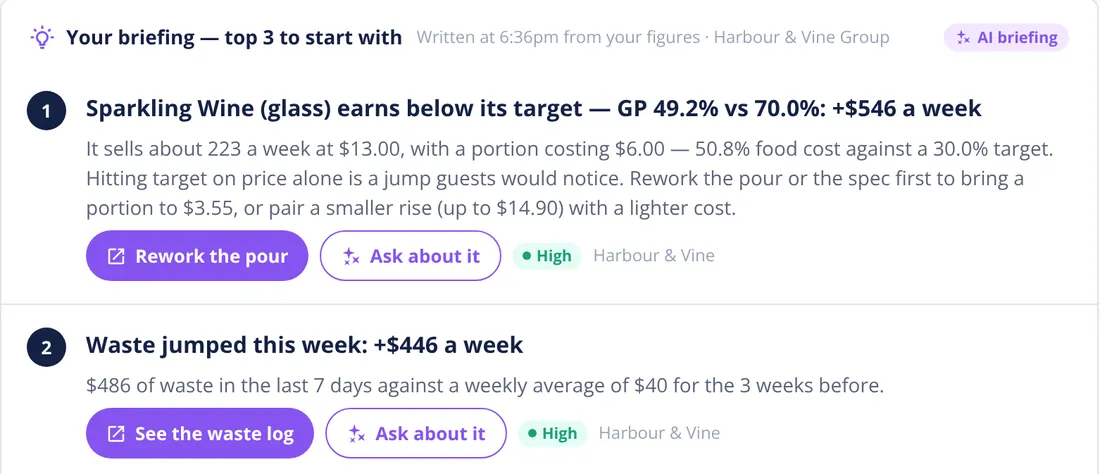
The briefing does not list everything that happened; it lists the few things worth fixing first, ranked by what they cost you a week. In the demo group it leads with a glass of sparkling wine selling at a GP of 49.2% against a 70% target — worth several hundred dollars a week — explains why (the portion costs more than the target allows), and suggests the fix: rework the pour or the spec before touching the price.
- Top three to start with, every morning
- The reason and the figures behind each one
- A fix button that opens a draft, not an action
Ask it like you would ask your best manager
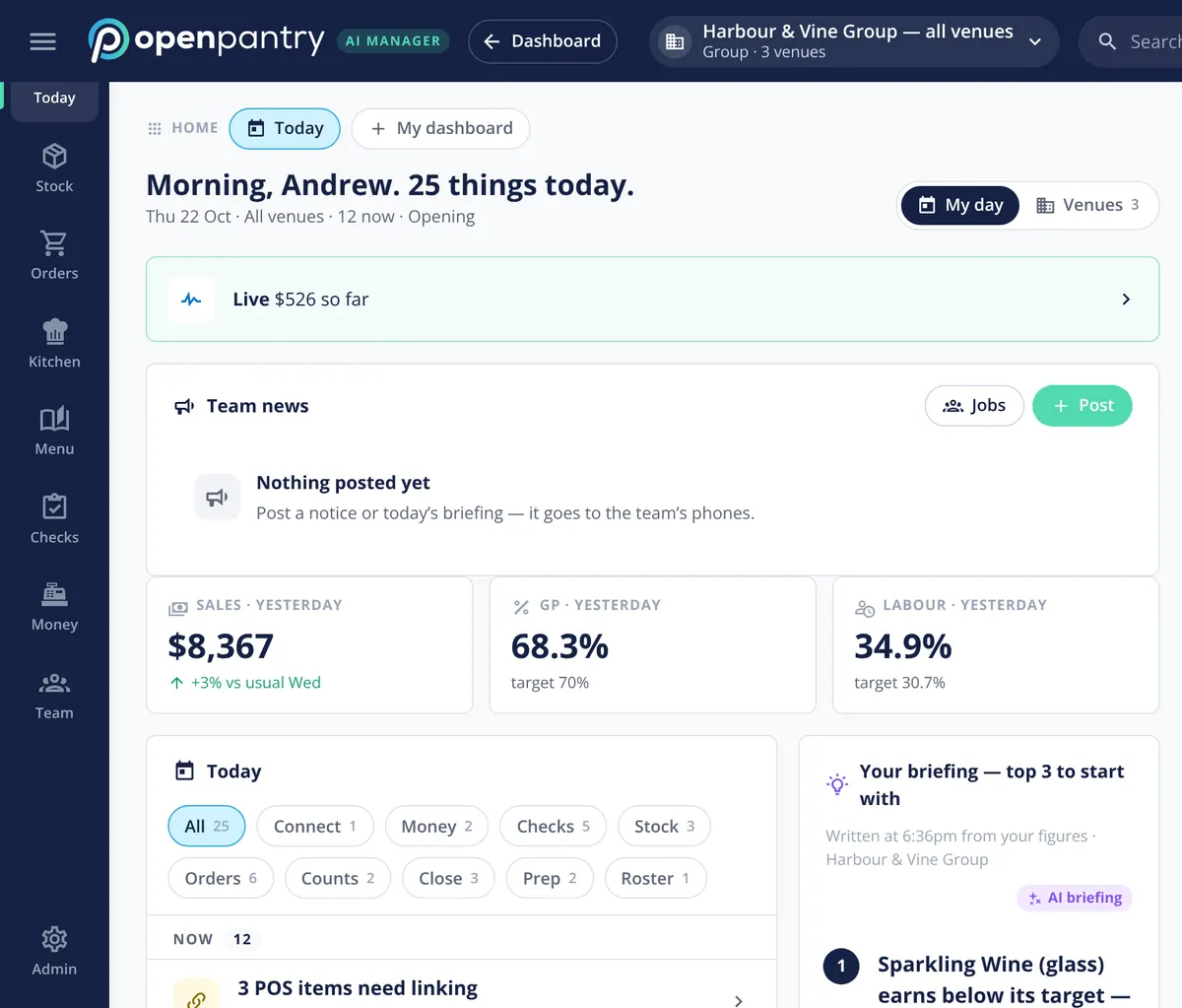
The Ask box sits at the top of the day. “Why is food cost up this week?”, “Which dishes should I reprice?”, “What was labour % yesterday?” — the answer comes from your own orders, invoices, counts and sales, not from the internet. It only ever answers with what your role can see: a chef asking about wages gets no figures.
- Plain-English questions about your own venue
- Answers respect each person’s role and money visibility
- Suggested questions to start from
One list for the whole day
Below the briefing, Today gathers the day’s jobs from every part of the operation into one feed — checks due, orders to send, counts to finish, prep, invoices to review and the close — with what is late flagged. A venue manager starts the shift from one screen instead of six.
- Orders, counts, prep, checks, invoices and the close in one feed
- Late items flagged
- Each venue, or every venue in the group
AI you can audit
Every suggestion carries a confidence label — High, Check or Unsure — and the reasoning is one tap away. The AI drafts; a person approves. Every AI action is logged, can be undone, and each AI feature can be switched off per venue. Restaurant AI Manager’s AI use is included in the price per venue.
- High, Check or Unsure on every suggestion
- Drafts only — nothing reaches a supplier or the books until a person sends it
- Logged, undoable, and switchable per feature and per venue
What it reads from
Built by the team venues already order with
“Open Pantry has created exactly what the restaurant industry needs. Something very easy to use that doesn’t require any upkeep. Their menu costing feature is fantastic and simple enough that any chef or bar manager can use it. I think restaurants that are serious about growing their profit & managing their costs need to consider Open Pantry.”
Chefs Love Open Pantry

Thank you OPEN PANTRY, we used to have to use 6 apps to get access to ordering from our suppliers, the fact we can do it all in one has saved an incredible amount of time & effort! We love you!

We’ve been using Open Pantry for a few months now and it’s been an absolute lifesaver. We’re short staffed so being able to place all of our orders with all of our suppliers in the one spot is a massive help.

So glad this service exists. Has made it so easy for my manager & chefs to order & all payments are settled in one go. The recurring orders & pantry lists are amazing time savers!!
Why not just use a general AI chatbot?
A general chatbot does not know what you paid for salmon on Tuesday, what came through the door short, or what you sold last night — so it can only give general advice. Restaurant AI Manager answers from your own records, ranks issues by what they cost your venue, respects who is allowed to see the money, and turns an answer into a draft order, credit request or price change for a person to approve.
AI restaurant assistant — questions operators ask
What does the AI restaurant assistant actually look at?+
Does the AI change anything or send orders on its own?+
How does it decide what goes in the morning briefing?+
Can my chefs see wages or the owner’s figures when they ask a question?+
How sure is it about its suggestions?+
Does it work for a single restaurant as well as a group?+
Is the AI an extra cost?+
Can I try the AI assistant before I buy?+
Works even better with
Food Cost Variance
Why GP moved, split into price rises, waste, yield and count error.
Explore →Demand Forecasting
Orders and prep drafted from sales, bookings and functions.
Explore →Supplier Credit Requests
Short deliveries and price rises drafted as credit requests.
Explore →Multi-Venue Management
Every venue side by side, with one briefing per venue.
Explore →See tomorrow’s briefing for a demo restaurant group
Open the demo as the owner of Harbour & Vine and ask it anything — no sign-up.
Ft 30,320/month per venue billed yearly (save 20%) · or Ft 37,900 month to month, no contract · plus tax