


01 · Keep customer habits
Make ordering easier. Not compulsory.
AI reads the messages customers already send. Offer online ordering when they want it. Phone orders join the same list, keyed in by your team.



AI ordering + operations for food & drink wholesalers
They order on your app, or keep emailing, texting, WhatsApping and leaving voicemails. Either way, Open Pantry turns it into an order at that customer’s prices, next to the original. Your team checks it and taps OK.
14-day free trial · No card needed · Pro from €69 EUR/month · Free plan available
Trusted by 600+ suppliers across Italy
M&J Chickens moved ordering out of calls and messages into one digital workflow — a smooth way to order for their customers, and fewer errors and less admin for their team.
“Moving to a digital process has transformed our ordering process, which is now faster through our own mobile apps.”
 Alex OrtizHead of Sales · M&J Chickens
Less admin between the order and the door
Chasing messages. Checking prices. Rewriting pick slips. Updating invoices. Retyping it all into the books. Open Pantry connects the work, so your team can keep the orders moving.
01 · Keep customer habits
AI reads the messages customers already send. Offer online ordering when they want it. Phone orders join the same list, keyed in by your team.
02 · Connect the operation
Customer prices, picking, actual weights, delivery runs, invoices and payments in one place. Each team sees its part.
03 · Protect the relationship
No marketplace and no commission. You choose who sees your range, what they pay and when you invite them online.
One order, from message to money
Start with the part that slows you down. Connect more of your operation when you’re ready.
01Orders come in
AI reads the customer’s message and applies their prices. Your team checks the draft against the original. Orders from your app, your web store, the phone and standing orders land in the same list.
Mornings start with picking, not typing
02Pick & pack
Orders land on tablet pick lists (optional), sorted by delivery run, so nobody rewrites a pick slip. Pickers confirm each line with a tap, or a barcode scan on Enterprise, and stock comes off your inventory as it’s picked. Lots are picked first-expiry-first-out, and shorts and substitutions are recorded on the spot.
Fewer mis-picks, and stock levels that keep themselves up to date
03Delivery
Runs are built from the day’s orders and the route is optimised, so drivers see their stops in the best order on the driver app. Customers see a live delivery time, and a photo when it’s dropped off.
An optimised route for the driver, a live ETA for the customer
04Invoice & sync
The order your customer placed is the one your picker packs and the one that becomes the invoice, raised the moment it’s dispatched. Nobody re-keys it along the way, so there’s less to get wrong. The invoice then posts to your accounting system once, with its sync status shown. Stock and orders can also link with Unleashed, Cin7 Core, ABM and EasyVend.
No double entry, no duplicate invoices
05Get paid
Venues that pay by card have it stored securely with Stripe and charged per your arrangement. Account customers pay on the terms you set for each of them, and overdue reminders go out on the schedule you choose. You can pause ordering for an account that falls too far behind.
Payment collected without the phone tag
06Restock & improve
Low-stock alerts, purchase orders and receiving, with lots and expiry kept up to date. When stock runs low, Open Pantry drafts purchase orders to your own suppliers — approve and send. Gross margin by product and customer comes from what you actually paid.
Stock, costs and margins feed straight back into tomorrow’s orders
Illustrations use sample customers, products and prices.
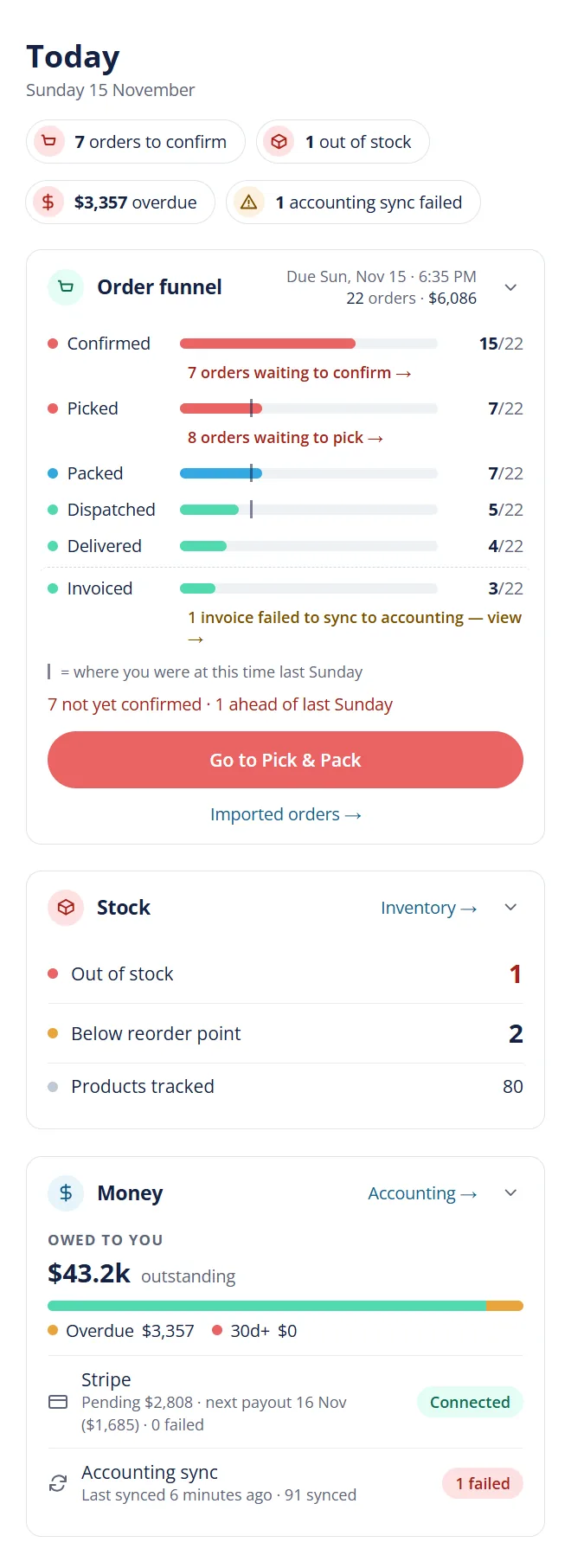
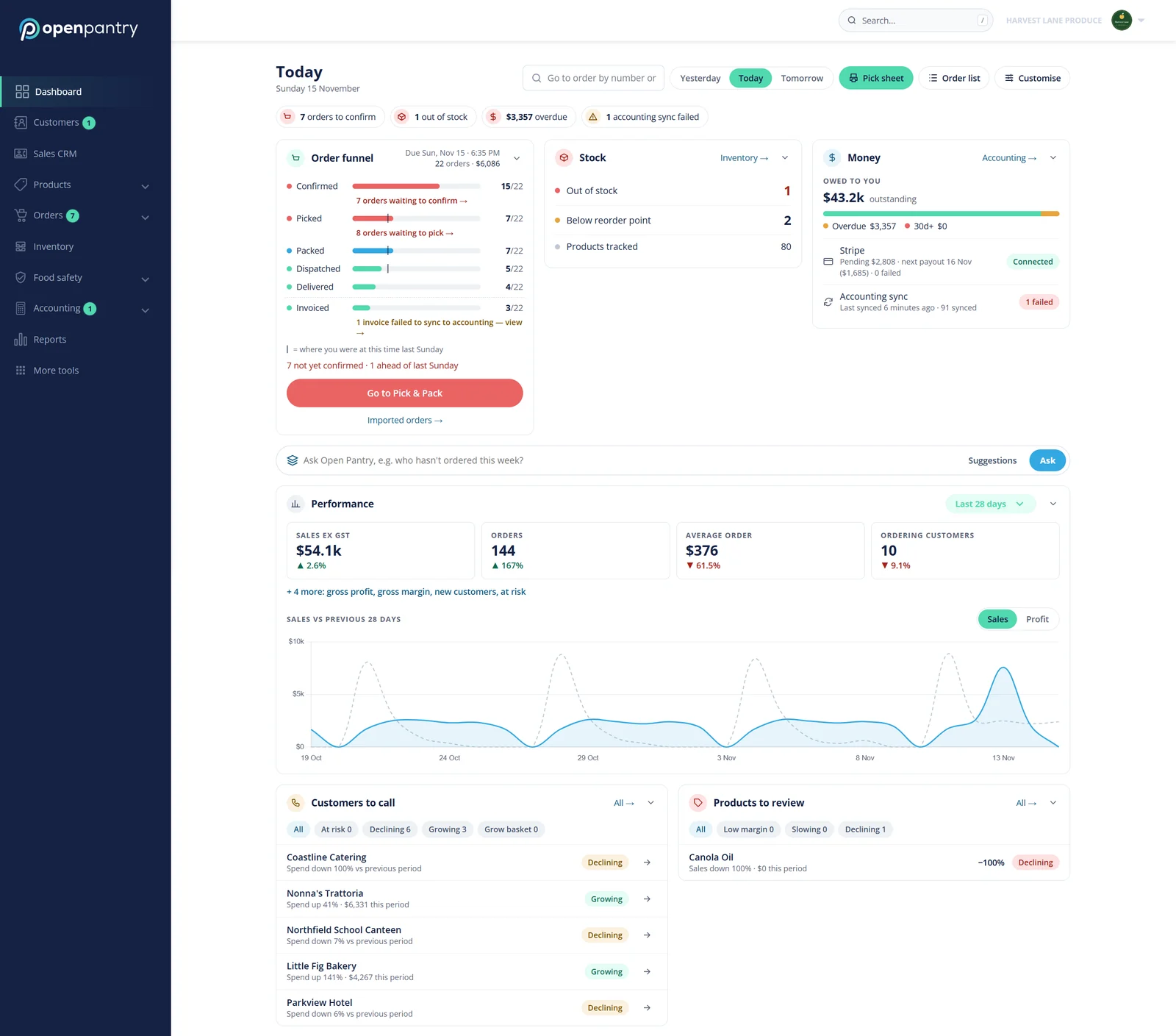
Screenshot from the product, with sample data.
Free plan €0 · Pro from €69 EUR/month · No set-up fee · No commission · Month to month
Run it beside your current system for two weeks before you rely on it. Your customers change nothing.
Sound familiar?
Find the one that sounds like you. Each links to how it works.
“Every invoice gets typed into the accounting system again.”
Posted once, automatically.
Invoices are raised from the order and post to your accounting system. Nobody re-keys them.
“Who owes me, and when do I stop supplying them?”
Reminders send themselves.
Overdue reminders go out on your schedule, and you can pause ordering for an account that falls too far behind.
“I don’t know what I actually make on each product.”
Margin on every product.
Gross margin by product and customer from your real cost prices, plus six reports on one date range.
“Every customer is on a different price.”
Their price, every time.
Each customer sees and orders at their own prices, and only the products you choose to show them.
“Updating prices means redoing every price list.”
Costs move, your margin holds.
Set a list to cost plus a margin and it reprices itself when a cost changes. Or upload new prices from a spreadsheet, with a preview first.
“Running a special means ringing around or emailing everyone.”
Specials that run themselves.
A percentage off, a dollar off or a set price, aimed at the customers you choose, starting and ending on the dates you set.
“I only find out a customer is drifting once they’ve gone.”
Catch it while they’re still your customer.
Every customer gets a risk level, worked out automatically from their orders, so you see who is slipping before they leave. Lapsed Purchases flags what each one has stopped, slowed or shrunk on.
“Opening a trade account is a week of paperwork.”
Approved from a link.
Send an online credit application by link or QR code. Approve it and the customer is set up.
“My reps run on notebooks and memory.”
Their day, on their phone.
Each rep’s day, pipeline, targets and commission, on a phone app.
Outgrowing what you’ve got?Enterprise adds your own branded app, multiple warehouses, scan-to-pick and production.
That’s nine of them. See all features
Only if they want to order online. The ones who ring can keep ringing.
Their prices, your range
Each venue sees the products and prices you’ve given them — never another customer’s, never a competitor’s.
Specials & promotions
Run a special for the customers you choose. The line is cheaper in their catalogue, cart and invoice — no code to enter.
Fast to order
Re-order from history, save a regular list, or scan your QR ordering card — no login needed for that.
After they order
Their orders, invoices and credits in one place, a live delivery time on the day, and a photo when it’s dropped off.
Need to tell everyone at once — a public holiday, a harvest closed? Send one message by push or email to the customers you pick.
Xero, MYOB AccountRight and Advanced, QuickBooks Online, Sage, NetSuite, Reckon One, Wave, Zoho Books, Microsoft Dynamics 365 Business Central and KashFlow, plus Unleashed, Cin7 Core, ABM and EasyVend. Invoices post once, with no duplicates. ERP integrations are on Enterprise.
Meat & poultry
Catch weight is captured at packing, so a 4 kg order packed at 4.37 kg is invoiced at 4.37 kg. Lots and expiry are tracked for recalls.
Fruit & veg
Late-night orders land in one list by cut-off, pick lists are ready for the early shift, and prices can change daily per customer.
Seafood
Update today’s price list in minutes, invoice weighed product at actual weight and trace every lot.
Dairy & eggs
Set each café’s weekly standing order once. It lands in the list at cut-off, ready to pick, deliver and invoice.
Bakery
Orders close at your cut-off and standing orders roll into tomorrow’s totals, so the bakers know exactly what to make.
Drinks
Sell one product by the carton, tray or each at every account’s own price. Specials start and stop on the dates you set, aimed at the customers you choose, and reps can order on behalf of venues.
Dry goods & more
Customer price lists and specials, standing orders, cut-offs per delivery day and pick slips by run — for grocery, packaging, frozen and everything else you deliver.
Seen enough? Try it on your own products — or let a person show you.
Everyone sees their part of the same order. Set who can see and change what.
Your office
Orders read by AI from email, text, WhatsApp and voicemail wait in one list with online, phone and standing orders. The office checks the ones AI flagged and taps OK. Credit limits show before anything is picked.
Your packers
The Pick & Pack app works through each run, records shorts, substitutions and actual weights, so the invoice matches the box.
Your drivers
Stops in order on the driver app. Customers can see a live delivery time and a photo when it’s dropped off.
Your reps
From their phone, at that venue’s own prices, straight into the same list. They log their calls and visits, and see which customers are at risk of being lost.
You
Team roles and permissions decide who sees prices and who can change them. See who owes you, who’s overdue, which customers are due to reorder and which have gone quiet. Each customer’s delivery days, minimum order and payment terms live on their account, not in someone’s head.
Your first month, step by step. Your customers don’t have to change anything until you’re ready.
Week 1 · We bring it across
Send us what you have — a spreadsheet, an export, last month’s invoices. We load it and check it with you.
Week 2 · Side by side
Key a day’s orders in both. Compare the pick lists and invoices before you rely on it.
Week 3 · Your books
Xero, MYOB, QuickBooks or Sage Accounting. Each invoice posts once, with its sync status shown.
Week 4 · Your customers
Start with a few small cafés and keep your biggest accounts for last. Anyone who rings keeps ringing — nobody hears from us until you invite them.
Prices for Italy, in EUR. No commission on your orders. Change or cancel any time.
Free
Pro · 14-day free trial
You pay by monthly orders, not by customer. Pro Lite €69 EUR: up to 100 orders. Pro Standard €149 EUR: up to 500. Above that, Enterprise. No card to start.
Enterprise
Bigger operation?
On Enterprise, customers order from an app with your name and icon in the App Store and Google Play, and your own WhatsApp and SMS number for AI order capture. Add multi-warehouse stock, scan-to-pick, repacking and production with landed cost, carcass breakdown and yields, quality holds and supplier claims, EDI, Shopify and WooCommerce, and a Claude or ChatGPT connector that asks for your yes before it changes anything.
New · On Enterprise
Connect your AI assistant and it can do what you would do in Open Pantry yourself. Describe a new customer, a price rise or tomorrow’s orders in plain words, and it does the work on your own live data. Every change is shown to you first and waits for your yes.
Works with Claude
 ChatGPT
Connects through MCP, the open standard both assistants use.
Illustration · sample customers and prices
Last updated:
No. Customers who ring or text can keep doing it — your team keys the order in seconds and it lands in the same list as online orders. Customers who want to order online can, 24/7, from your own app (on Enterprise), a link or a QR ordering card, at no cost to them.
Most suppliers are live within days. We migrate your product catalogue, customers and pricing for you, train your team, and help invite your customers when you’re ready — not before.
Yes. Open Pantry syncs two ways with Xero, MYOB (AccountRight and Advanced), QuickBooks, Sage Accounting (Sage Business Cloud) and many more, including NetSuite, Reckon One, Wave and Zoho Books, covering invoices, payments, credit notes and vendor bills, with no duplicate invoices. ERP integrations are available on Enterprise.
In Italy, there is a Free plan at €0 with no time limit. Pro has a 14-day free trial with no card needed, then Pro Lite is €69 EUR a month for up to 100 orders, and Pro Standard is €149 EUR a month for up to 500. Prices are in EUR. You pay by orders, not by customer, and Enterprise is priced to fit. No commission on your orders, no lock-in contract — change or cancel any time.
You do. Open Pantry is not a marketplace — your customers never see your competitors, and they only hear from us when you invite them. You can download your product list as a spreadsheet any time.
Yes. Food and drink suppliers in Italy use Open Pantry today. Plans are shown and billed in EUR, and tax on your invoices follows your accounting settings. Open Pantry also has country sites for Australia, New Zealand, the UK, Ireland, the US, Canada, Singapore and more.
On any plan your team can key them in seconds. With AI order capture on Pro and Enterprise, AI reads texts, photos, PDFs, voice notes and emails into orders at the customer’s prices: the ones it’s sure of go straight in, and the rest wait for your team’s OK.
Run it beside your current system for two weeks before you rely on it. Your customers change nothing.
No card · No commission · Month to month