
Multi-Location Restaurant Procurement — One Licence Per Venue
Open Pantry runs a multi-venue group as one licence per venue. Each site keeps its own suppliers, products, recipes, price history and reporting, and that is deliberate: one venue’s mis-read invoice cannot move another venue’s dish costs. On the ordering and Menu Profit Manager plans there is no group catalogue, no central price list, no group purchase approval and no consolidated group reporting. Restaurant AI Manager is the plan that adds the group layer: purchase approval rules and weekly budgets, venues side by side, stock transfers between sites and a production kitchen your venues order from.
- A licence per venue — each site’s suppliers, prices and recipes stay its own
- Group approvals, budgets and venues side by side come with Restaurant AI Manager
- Permission types inside each venue, including food and beverage buyer types
- Venues compared by reading and exporting each one’s own reporting
★★★★★ Trusted by 5,000+ venues
Recommended by:




What actually goes wrong when one operator runs several venues
The same product bought at three different prices, because three venues bought it separately
A recipe corrected at one site and left alone at the other two
Food cost slipped somewhere in the group and nobody can say which kitchen
A supplier’s price rise spotted at one venue and never mentioned at the rest
How a site actually orders lives in one chef’s head, at that site
Every venue’s invoices land in the same inbox and get sorted by hand
How a group actually runs it today
A licence per venue
Each venue is set up as its own account on its own plan. Ordering is free for every venue, so a group can put the paid costing and Restaurant AI Manager plans on the sites that need them and leave the rest ordering for nothing.
Each venue keeps its own suppliers and prices
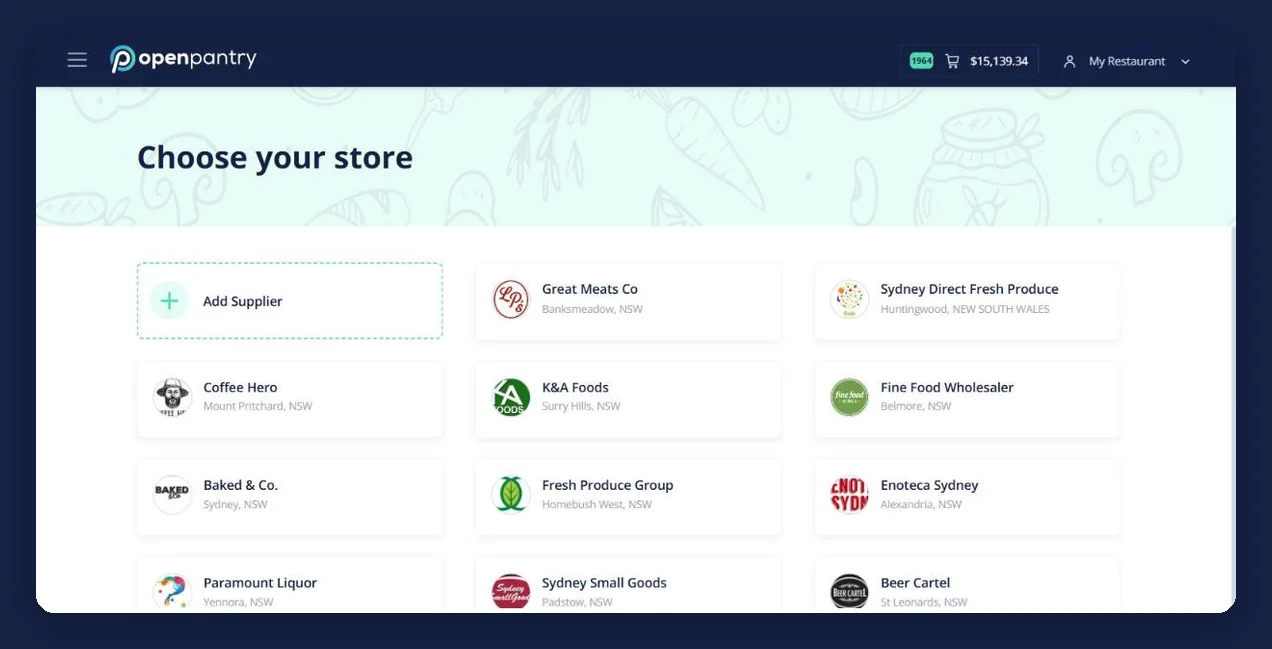
The supplier accounts and the prices negotiated with them belong to the venue that holds them — we are not a marketplace and we re-price nothing. Invoices photographed, uploaded or emailed into that venue build its own products, prices and price history.
Staff are set up in the venue they work in
Inside a venue you can add teammates on a paid plan and give each one a permission type, including food and beverage buyer types that narrow the suppliers and categories they order from. Someone who works across two sites is set up at each of them.
The group compares venues by reading each venue’s numbers
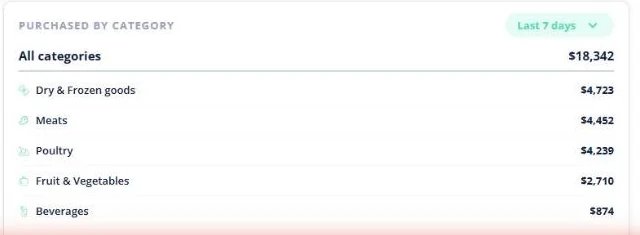
Purchase spend by category, dish cost percentages, food and beverage cost against target, and sales, profit and cost against the previous period all exist per venue, and orders, invoices and reports export. Open Pantry does not add them together for you — that comparison happens outside it.
See how Open Pantry works for venues
Every venue is independent, and that is the design
A venue’s suppliers, products, recipes and price history belong to that venue. Nothing is inherited from a group record and nothing is pushed down from head office, so the prices a site costs its dishes off are the prices that site actually pays. The reason is containment. Invoice capture reads a supplier’s document and writes prices from it; recipes cost off those prices. Get one decimal wrong at one venue and the damage stops at that venue’s dish costs, its repricing queue and its reporting. On a shared group catalogue, that same mis-read price would be the cost of the dish at every site until somebody noticed.
- Per-venue suppliers, products, recipes, price history and reporting
- A mis-read invoice moves one venue’s costs, never the group’s
- Two sites on different produce suppliers never share a wrong price
Who can do what, inside a venue
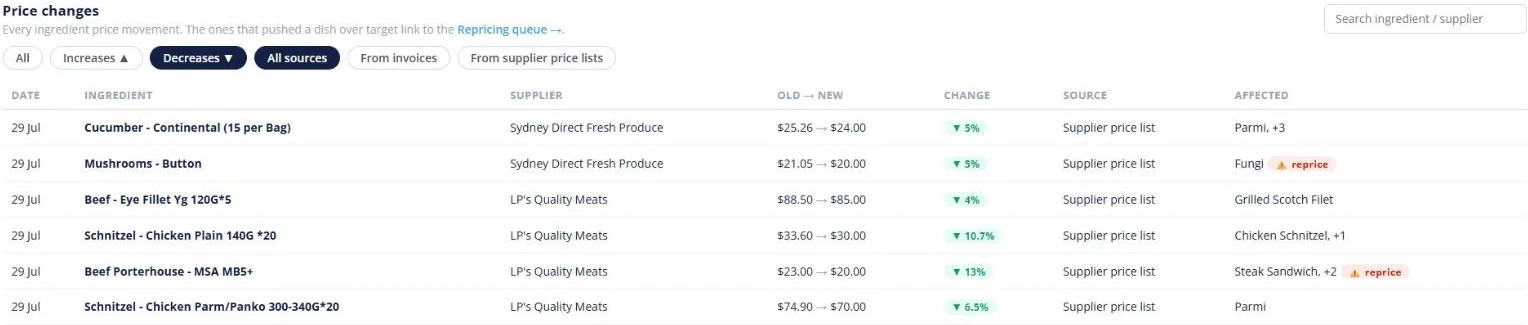
The control a group does get is inside each venue. On a paid plan a venue can add unlimited teammates and give each one a permission type — so a head chef, a sous chef and a venue manager work on the same live recipes, the same stock and the same repricing list instead of emailing versions of a spreadsheet around. There are also food and beverage buyer types, which narrow the suppliers and categories a teammate can order from, so a beverage buyer is not ordering meat. Every order records who placed it, and the order history belongs to the venue rather than to the person who placed it — which is what makes a site survive a resignation.
- Unlimited teammates within a venue on a paid plan
- Permission types per teammate, including food and beverage buyer types
- Every order records who placed it; the history belongs to the venue
Costing and reporting, one venue at a time
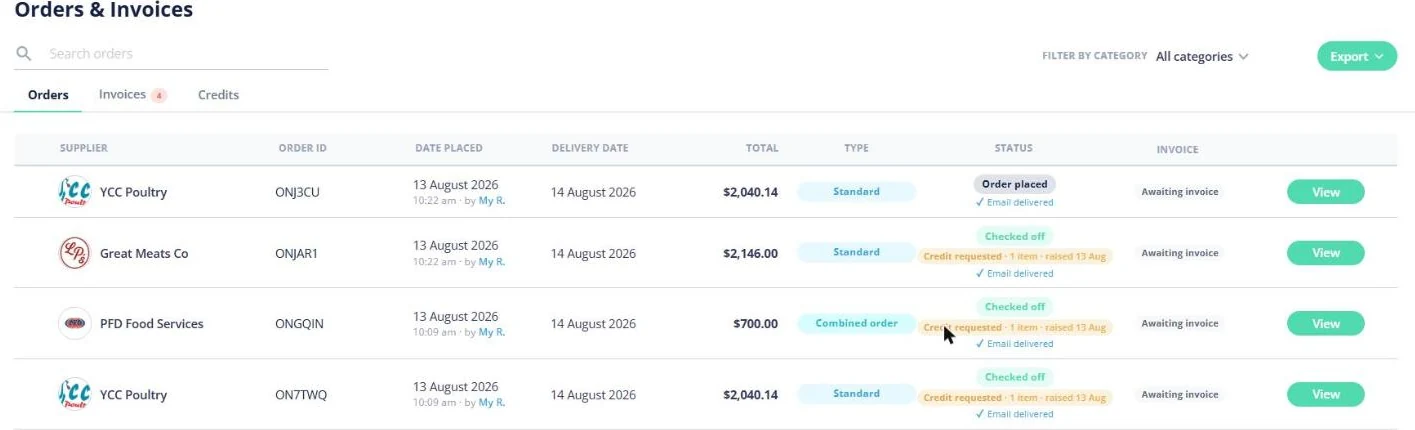
Each venue gets the full set of numbers for itself. Dishes carry a live cost percentage and the movement since last time; food and beverage cost are shown against target; sales, profit and cost are compared with the equivalent previous period; purchase spend is broken down by category week on week; and a supplier price rise arrives as a list of dishes to reprice. Reviewed invoices post into the Xero, QuickBooks or MYOB that venue already uses, as bills. Comparing two venues means opening both, or exporting both — the figures are there and they are exportable, but Open Pantry will not consolidate them into a single group view.
- Live dish cost percentage, cost movement and a repricing list, per venue
- Food and beverage cost against target; sales, profit and cost against last period
- Orders, invoices and reports export; accounting posts per venue
What the ordering and Menu Profit Manager plans do not do at group level
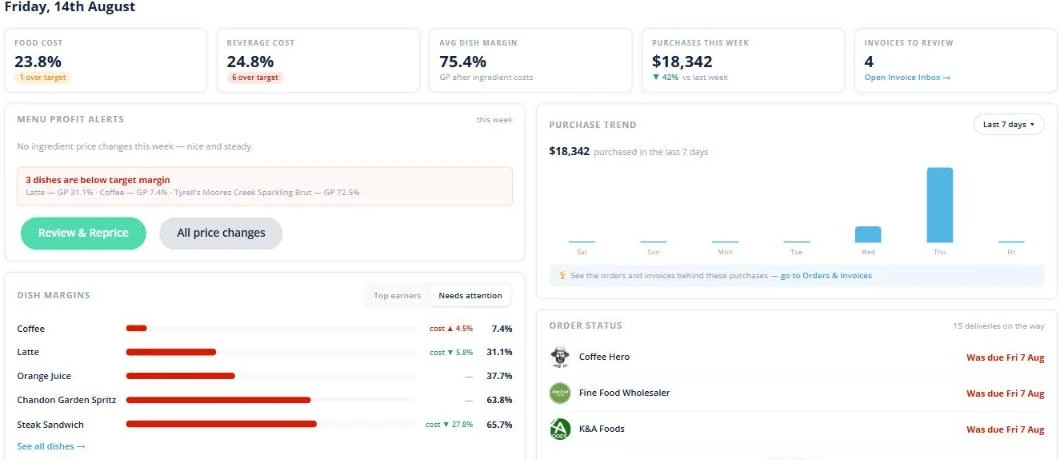
Said plainly, so nobody buys the wrong thing. There is no group or head-office product catalogue and no central price list to publish down to the sites. There is no group purchase approval and no cross-venue approval workflow — a venue’s order goes to its supplier when the venue sends it. There is no consolidated group reporting that adds the venues together. Invoice lines cannot be split across venues or cost centres. And there is no group account above the licences, so no single login that switches between sites. If group approvals, budgets and venues side by side are what you are buying, that is Restaurant AI Manager: approval rules by value, venue, supplier and category, a purchaser queue, weekly budgets per venue, stock transfers and a group view of every venue.
- No group catalogue, no central or head-office price list
- No group purchase approvals and no cross-venue approval workflow
- No consolidated group reporting, and no cost-centre split of invoice lines
- Suppliers on Open Pantry
- 600+
- Wholesale suppliers across Australia already taking orders through the platform.
- Venues ordering
- 5,000+
- Restaurants, cafes, bars and pubs running their order round on Open Pantry.
- Cost to order
- $0
- Ordering through Open Pantry is free for restaurants and venues — at every site in a group.
Paid plans are taken per venue and add costing, inventory and reporting to that venue. Prices are set per country on the restaurant pricing page.
What a group can lean on
Venues running their own numbers
Chefs Love Open Pantry

Thank you OPEN PANTRY, we used to have to use 6 apps to get access to ordering from our suppliers, the fact we can do it all in one has saved an incredible amount of time & effort! We love you!

We’ve been using Open Pantry for a few months now and it’s been an absolute lifesaver. We’re short staffed so being able to place all of our orders with all of our suppliers in the one spot is a massive help.

So glad this service exists. Has made it so easy for my manager & chefs to order & all payments are settled in one go. The recurring orders & pantry lists are amazing time savers!!
Why not run every venue off one central price list?
Because a central price list is a claim about what your sites pay, and the invoices are the fact. Venues buy from different suppliers, on different terms, and a group list is only ever as current as the last person who updated it — so the day it drifts, every dish at every site is costed off a number that is not real, and the reporting agrees with itself while being wrong everywhere at once. Keeping each venue on the prices it actually paid means a wrong price is one venue’s problem and shows up as one venue’s cost movement. The honest trade is this: you lose central control, and some groups genuinely need central control. If yours does, we are the wrong tool and we would rather say so on the call than after the invoice.
Open Pantry for restaurants in the United States
US restaurants, cafés and pubs use Open Pantry to order from all their suppliers in one place and keep food costs in view.
- Plans priced in
- USD — see US pricing
- Accounting sync
- QuickBooks Online and Xero
- Supplier directory
- 2,100+ US wholesale food & beverage suppliers
Can restaurants in the United States use Open Pantry?
Yes. Restaurants, cafés and pubs in the United States use Open Pantry to order from all their suppliers in one place, track what they buy and keep food costs in view. Paid plans are priced in USD.
Is ordering on Open Pantry free for restaurants?
Yes. The ordering package is free, with unlimited suppliers and orders. Paid plans add menu costing, inventory and reporting, and are priced in USD.
Multi-venue procurement — questions groups ask
Can I manage several restaurant venues from one Open Pantry account?+
Does Open Pantry have central or group-wide supplier price lists?+
Can head office approve a venue’s purchase order before it is sent?+
Is there consolidated group reporting across all of my venues?+
Can invoice lines be split across venues or cost centres?+
Why does each venue keep its own suppliers, products and recipes?+
How do I compare food cost between two of my venues?+
How do staff who work across more than one venue get access?+
What does it cost to run several venues on Open Pantry?+
Which platforms should I look at if I need group-level control?+
Works even better with
Open Pantry vs MarketMan
Row by row, feature by feature.
Explore →MarketMan Alternatives in Australia
Five platforms compared, and which of them actually operate here.
Explore →Restaurant Ordering Platform
Every supplier a venue buys from in one order round — free for the venue.
Explore →Food Costing Software
How a venue’s dishes cost themselves off the prices that venue actually pays.
Explore →Products Purchased & Purchase History
What each venue paid, and how those prices have moved since.
Explore →Restaurant Procurement Software
What a single venue’s procurement actually looks like, supplier by supplier.
Explore →Set the group up one venue at a time
Start with the venue whose costs you understand least. Ordering is free at every site, and the costing plan is taken per venue.
Free to order · Paid plans include a free trial · Cancel anytime