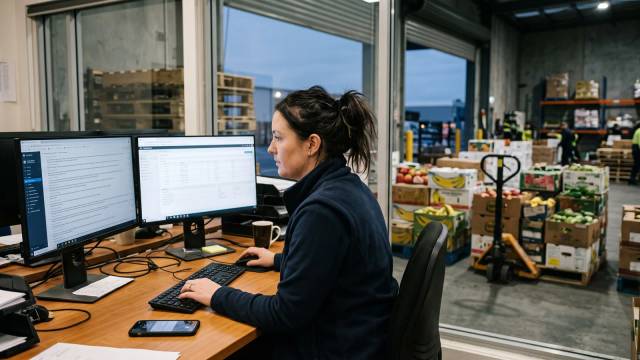
Yes, a wholesale food supplier can run much of the day from Claude or ChatGPT once the assistant is connected to live ordering data. Open Pantry's Enterprise connector covers more than 170 actions across orders, customers, pricing, stock, purchasing, credits and reports. Questions are answered straight away; every change is previewed and waits for your yes.
Key takeaways
- Connected to live data, Claude or ChatGPT can answer questions about orders, stock, margins and invoices.
- Open Pantry's connector covers more than 170 actions across orders, pricing, stock, credits and reports.
- Reads run straight away; every price, order, stock or credit change is previewed and waits for your yes.
- Pausing or revoking the Open Pantry API key stops every connector built on it within a minute.
- Connect in minutes: Settings, Integrations, AI assistants, create a key, then add it as a connector.
- Start with a read-only key for a week, then add orders and stock, and pricing and credits last.
In this guide 9 sections
- 01Can ChatGPT or Claude manage my wholesale business?
- 02Why a wholesale business would want this
- 03Ten requests a supplier can make on day one
- 04Why every change needs your confirmation
- 05How to connect ChatGPT and Claude to your wholesale business
- 06A sensible way to roll it out
- 07What it will not do
- 08How Open Pantry helps you run your wholesale business from Claude or ChatGPT
- 09FAQs

Yes, a wholesale food supplier can now run a large part of the working day from Claude or ChatGPT. With a Claude and ChatGPT business integration connected to your ordering system, you can ask for the morning rundown, the overdue list or a customer’s usual order in plain English and get answers from live data. Open Pantry’s connector, on the Enterprise plan, covers more than 170 actions across orders, customers, pricing, stock, purchasing, credits and reports. Reads run straight away; every change is previewed and waits for your yes.
That last point matters more than the headline. This guide explains what an AI assistant can and cannot do for a wholesale business, ten requests that are worth making on day one, how the safeguards work, and how to connect it.
Can ChatGPT or Claude manage my wholesale business?
ChatGPT or Claude can answer questions about your wholesale business and draft the changes you ask for, but on their own they cannot see your orders, and they should not make changes you have not approved. Out of the box, an AI assistant knows nothing about your price lists, your customers or your stock on hand. Ask it "who owes me money?" and it can only guess.

That changes when the assistant is connected to the system that holds your data. A connector gives the assistant a defined set of actions it can call, such as "list overdue invoices" or "draft an order", and returns real figures instead of guesses. In Claude, custom connectors are built on the Model Context Protocol (MCP), which Anthropic describes as an open standard for AI applications to connect to tools and data. OpenAI’s developer documentation describes adding a custom MCP server in ChatGPT in a similar way.
So the short answer is: the assistant becomes a fast front end to your business system. It does the looking up, the totalling and the drafting. You still make the decisions, and the ordering platform still does the picking, invoicing and accounting sync.
Why a wholesale business would want this
Most supplier software already holds the answers. The problem is getting them out. A simple question like "which cafés have stopped ordering?" usually means opening a report, exporting it, filtering a spreadsheet and comparing it to last month. Most of those questions never get asked, because the clicking is not worth it on a busy morning.
The owner or sales manager is also rarely at the office computer. They are on the road, at the markets or with a customer. Being able to ask from a phone, the way you would ask a colleague, is the practical gain.
Ten requests a supplier can make on day one
The requests below are illustrative examples of the kinds of asks the Open Pantry connector handles, as described on its live feature page. Questions are answered from live data. Anything that changes data is drafted and waits for confirmation.

- The morning rundown. "What’s on today?" gives a rundown of the day from live data, from a laptop or a phone.
- A customer’s usual order. "Draft the usual Friday order for the café on Smith Street." The assistant builds it from order history and shows you the lines before anything is created.
- Changing an order. "Add two boxes of broccoli and move delivery to Friday." You see the changed lines and the new date, then confirm.
- Stock in. "Receive this morning’s delivery from the vendor and write off the three cartons that arrived damaged." Receiving and the adjustment are both previewed.
- A special price. "Set a customer price on the 5 kg chicken thigh for the hotel group." Customer-specific prices are a change, so the assistant waits for your yes.
- A credit. "Raise a credit for the bruised stock on yesterday’s order." Credits can be raised and voided, each with confirmation.
- The chase list. "Which invoices are overdue?" returns the list, ready for the accounts team to work through.
- Win-back. "Which customers have gone quiet this month? Draft a win-back promotion for them." The promotion comes with a margin check before you approve it.
- What is selling. "What made the most margin last month, and how did sales compare with the month before?" Open Pantry says product margins are costed from your stock ledger at the time of sale, and sales figures match its reports.
- What to reorder. "What are we out of, and what needs reordering? Raise the purchase order." The assistant works out the list and drafts the purchase order for you to confirm.
None of these replace the screens your warehouse team uses. Drafts are created the same way the app creates them, and orders flow into the same digital pick and pack.
Why every change needs your confirmation
Every change needs your confirmation because a wrong price or a doubled order costs real money, and an assistant can misread a request just as a new staff member can. Open Pantry’s connector treats customer prices, orders, stock, credits, promotions and messages to customers as changes. Each one is previewed first and nothing is written until you say yes. The riskiest actions need an explicit confirm step inside Open Pantry as well, and each change comes back with a plain summary and a link into the app so you can check it.
The other safeguards sit around the key that connects the assistant:
- You choose the areas. The API key is created by you, with what it may read and what it may change ticked area by area. The key is shown once.
- It is your account, not a back door. The key acts as your own Open Pantry account, sees only your data, and Open Pantry checks every request on its server.
- You can stop it fast. Pause or revoke the key and every connector built on it stops within a minute.
- Limited logging. Open Pantry’s privacy policy section on AI assistants says it does not store the content of your conversations. It keeps a request log (account, action, time, outcome and a one-way fingerprint) for 90 days, and connection tokens expire after 30 days.
One point owners should understand before connecting: the results of each request are sent to the assistant provider you chose, Anthropic for Claude or OpenAI for ChatGPT, and are handled under that provider’s terms. Anthropic’s own guidance is worth following too: only connect servers from organisations you trust, review tool approval requests carefully, and switch off write tools you do not need.
How to connect ChatGPT and Claude to your wholesale business
To connect ChatGPT and Claude to your wholesale business, create an API key in your ordering platform, add that platform as a custom connector in the assistant, and sign in with the key. In Open Pantry it takes a few minutes:
- Check your plan. The AI assistant connector is available on the Enterprise plan. Keys from other plans are refused. The Open Pantry pricing page lists Enterprise as custom-priced.
- Create the key. In Open Pantry, go to Settings → Integrations → AI assistants. Tick what the assistant may read and what it may change.
- Add the connector. In Claude or ChatGPT, add Open Pantry as a custom connector and paste the key on the Open Pantry sign-in page that opens.
- Ask a question. Start with something read-only, such as the overdue list, and check the answer against your reports.
On the assistant side, your account must allow custom connectors. As at 10 November 2026, Anthropic says custom connectors are available on Claude’s Free, Pro, Max, Ultra, Team and Enterprise plans, with Free users limited to one custom connector; on Team and Enterprise, an owner adds the connector for the organisation and members then connect. Once added, the connector works across Claude on the web, desktop and mobile apps. For ChatGPT, Open Pantry notes that custom connectors may require developer mode depending on your account, and OpenAI says account and workspace policies apply to adding custom MCP servers. Menu names in both assistants change often, so follow the current help pages.
A sensible way to roll it out
Treat the connector like a new staff login. A rollout that suits most supplier teams looks like this:
- Week one, read only. Tick read areas only. Ask the morning rundown, the overdue list and what is selling every day, and compare the answers with your dashboard until you trust them.
- Week two, low-risk writes. Allow orders and stock receiving. Draft the usual orders for a few regular customers and check each preview line by line.
- Then pricing and credits. Add customer pricing, credits and promotions last, because those touch margin directly.
- Decide who holds a key. In Open Pantry the AI assistants section is shown to Enterprise account owners, so keys stay with the people responsible for the account.
Write down the five or six questions your team asks most often. Those become the habit. If you already use AI to read incoming orders, the connector complements it: AI order entry handles the email, SMS and WhatsApp orders coming in, while the assistant connector answers questions and drafts changes for you. For a wider view of where each tool fits, see our guide to AI software for food wholesalers.
What it will not do
Being clear about limits avoids disappointment:
- It will not change data without your confirmation.
- It cannot see other suppliers’ data, only what your account could see in the app.
- It is not a replacement for your accounting software. Invoices still sync to Xero, MYOB or QuickBooks Online through the platform.
- It depends on your data. If stock counts or price lists are out of date, the answers will be too.
The Claude and ChatGPT business integration is most useful for owners and managers who already know which questions they want answered and want those answers in seconds, from anywhere.
How Open Pantry helps you run your wholesale business from Claude or ChatGPT
Open Pantry is an Australian B2B ordering and operations platform for wholesale food and beverage suppliers, founded in 2018. Its Claude and ChatGPT connector for wholesale suppliers lets Enterprise customers ask about orders, customers, stock, margins and overdue invoices, and draft orders, prices, credits and purchase orders that wait for confirmation. The answers come from the same data as your supplier analytics and reporting, and reorder suggestions draw on inventory intelligence for stock and purchasing. Everything the assistant drafts flows into the same digital pick and pack, so nothing lives outside your system. Book a demo to see it working on your own data.
Frequently asked questions
Can I connect ChatGPT or Claude to my wholesale ordering system without coding?
Yes. In Open Pantry you create an API key under Settings, Integrations, AI assistants, tick what the assistant may read and change, then add Open Pantry as a custom connector in Claude or ChatGPT and paste the key on the sign-in page that opens. It takes a few minutes. Your assistant account must allow custom connectors, and the Open Pantry connector needs the Enterprise plan.
Can the AI assistant change prices or orders without asking me first?
No. Reading runs straight away, but anything that changes data, such as customer prices, orders, stock, credits, promotions or messages to customers, is previewed first and waits for your confirmation. The riskiest actions also need an explicit confirm step inside Open Pantry, and each change comes back with a plain summary and a link into the app so you can check it.
Which Open Pantry plan do I need for the Claude and ChatGPT connector?
The AI assistant connector is available on the Open Pantry Enterprise plan, which is custom-priced. The AI assistants section in Settings is shown to Enterprise account owners, and a key from any other plan is refused when it tries to connect. Suppliers on Free or Pro can book a demo to discuss whether Enterprise suits their order volume and team.
Is my wholesale business data safe when I connect Claude or ChatGPT?
The key acts as your own account, sees only your data and is limited to the areas you tick, and Open Pantry checks every request on its server. Open Pantry says it does not store conversation content and keeps a request log for 90 days. Results are sent to Anthropic or OpenAI and handled under that provider's terms, so check your plan's data settings there.
How do I turn off the AI assistant connection if something goes wrong?
Pause or revoke the API key in Open Pantry and every connector built on that key stops working within a minute. You can also remove the Open Pantry connector from Claude or ChatGPT at any time. Because the key is shown only once, create a new key with the areas you want if you later decide to reconnect the assistant.
Do I need a paid Claude or ChatGPT subscription to use the connector?
You need an assistant account that allows custom connectors. As at 10 November 2026, Anthropic lists custom connectors on Claude's Free, Pro, Max, Ultra, Team and Enterprise plans, with Free limited to one. ChatGPT may require developer mode for custom connectors depending on your account, and OpenAI says account and workspace policies apply. Menu names change, so check current help pages.
Sources
- Open Pantry: Claude and ChatGPT AI assistant connector (170+ actions, confirm-before-change, Enterprise plan, key paused within a minute, setup steps) - accessed 10 November 2026
- Open Pantry Privacy Policy: AI assistant connections (no conversation content stored, 90-day request log, 30-day connection tokens) - accessed 10 November 2026
- Open Pantry supplier pricing (Enterprise custom-priced) - accessed 10 November 2026
- Anthropic, Claude Help Center: Get started with custom connectors using remote MCP (MCP open standard, plan availability, Free limited to one, security guidance) - accessed 10 November 2026
- OpenAI Developers: Connect and test your plugin (adding a custom MCP server in ChatGPT; account and workspace policies apply) - accessed 10 November 2026