
Restaurant Stocktaking Software: Count Once, and Have It Count for Something
Open Pantry turns the stocktake into a guided count on the device you are already holding. You work through one storage area at a time, count in the unit the product actually comes in, and the screen shows opening stock against your closing figure with the variance worked out. When you finish, the count becomes your live stock — not a spreadsheet nobody opens again.
- Guided count by storage area, shelf and place
- Count in the unit you buy in — kilos, packs, cartons, bottles
- Opening stock, closing stock and variance side by side
- Scan barcodes instead of typing, or count the regular way
★★★★★ Trusted by 5,000+ venues
Recommended by:




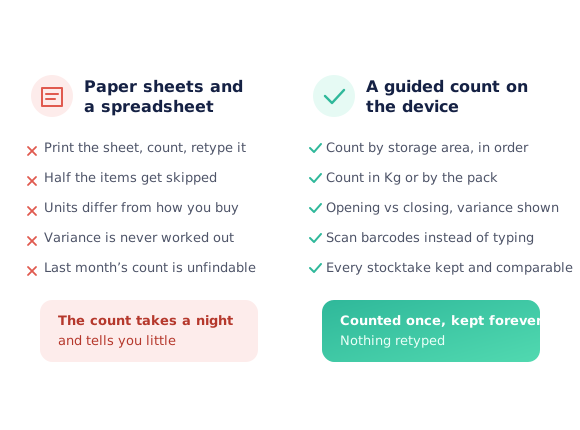
The stocktake that takes a night and tells you nothing
Print the sheet, count it, then retype the whole thing on Monday
The sheet is ordered by supplier, but the stock is ordered by room
A product bought by the carton gets counted in kilos, or the other way round
Variance never gets worked out, so nobody learns anything from the count
Half the lines are skipped and there is no way to see which
Last month’s count cannot be found, so nothing can be compared
Start the count, work the room, finish with a figure
Start a stocktake
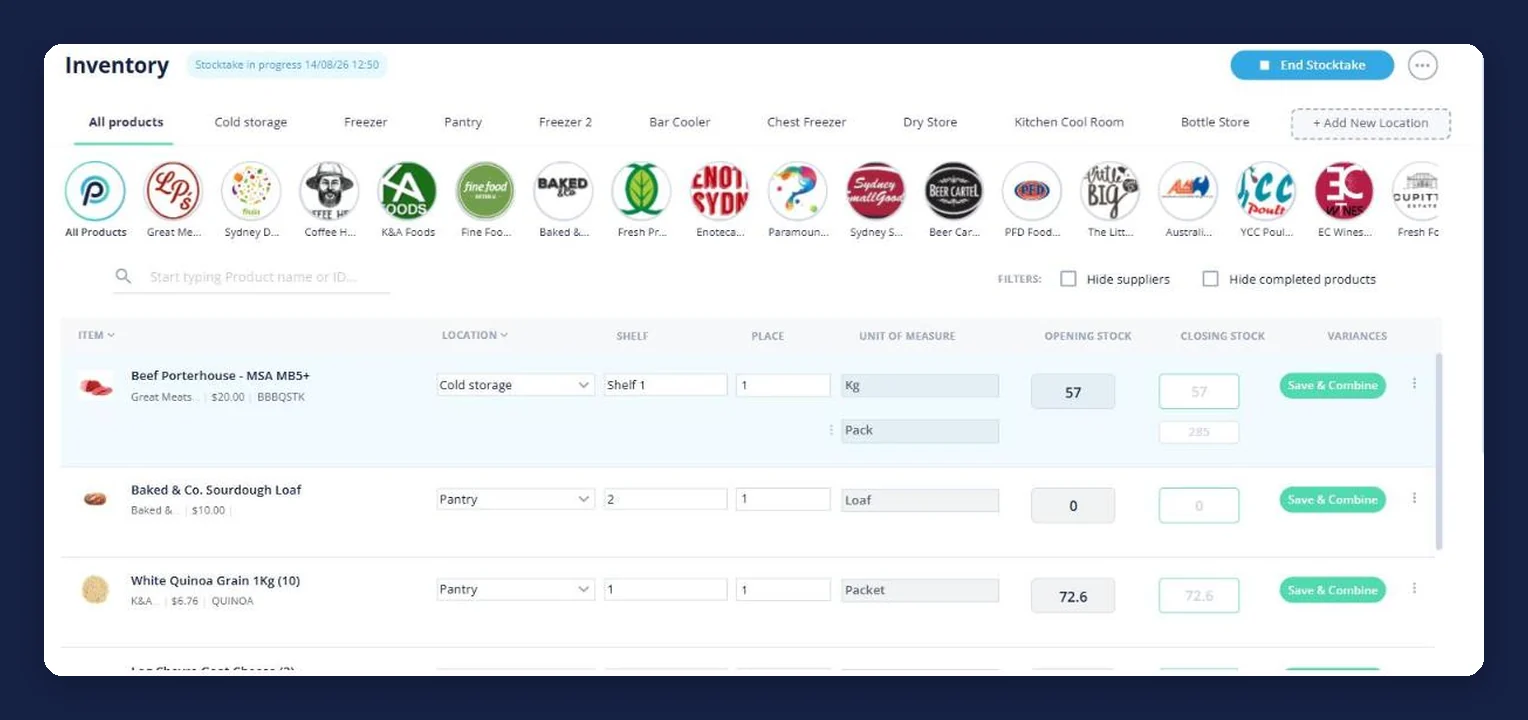
Pick a regular count or barcode scanning. The venue gets a "stocktake in progress" marker so everyone knows a count is running and which one they are contributing to.
Work one area at a time
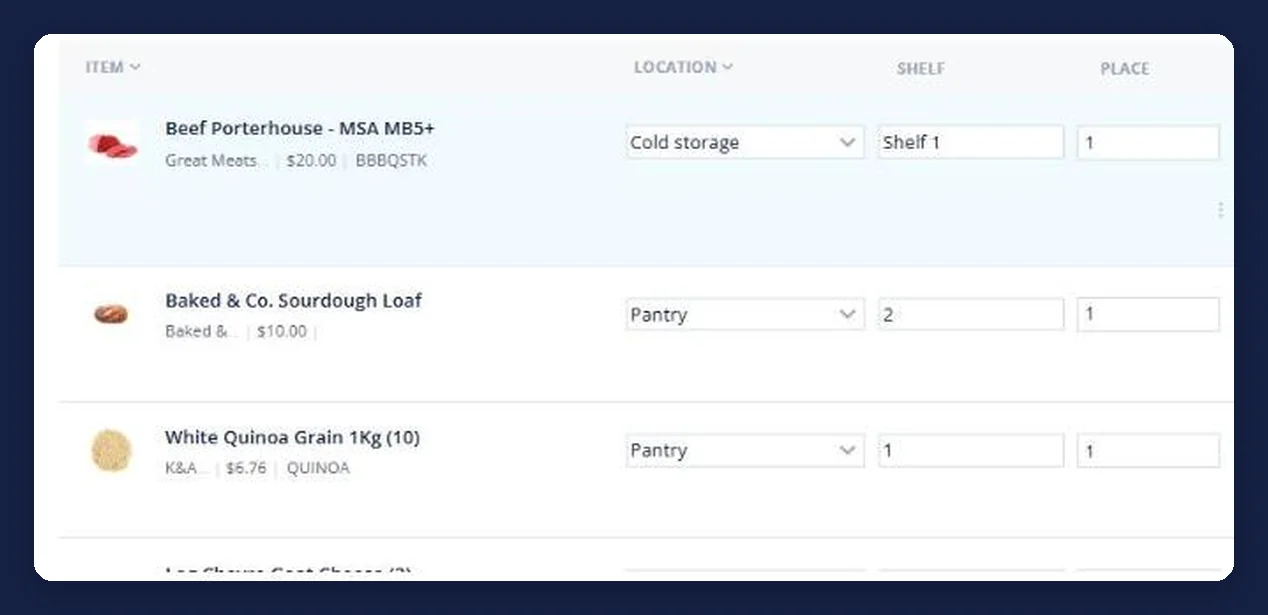
Products are grouped by storage area, shelf and place, so you count the coolroom as a room. Filters hide suppliers you are not counting and products already done.
Count in the unit in front of you
Each line shows its unit of measure, and a product bought two ways can be counted both ways — three kilos and two packs, not a conversion done in your head on a ladder.
Close it out
Closing stock sits against opening stock with the variance beside it, and ending the stocktake writes the counted figures into your live inventory ready for the next order round.
See how Open Pantry works for venues
Opening, closing and the gap between them
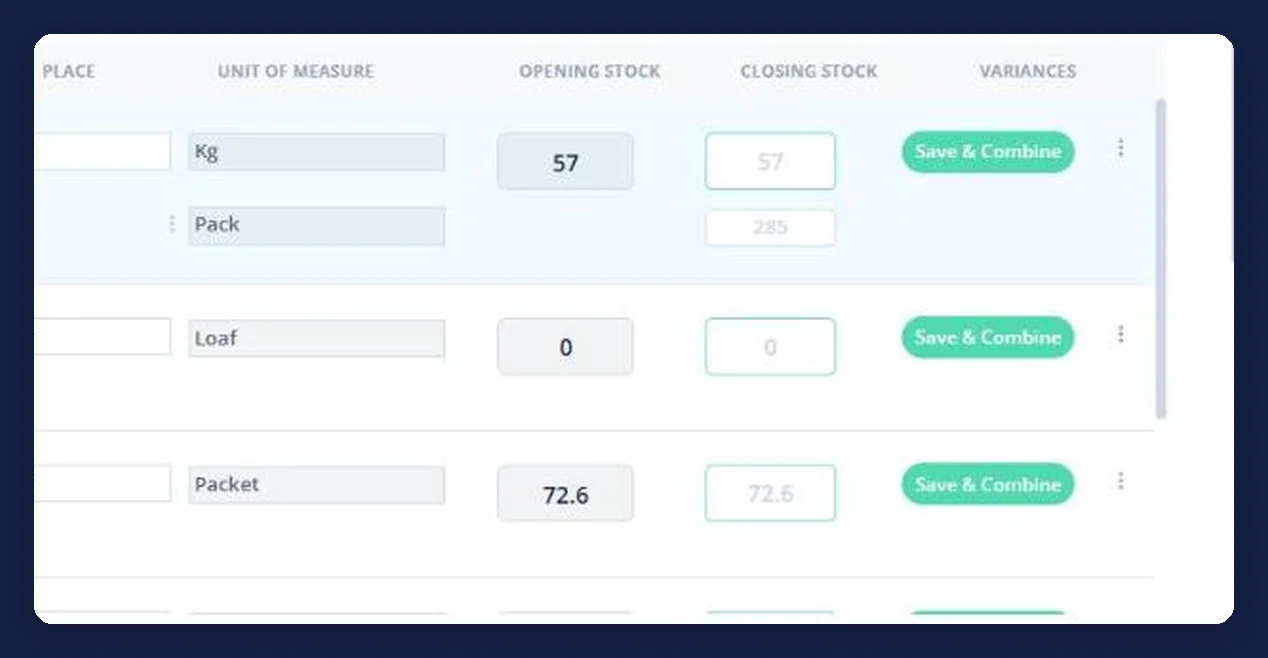
A count is only useful if it tells you what moved. Every line shows the opening figure the system held, the closing figure you counted, and the variance between them — so shrinkage, over-portioning and miscounts show up as a number instead of a feeling at the end of the month.
- Opening stock carried from the last count and your orders
- Closing stock is what you counted, in the unit you counted it in
- Variance worked out per line, not just per total
Count in the unit that is actually on the shelf
Beef comes in kilos and in packs; wine comes in bottles and in cases. The count screen carries the unit of measure per line and lets a product be counted in more than one, so the person on the ladder writes down what they can see rather than doing arithmetic to fit a form.
- Unit of measure shown against every line
- A product can be counted in two units at once
- No mental conversions, so fewer wrong numbers
Scan it, or count it the regular way
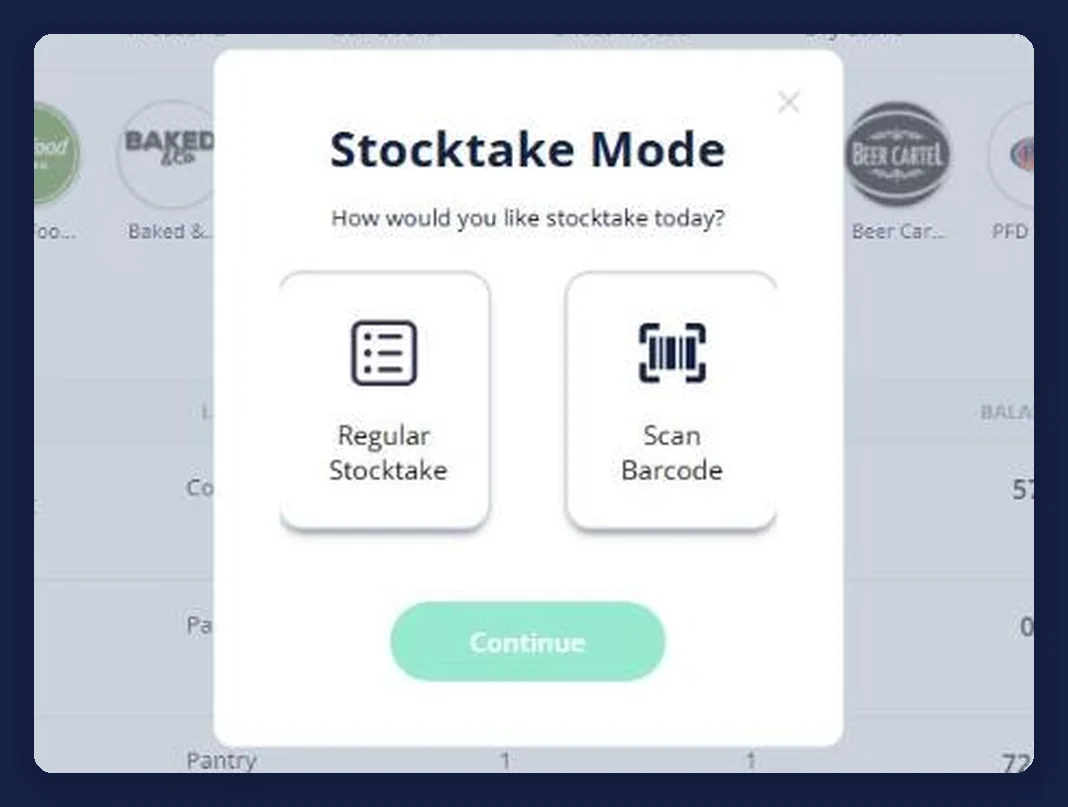
Starting a stocktake asks how you want to count today. Barcode scanning suits a bottle store or a dry store where everything carries a label; the regular count suits a coolroom of open produce. Both write into the same stocktake, so a venue can mix the two across the building.
- Regular stocktake or barcode scanning, chosen per count
- Both feed the same figures
- Whoever is counting picks what suits the room
The count lands in the ordering screen
Ending the stocktake writes the counted figures back as your on-hand balances, so the next order round starts from what was counted rather than from memory. That is what a stocktake is for, and it is the step a paper count never completes.
- Counted figures become live stock balances
- Par levels and triggers then have something real to compare against
- The next order can be built straight back to par
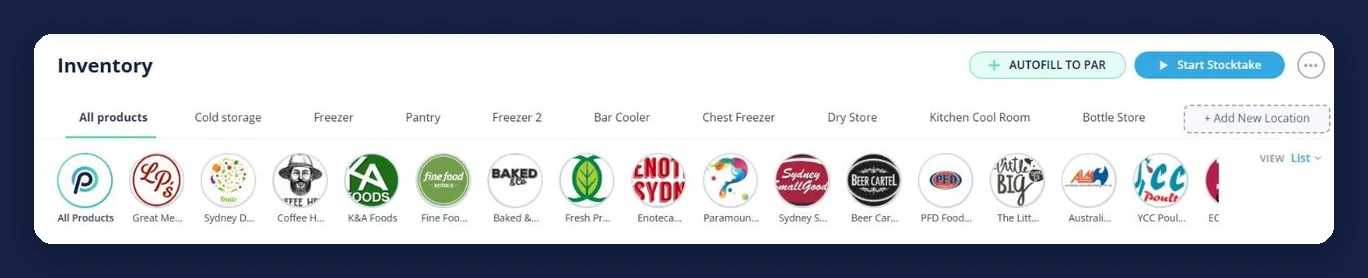
Part of the same system as the ordering
Venues that stopped counting on paper
Chefs Love Open Pantry

Thank you OPEN PANTRY, we used to have to use 6 apps to get access to ordering from our suppliers, the fact we can do it all in one has saved an incredible amount of time & effort! We love you!

We’ve been using Open Pantry for a few months now and it’s been an absolute lifesaver. We’re short staffed so being able to place all of our orders with all of our suppliers in the one spot is a massive help.

So glad this service exists. Has made it so easy for my manager & chefs to order & all payments are settled in one go. The recurring orders & pantry lists are amazing time savers!!
Why not just print a stocktake sheet?
Because the sheet has to be retyped to be useful, and by the time it is, the numbers have moved. A guided count on a device skips the retyping entirely, works out the variance while you are still standing there, and leaves a record you can hold next month’s count against.
Restaurant stocktaking — questions venues ask
What is restaurant stocktaking software?+
How do I do a stocktake in Open Pantry?+
Can I count in cartons and kilos?+
Does it show variance?+
Can I use a barcode scanner?+
Can more than one person count at once?+
What happens to my stock levels after a count?+
Is stocktaking free?+
Works even better with
Restaurant Inventory Management
The balances, par levels and triggers your counts feed into.
Explore →Products Purchased & Purchase History
What you actually bought and paid, to sit beside what you just counted.
Explore →Restaurant Ordering Platform
Every supplier in one place, with the order built from what you counted.
Explore →Make the next stocktake the last one you retype
Ordering is free for venues; stocktaking comes with the paid plans.
Free to order · Paid plans include a free trial · Cancel anytime