
Restaurant Inventory Management: Know What You Have Before You Order
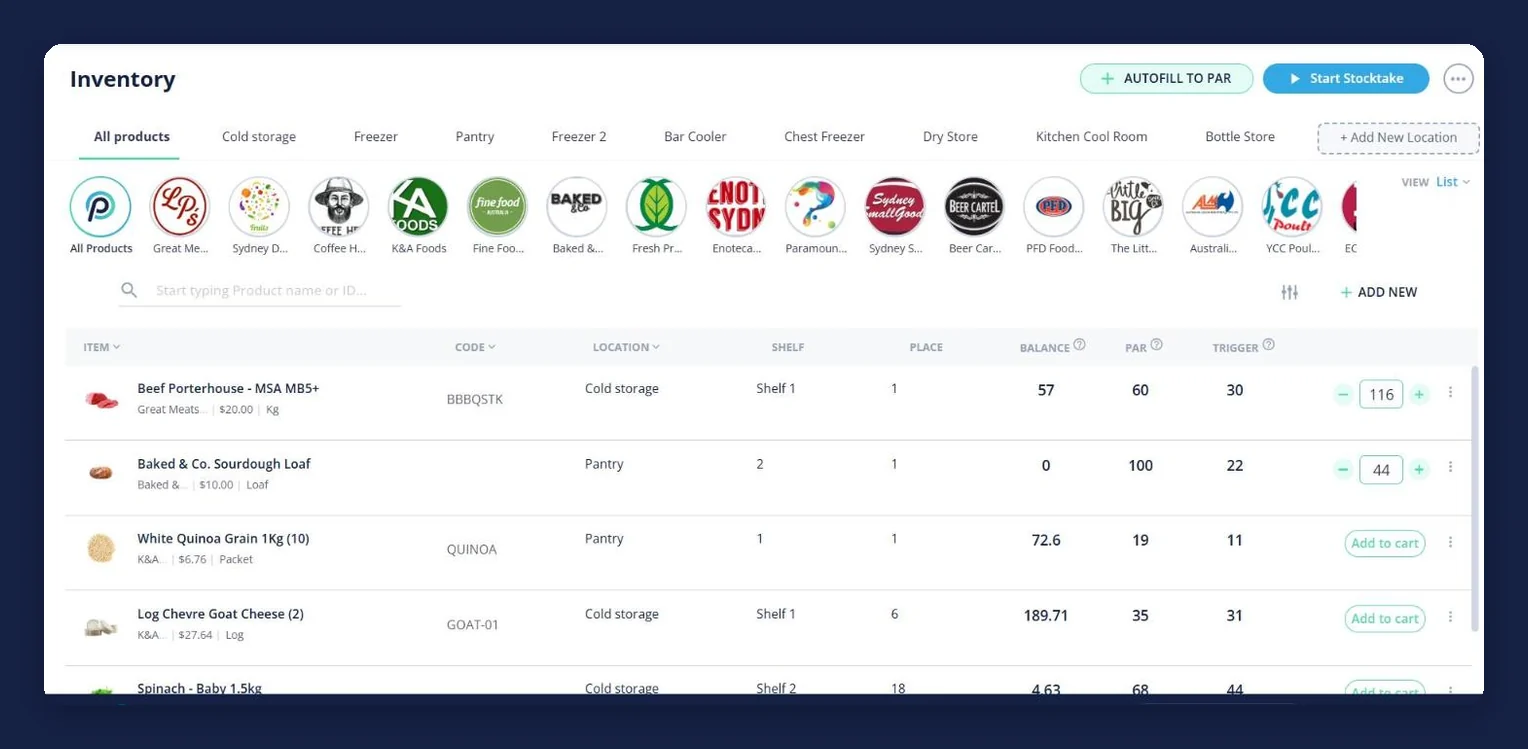
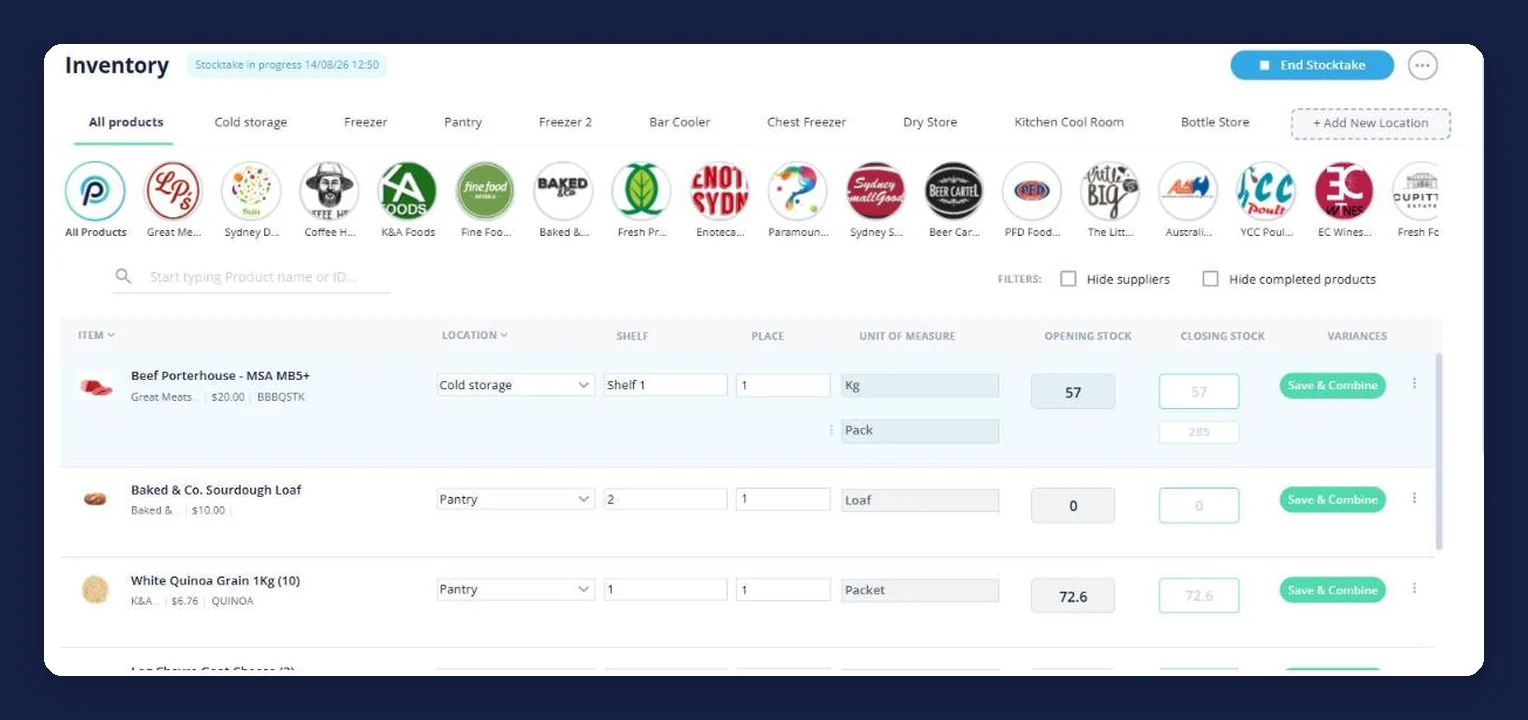
Open Pantry keeps your stock on the same screen you order from. Every product carries an on-hand balance, a par level and a trigger point, filed by the coolroom, freezer or store it actually lives in — so the order round starts from a number instead of a walk-through and a guess, and topping back up to par is one action.
- On-hand balance, par level and trigger against every product
- Stock filed by storage area — coolroom, freezer, dry store, bottle store
- Autofill to par builds the order for everything that has dropped below its trigger
- Counts from a stocktake flow straight back into the same numbers
★★★★★ Trusted by 5,000+ venues
Recommended by:




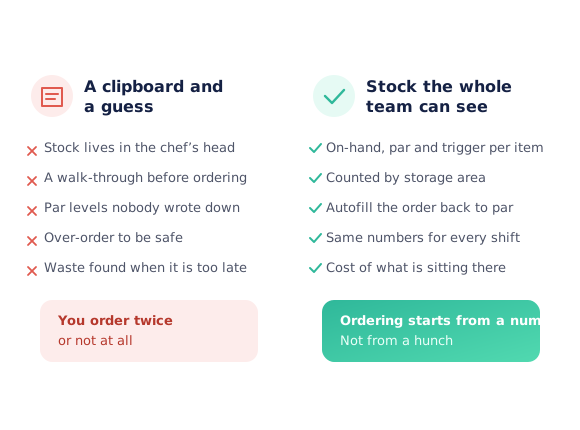
The order goes in before anybody knows what is left
Stock levels live in the head of whoever walked the coolroom last
Par levels were agreed once, out loud, and never written down
You over-order to be safe, and find the waste on Friday
Or you under-order, and a section runs out mid-service
Nobody can tell what the stock sitting in the building is worth
The count, the par level and the order all live in different places
From a walk-through to a number you can order against
Set the item up once
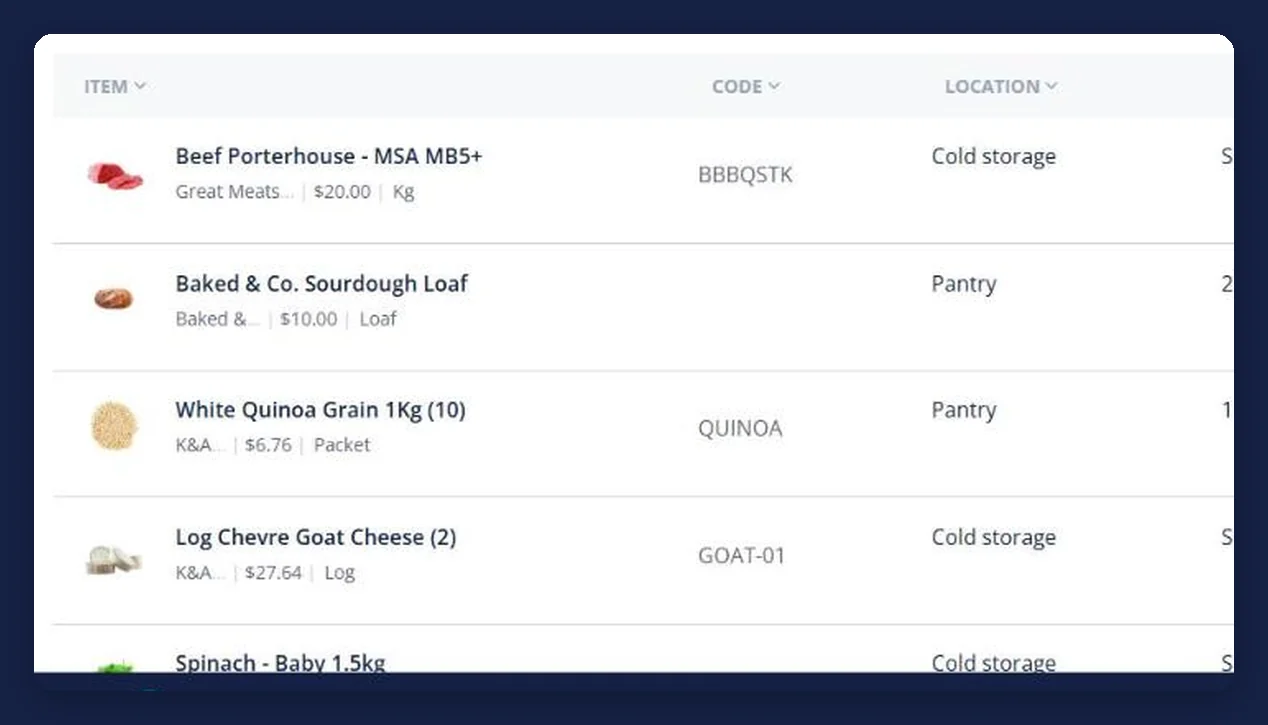
Give a product its storage area, shelf and place, and the par level you want to hold. Products come from the catalogues you already order from, so nothing is typed in twice.
Keep the balance current
Stocktakes write the counted figure back against the item, so the balance on the screen is the figure the team counted rather than an estimate.
Watch the trigger
Each item carries a trigger — the level you never want to go under. The inventory list shows what has fallen to it, so short items surface before service does.
Autofill to par and order
Top everything back up to par in one action, or add single items to the cart from the inventory line. It becomes an ordinary order to the supplier it came from.
See how Open Pantry works for venues
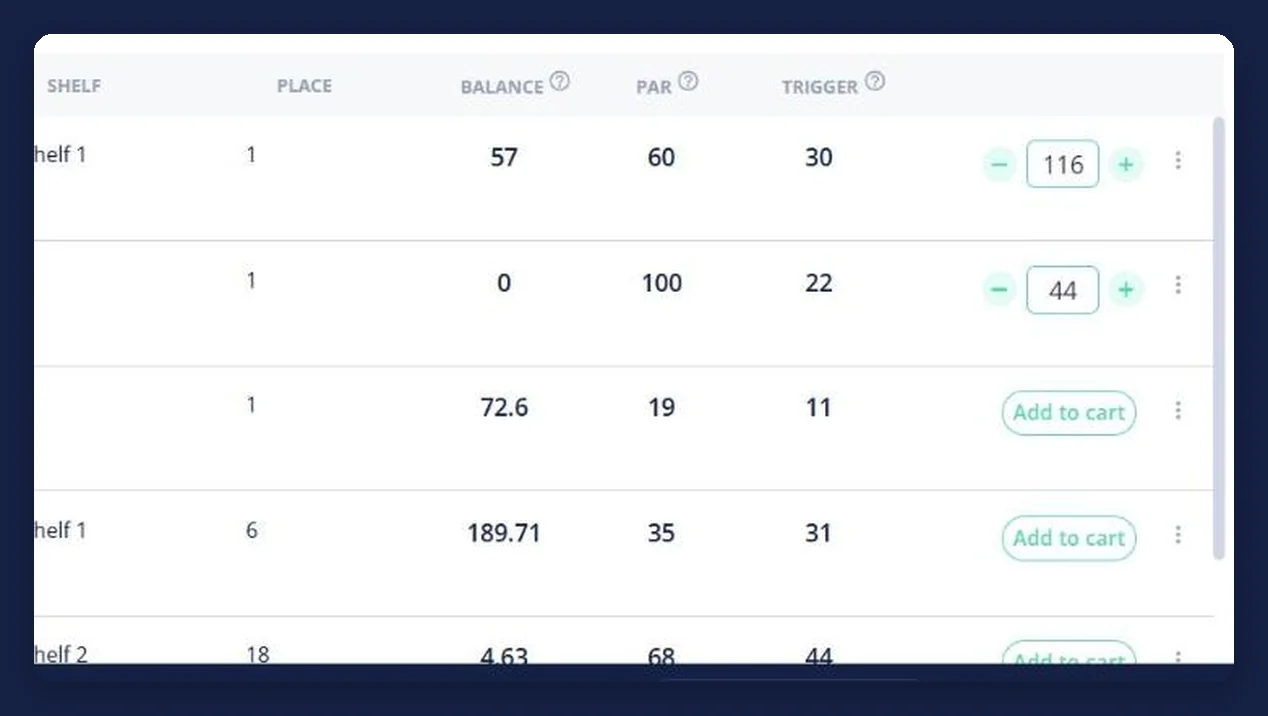
Balance, par and trigger on every line
Three numbers do the work: what you have, what you want to hold, and the level that means order now. They sit beside each other on every product, so the decision is visible rather than argued about — and the same line has an add-to-cart button, so acting on it does not mean going somewhere else.
- Balance is what was counted, not an estimate
- Par is the level you want to hold going into service
- Trigger is the point that makes it an order
Stock filed where it actually lives
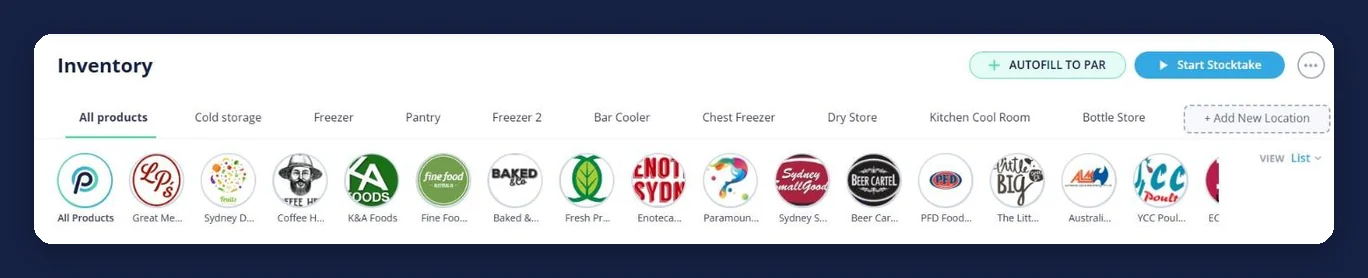
A venue does not hold one pile of stock; it holds a coolroom, a freezer, a dry store, a bar cooler and a bottle store. Inventory is tabbed by storage area and each item carries a shelf and place, so a count follows the room rather than a spreadsheet order and nobody hunts for the last two boxes.
- A tab per storage area, and you can add your own
- Shelf and place recorded against the item
- Count one room at a time without losing your spot
The order builds itself back to par
Once par levels exist, the reorder stops being a judgement call. Autofill to par works out the gap between what you hold and what you want to hold, and puts it in the cart — split by supplier, exactly like any other Open Pantry order, ready to review before it goes.
- One action tops the whole venue back to par
- Still your order to check, change and send
- Goes to each supplier as a normal digital order
Counts and stock stay the same set of numbers
A stocktake in Open Pantry writes into this screen rather than into a document nobody opens again. That is the difference between an inventory system and a stock count: the number you counted on Sunday is the number the order round uses on Monday.
- Counted figures become the on-hand balance
- Opening and closing stock recorded per count
- No retyping between the count and the order
Sits on top of the ordering you already do
Venues running their stock on Open Pantry
Chefs Love Open Pantry

Thank you OPEN PANTRY, we used to have to use 6 apps to get access to ordering from our suppliers, the fact we can do it all in one has saved an incredible amount of time & effort! We love you!

We’ve been using Open Pantry for a few months now and it’s been an absolute lifesaver. We’re short staffed so being able to place all of our orders with all of our suppliers in the one spot is a massive help.

So glad this service exists. Has made it so easy for my manager & chefs to order & all payments are settled in one go. The recurring orders & pantry lists are amazing time savers!!
Why not just keep counting on a clipboard?
A clipboard tells you what was there when someone walked past it. It does not tell you what to order, it cannot be seen by the person doing the ordering on their day off, and by the time it is typed up it is out of date. Putting the same numbers next to the ordering screen is what turns a count into a decision.
Restaurant inventory management — questions venues ask
What is restaurant inventory management software?+
How does Open Pantry know what stock I have?+
What are par levels and triggers?+
Can it order stock for me?+
Can I track stock across different areas of the venue?+
Do I need inventory to use Open Pantry?+
Is inventory included in the free plan?+
How is this different from a stocktake?+
Works even better with
Restaurant Stocktaking
Guided counts by storage area, in the units you buy in, feeding straight back into these balances.
Explore →Recurring Orders
Repeat the predictable orders on a cycle, or top stock back up to these par levels on demand.
Explore →Restaurant Ordering Platform
Every supplier in one place — the ordering these stock numbers feed into.
Explore →Food Costing Software
Every recipe costed off the supplier prices you actually pay, re-costed when they move.
Explore →Start the order round from a number
Ordering is free for venues; add inventory when you want stock control on top.
Free to order · Paid plans include a free trial · Cancel anytime