
Sales & Waste Tracking: Find Out Which Habit Is Costing You
Waste is logged as it happens — the item, the quantity, a reason and who reported it — and comes back costed, split by reason, menu, item and staff member, with stocktake variances in the same report. The day’s sales come in from your POS, whichever one you use, and are matched to your recipes. Together they turn “we seem to be losing money somewhere” into a number with a cause.
- Every write-off carries a reason and a reporter
- Waste costed, not just counted — by reason, menu, item and staff
- Stocktake variances reported alongside logged waste
- Sales come in from your POS, whichever one you use
★★★★★ Trusted by 5,000+ venues
Recommended by:




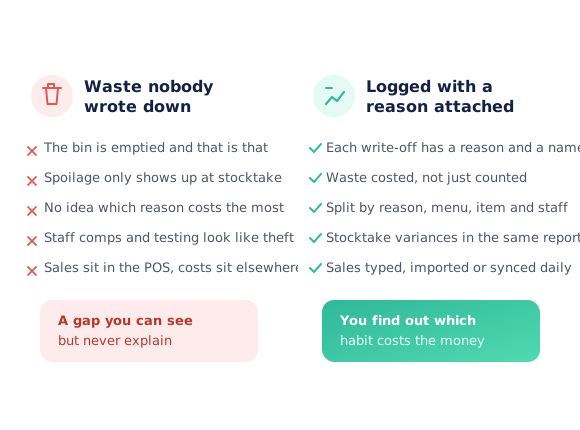
The bin gets emptied and the money goes with it
Spoilage is noticed at stocktake, weeks after it happened
Nobody can say whether breakages or comps cost more
Staff meals, testing and on-the-house drinks all look the same as loss
A dish that over-produces every service is never spotted
Sales live in the POS while costs live somewhere else entirely
The variance at stocktake has no explanation attached to it
Log it once, and let the report do the arguing
Log the waste as it happens
Pick the product or recipe, enter the quantity, choose a reason and record who reported it. It takes a few seconds at the point the thing actually gets thrown away, which is the only time anyone remembers why.
Get the sales in
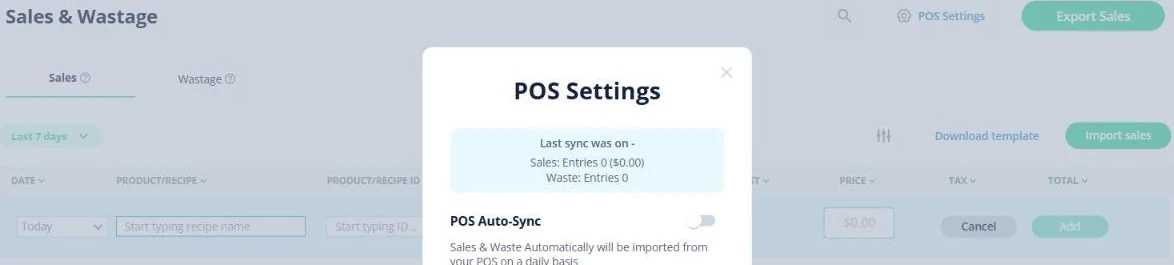
The day’s sales come in from your POS and are matched to your recipes — whichever POS the venue uses. Waste stays logged here either way.
See it costed
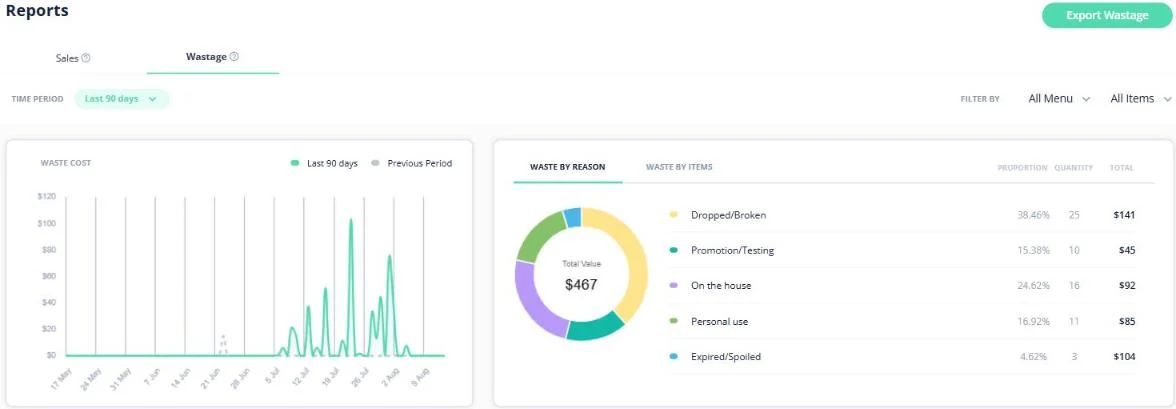
The waste report values what was written off and splits it by reason, by menu, by item and by the person who logged it, over whatever period you choose, against the period before.
Check it against the count
Stocktake variances sit in the same report as logged waste, so the difference between what you counted and what you expected has the explained write-offs beside it.
See how Open Pantry works for venues
A reason and a name on every write-off
Waste is only useful if you know why. Each entry records the product or recipe, the quantity, a reason — dropped or broken, expired or spoiled, on the house, personal use, promotion or testing — and the person reporting it. That turns a vague shrinkage number into a list of specific, fixable habits.
- Reason recorded against every entry
- Reporter captured, so it is traceable without being punitive
- Works on products and on recipes

Costed, and split four ways
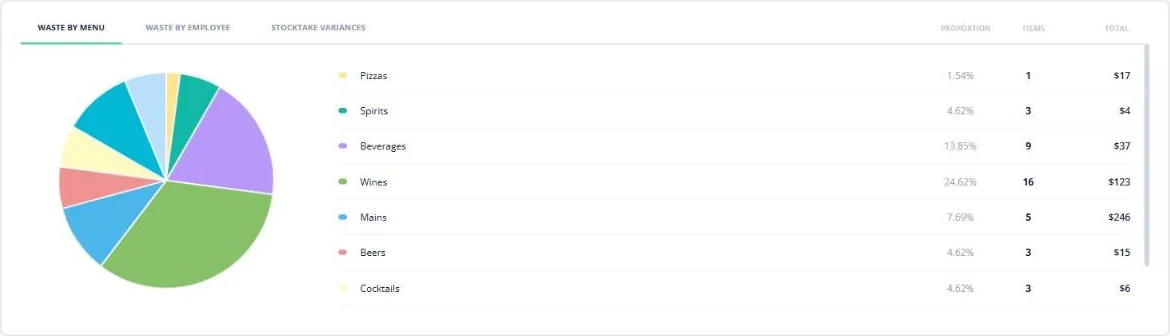
The report values the waste rather than counting it. Total waste for the period sits against the period before, with a breakdown by reason, and separate views by menu, by item and by employee — so you can see that wine is the biggest line, or that most of it is one reason on one section, and act on that instead of asking everyone to be careful.
- Waste value for the period against the previous one
- By reason, by menu, by item and by employee
- Filter by menu or item, then export
Stocktake variances in the same place
Logged waste explains some of the gap between what you counted and what you should have had; the rest is the variance. Both live in the same report, so the conversation stops being "the numbers are off" and becomes "this much is explained, this much is not" — which is a much shorter conversation.
- Stocktake variances reported beside logged waste
- The explained and unexplained parts kept separate
- Same period controls across the whole report
Sales in from your POS
Sales tracking only works if getting the data in is easy, so nobody has to type it. Open Pantry connects to your POS, whichever one you use, and the day’s sales come in against the recipe or product each one belongs to. Waste is logged here rather than imported. Once sales are in, they drive the sales, profit and cost reporting and the dish-level margins.
- Works with every POS
- Sales matched to your recipes and products
- Feeds sales, profit and cost reporting
Fits how the venue already runs
Venues that found where it was going
Chefs Love Open Pantry

Thank you OPEN PANTRY, we used to have to use 6 apps to get access to ordering from our suppliers, the fact we can do it all in one has saved an incredible amount of time & effort! We love you!

We’ve been using Open Pantry for a few months now and it’s been an absolute lifesaver. We’re short staffed so being able to place all of our orders with all of our suppliers in the one spot is a massive help.

So glad this service exists. Has made it so easy for my manager & chefs to order & all payments are settled in one go. The recurring orders & pantry lists are amazing time savers!!
Why not just keep an eye on the bin?
Everyone does keep an eye on it, and it still adds up unnoticed, because waste arrives in small pieces spread across every shift and nobody is holding the running total. The value of writing it down is not the discipline — it is that a month of small pieces becomes a ranked list, and the top line is almost never the one people guess. That is also why the reason matters more than the quantity.
Sales and waste tracking — questions venues ask
How does waste tracking work in Open Pantry?+
What waste reasons can I record?+
Does it record who logged the waste?+
How do sales get into Open Pantry?+
Is waste imported from my POS?+
How does waste relate to my stocktake?+
Can I see waste for a longer period than a week?+
Can I export the sales and waste data?+
What does sales and waste tracking cost?+
Stop guessing where the shrinkage went
Sales and waste tracking is part of Restaurant AI Manager.
Free to order · Paid plans include a free trial · Cancel anytime