Getting Started with Your M&J Online Ordering
Welcome to M&J Online Ordering
Order faster, more accurately, and from any device using your new M&J account powered by Open Pantry.
Section 1: How to Login
Step 1: Check Your Inbox
Your login details were sent to you by Open Pantry (noreply@mandjchickens.theopenpantry.com).
If you can’t find the email:
- Check your Spam/Junk folder.
- Add that address to your contacts so you don’t miss future updates.
Still can’t locate it? Ask your M&J representative to resend your credentials.
Step 2: Sign In
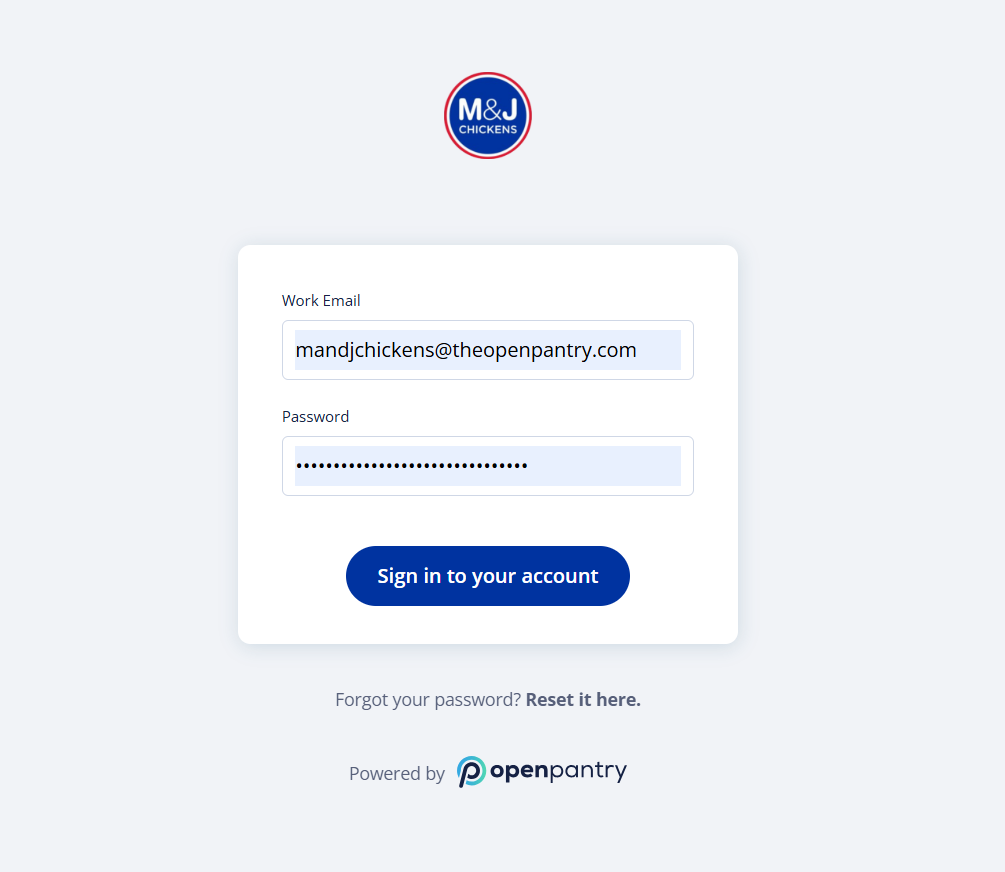
- Go to mandjchickens.theopenpantry.com.
- Enter your email and password.
- Click Sign In to Your Account.
Optional – Use the Mobile App
- Download the Open Pantry App for faster, on-the-go ordering:
Apple Store | Google Play
💡 For the best experience, we recommend using the latest version of your web browser, ideally Chrome or Safari.
Section 2 – Placing Your First Order
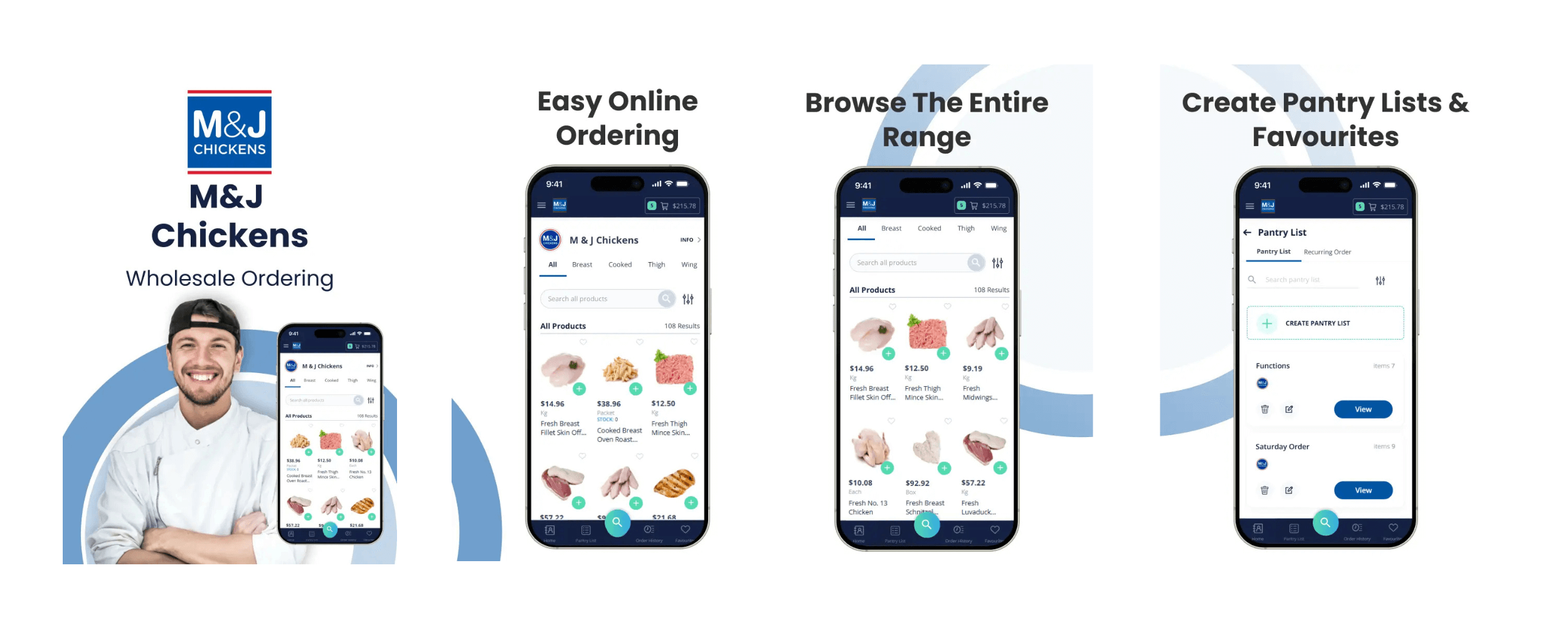
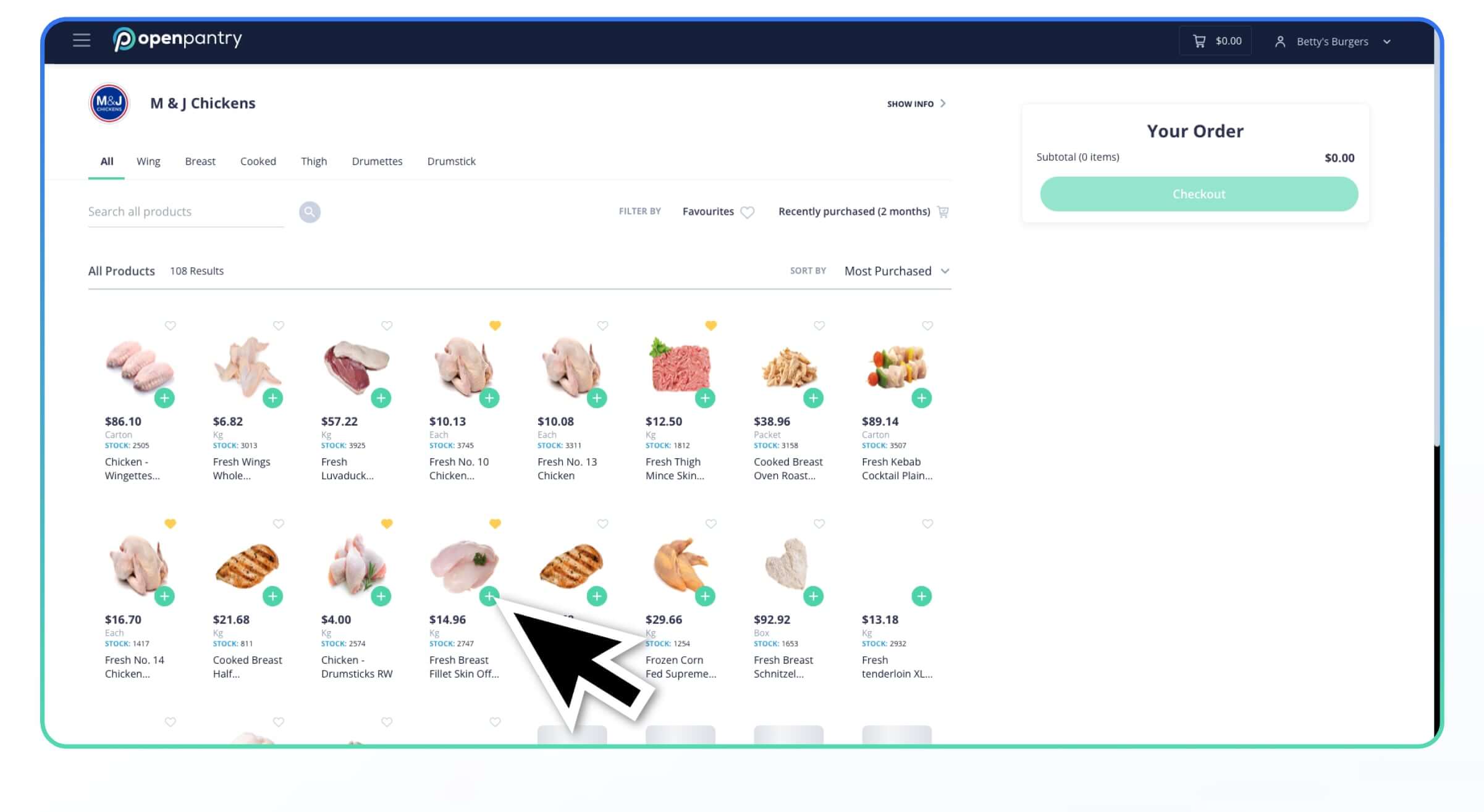
Step 3: Browse and Add Products
- View your regular M&J range or search the full catalogue.
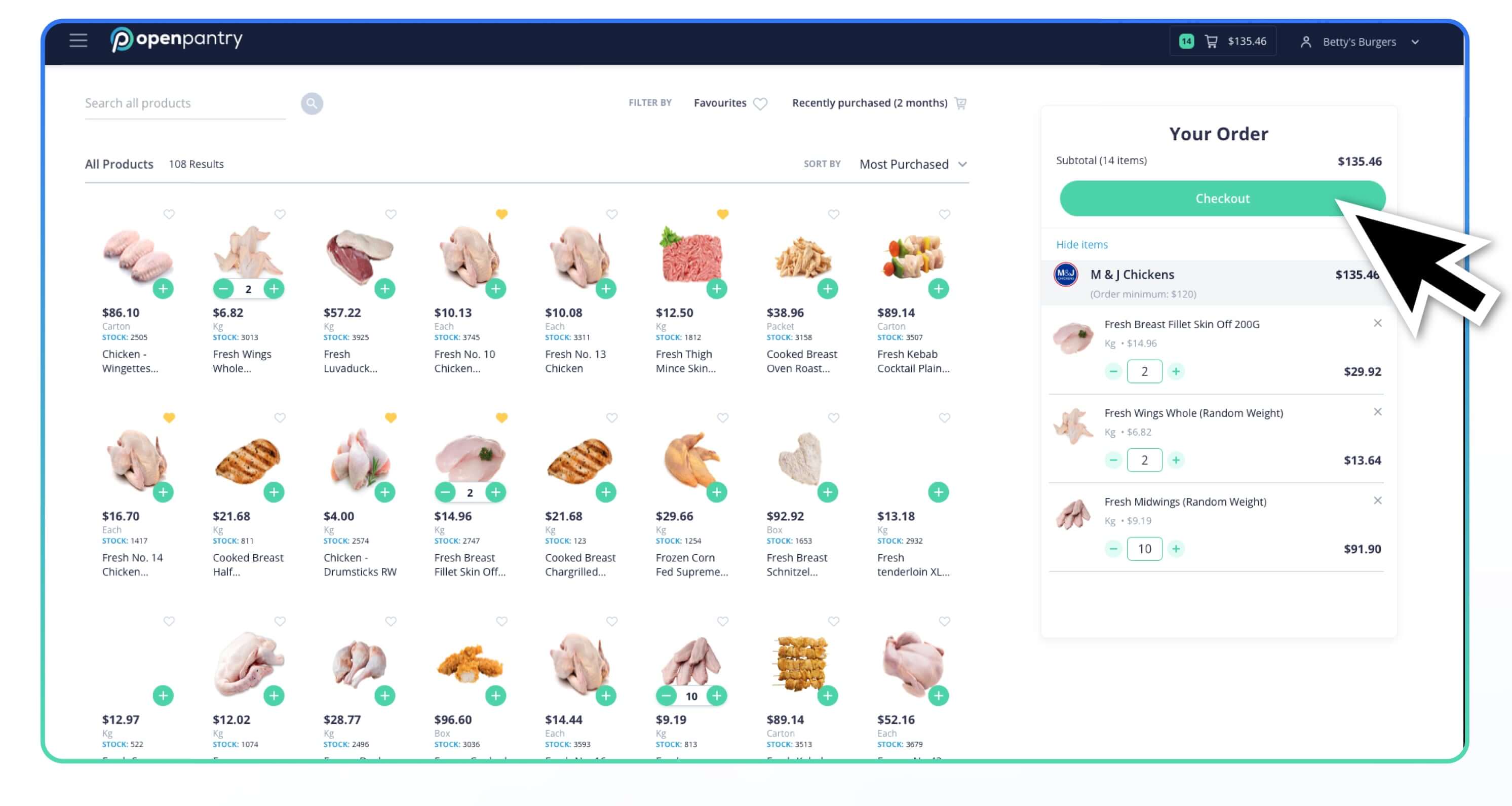
- Select items and quantities.
- Use the ⭐ Favourites feature to save common items for next time.
Step 4: Confirm Your Order
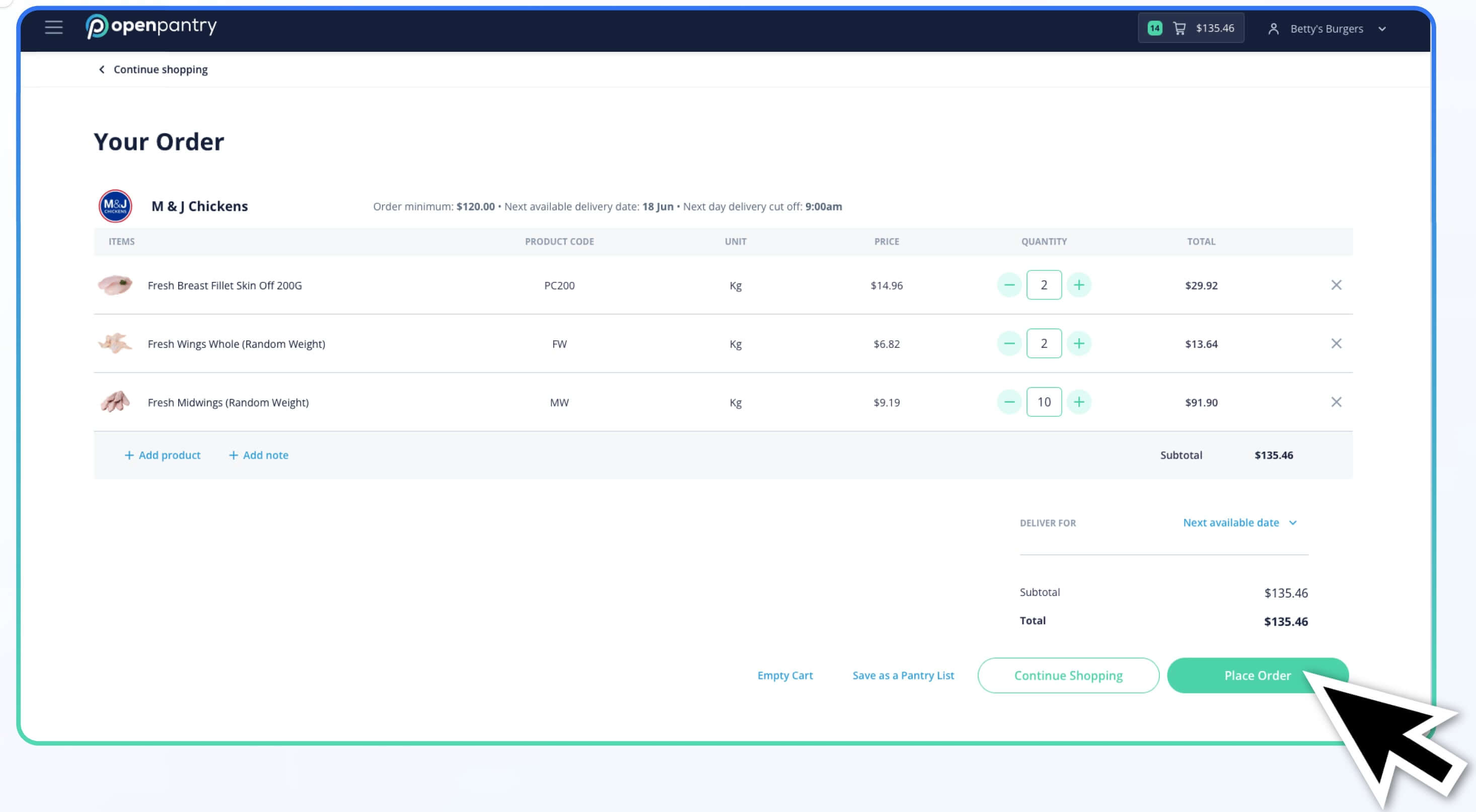
- Review your cart carefully before submitting.
- Select your delivery day or just use the next available day as default
- Confirm and click Submit Order.
Your order will be delivered as normal on your existing payment terms.
Need Help? We’ve Got You Covered.
If you need any assistance, our dedicated support team is ready to help:
- 💬 Chat with our AI assistant directly in Open Pantry
- 📞 Phone M&J Support: (02) 9550 3611
- 📧 Email Support:
- M&J Chickens: info@mandjchickens.com.au
- Open Pantry: info@theopenpantry.com
Section 4 – Frequently Asked Questions
I didn’t receive my login credentials
Check your Spam/Junk folder and add noreply@mandjchickens.theopenpantry.com to your contacts. If still missing, ask M&J to resend them.
How do I get new credentials?
Contact your M&J representative and request a reset.
How do I see more products?
Ask M&J to expand your product visibility based on your account setup.
How do I pay?
Continue paying through your usual terms and methods with M&J.
I made a mistake in my order – how do I fix it?
Contact M&J immediately to adjust your order.
Can I add to an order after placing it?
Place another order and call M&J to see if it can be consolidated.
Can I delete an order?
Call M&J to cancel or stop an order that’s already submitted.
I missed the cut-off time – can I still order?
Please call M&J to check if they can accommodate your order.
Thank you for ordering with M&J Chickens.
We’re excited to make your ordering simpler, faster and more accurate than ever - so you can focus on what matters most in your kitchen.