

Back
Completing an order (Checkout)
Add products to your order from either Browse by Category or Browse by Supplier, then open your cart with the trolley icon in the top right of the screen.
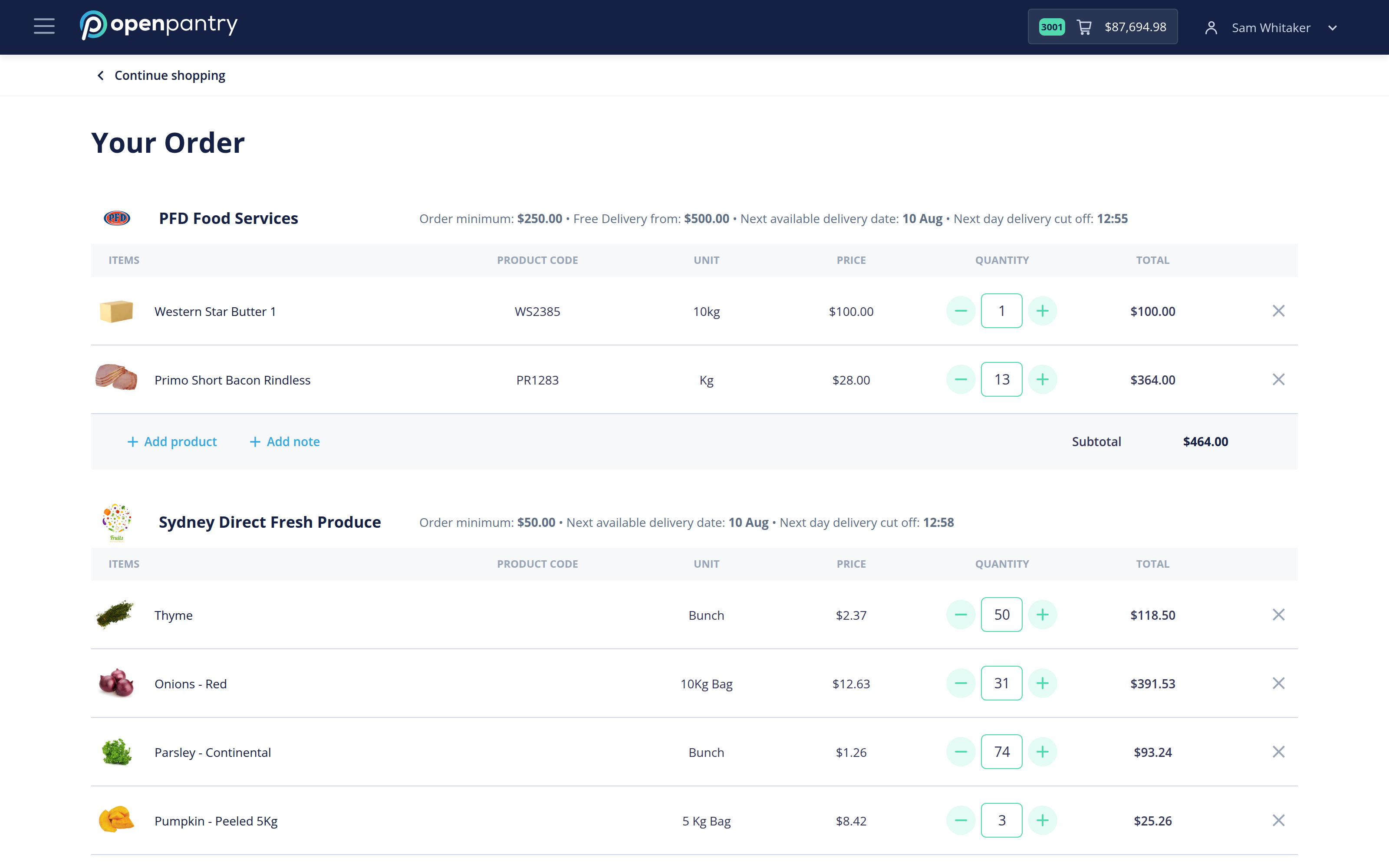
Your order is grouped by supplier. For each one you can see:
- the order minimum and the value at which delivery is free;
- the next available delivery date;
- the cut-off time for next-day delivery.
- Check the quantities. Adjust with + and –, or remove a line with the ×.
- Use Add product to add something you have missed, and Add note to leave the supplier a message about that order.
- Choose a delivery day, or leave Next Available Date to take each supplier's earliest slot.
- Select Place Order.
Each supplier receives their own order. If one supplier's subtotal is under their minimum, that part of the order cannot be placed — add to it or remove it before placing the rest.
Continue shopping at the top left takes you back without losing the cart.