

Back
How to add a price exception
A price exception overrides the price of a single product for a single customer, without changing your price lists.
- Select Products & Pricing in the menu, then Price Exceptions.
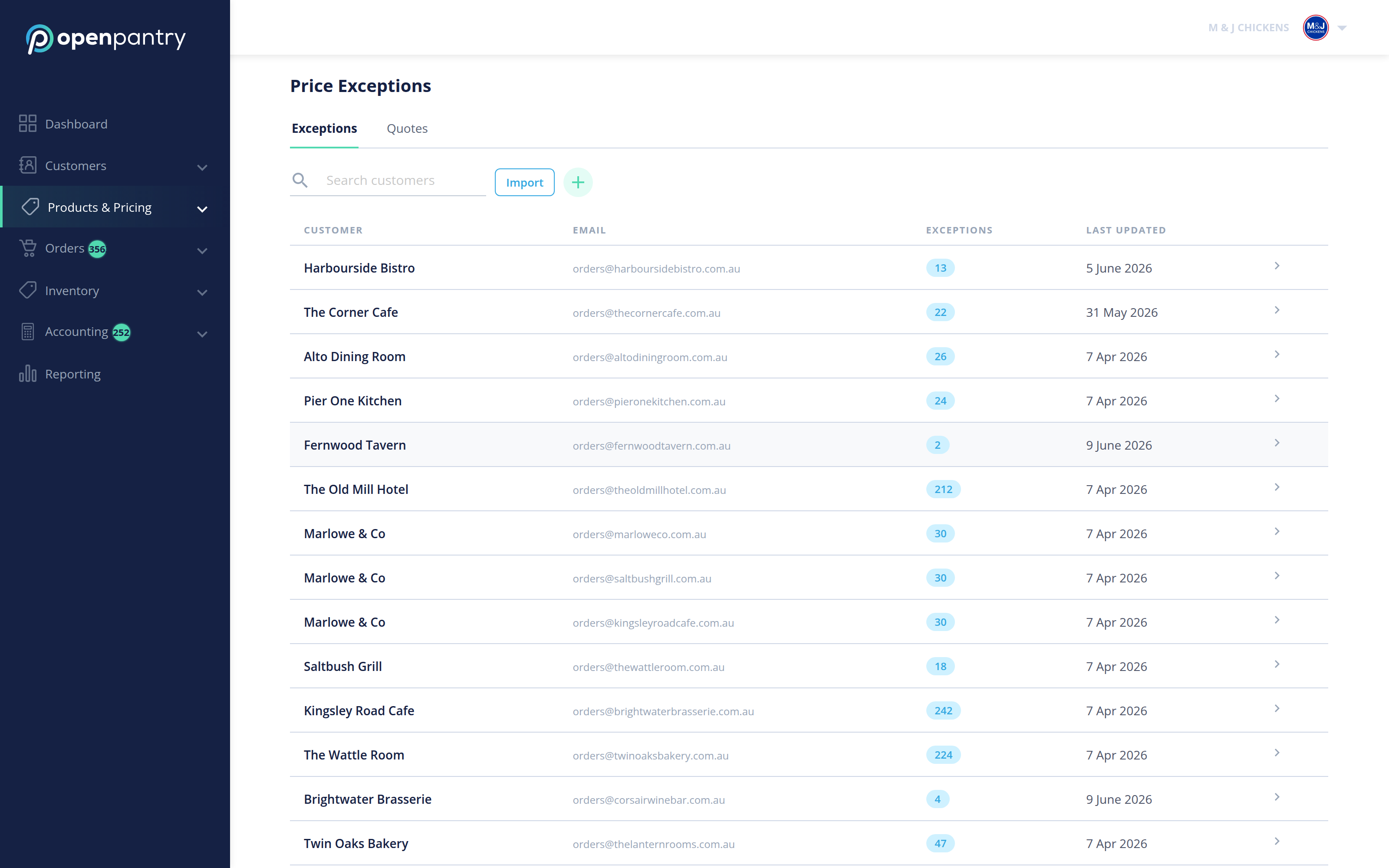
- Select the + beside the search box, next to Import. (It is above the customer list on the left, not in the top right corner of the screen.)
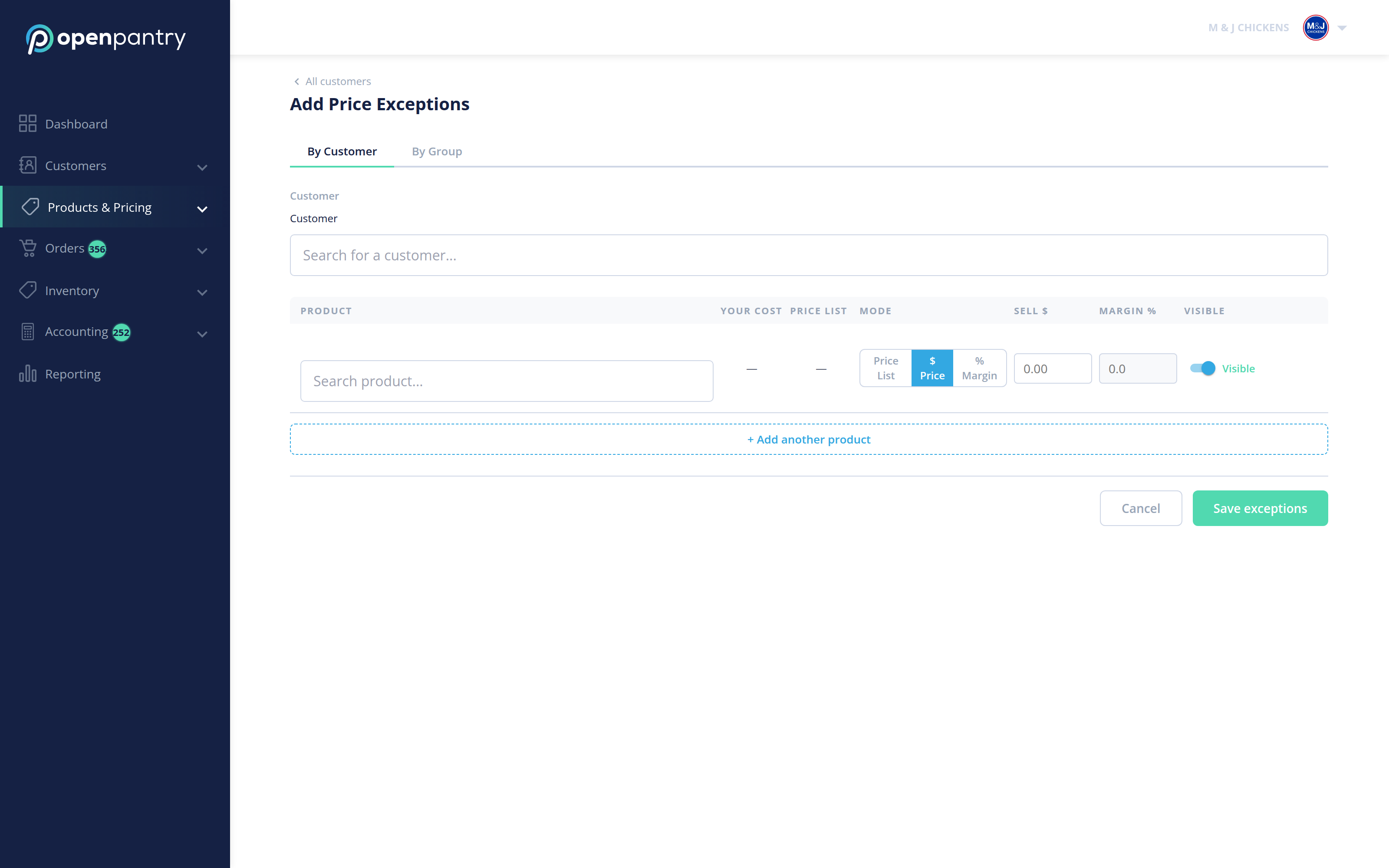
- Choose By Customer for one customer, or By Group to apply the same exception to a customer group.
- Search for and select the customer.
- Search for the product, then set either a Sell $ or a Margin % — use the Price / % toggle to pick which. The Visible switch controls whether that customer sees the product at all.
- Use + Add another product to keep going, then Save exceptions.
The Import button takes a spreadsheet if you have a lot of exceptions to set at once.