

Back
How to Add Customer List
You can add customers one at a time, or bring a whole list in from a spreadsheet. Both start in the same place.
- Select Customers in the menu, then Add New Customer.
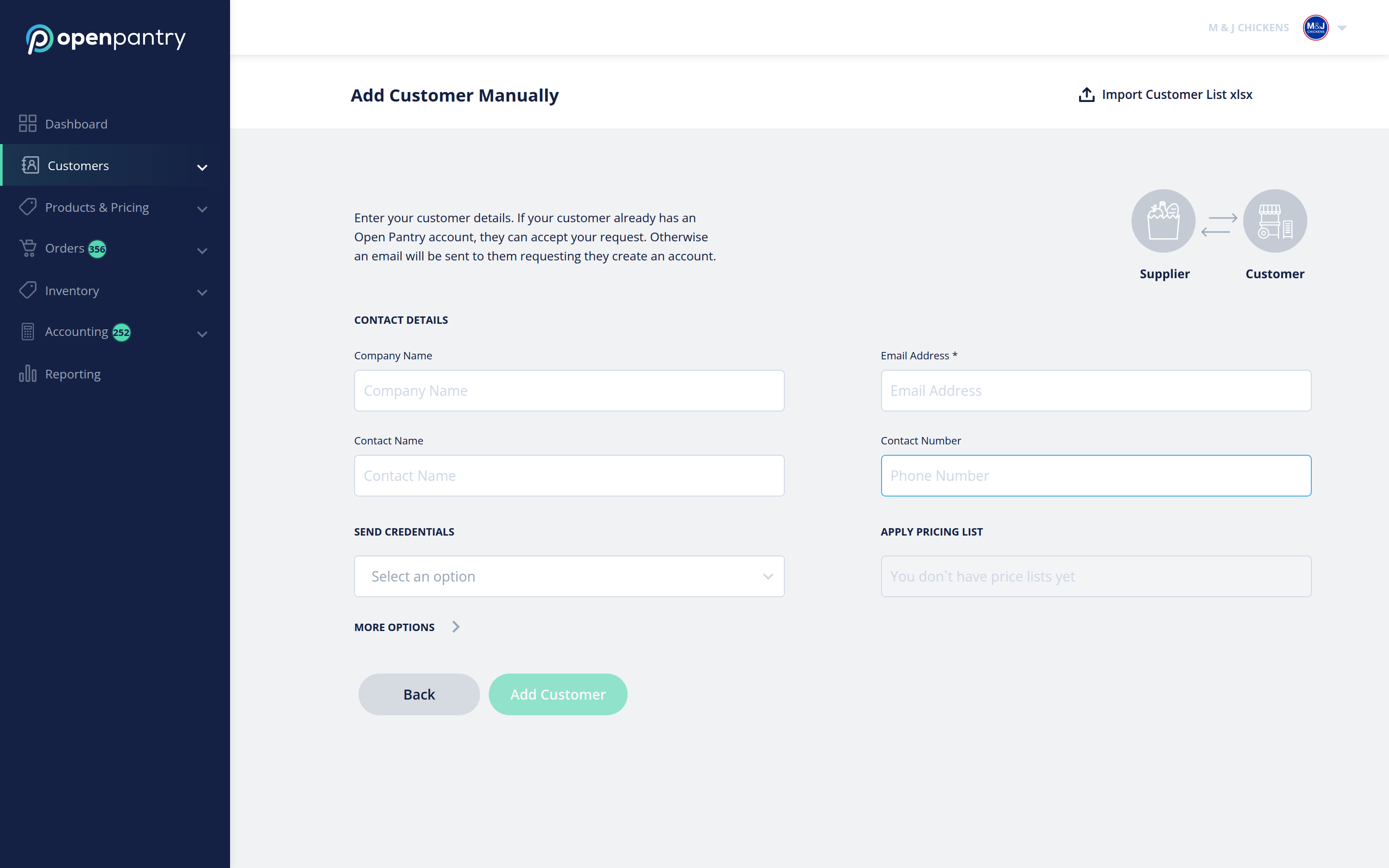
You have two options:
- Add Customer Manually — fill in the customer's details on this screen. Company name and contact name are enough to get started; the email address is what the invitation is sent to.
- Import Customer List xlsx — bring in many customers at once from a spreadsheet.
To import a list, select Import Customer List xlsx in the top right. The import runs in four steps.
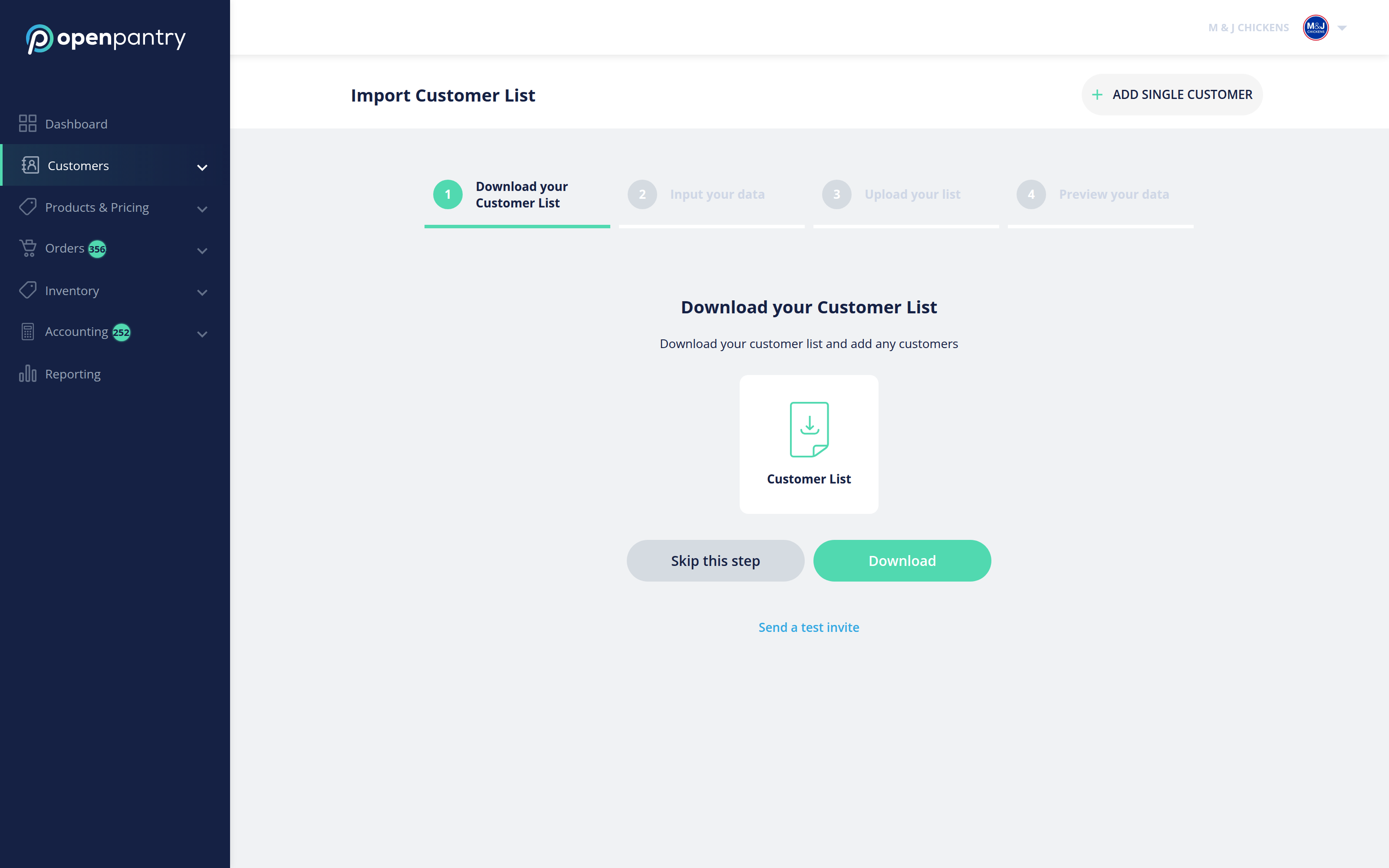
- Download your Customer List — this gives you a spreadsheet already laid out with the right columns.
- Input your data — add your customers to the spreadsheet. First name, last name and email are required; phone number and company name are optional.
- Upload your list — drop the finished file back in.
- Preview your data — check what we read before anything is created, then confirm.
Each customer is emailed an invitation. If they already have an Open Pantry account they can accept your request; if they do not, they are prompted to create one, which is free for them.