Back
How to change my password
How do I change my password?
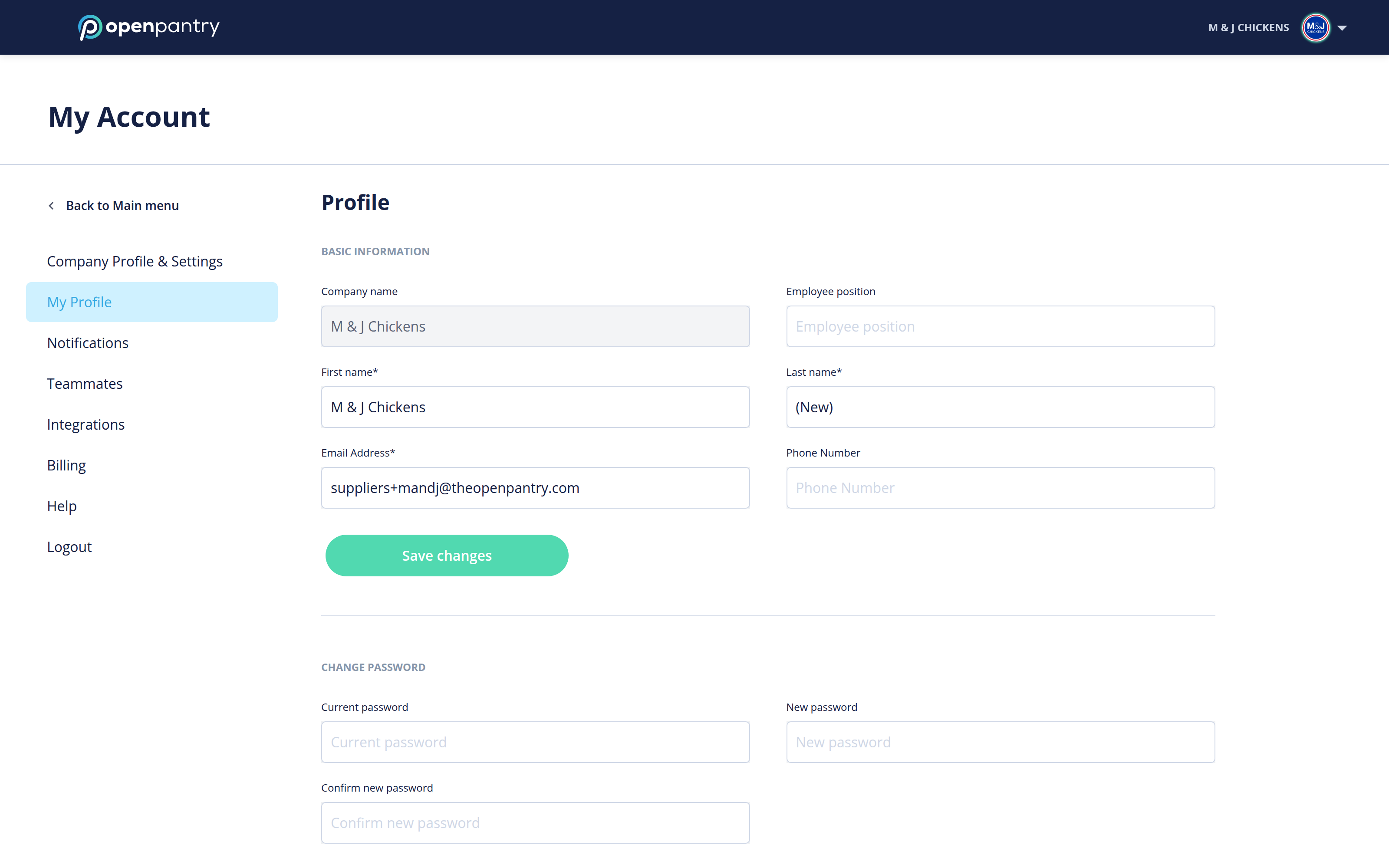
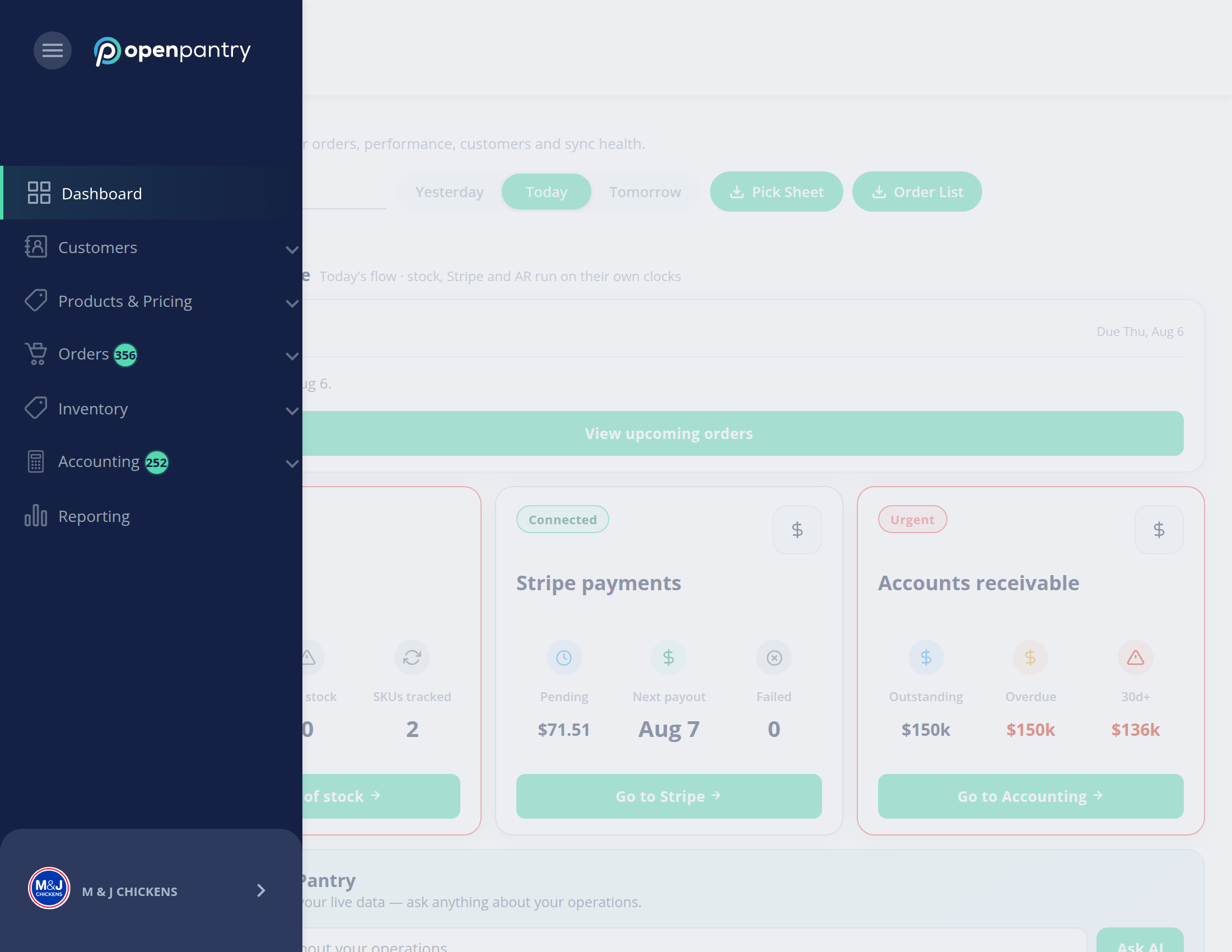
Your account settings live in the same place either way, but how you get there depends on how wide your browser window is:
- Wide window: click your company name in the top right, then choose the setting you want.
- Narrow window: the left menu collapses to icons — click the ☰ button in the top left, then your company name at the bottom of the menu.
- Open My Profile and scroll to Change password.
- Enter your Current password, then your New password, and repeat it in Confirm new password.
- Click Save changes.
If you cannot remember your current password, log out and use Forgot your password? on the sign-in screen instead.