
Restaurant Inventory Software in Australia — Stock, Purchasing and Live Costing in One Platform
Restaurant inventory software tracks what stock a venue holds, what it should hold and what it cost. Open Pantry keeps that on the same data as your ordering and your recipes: a count becomes the stock the order is built from, and an invoice updates your price history and re-costs every dish using that ingredient. Ordering is free for venues.
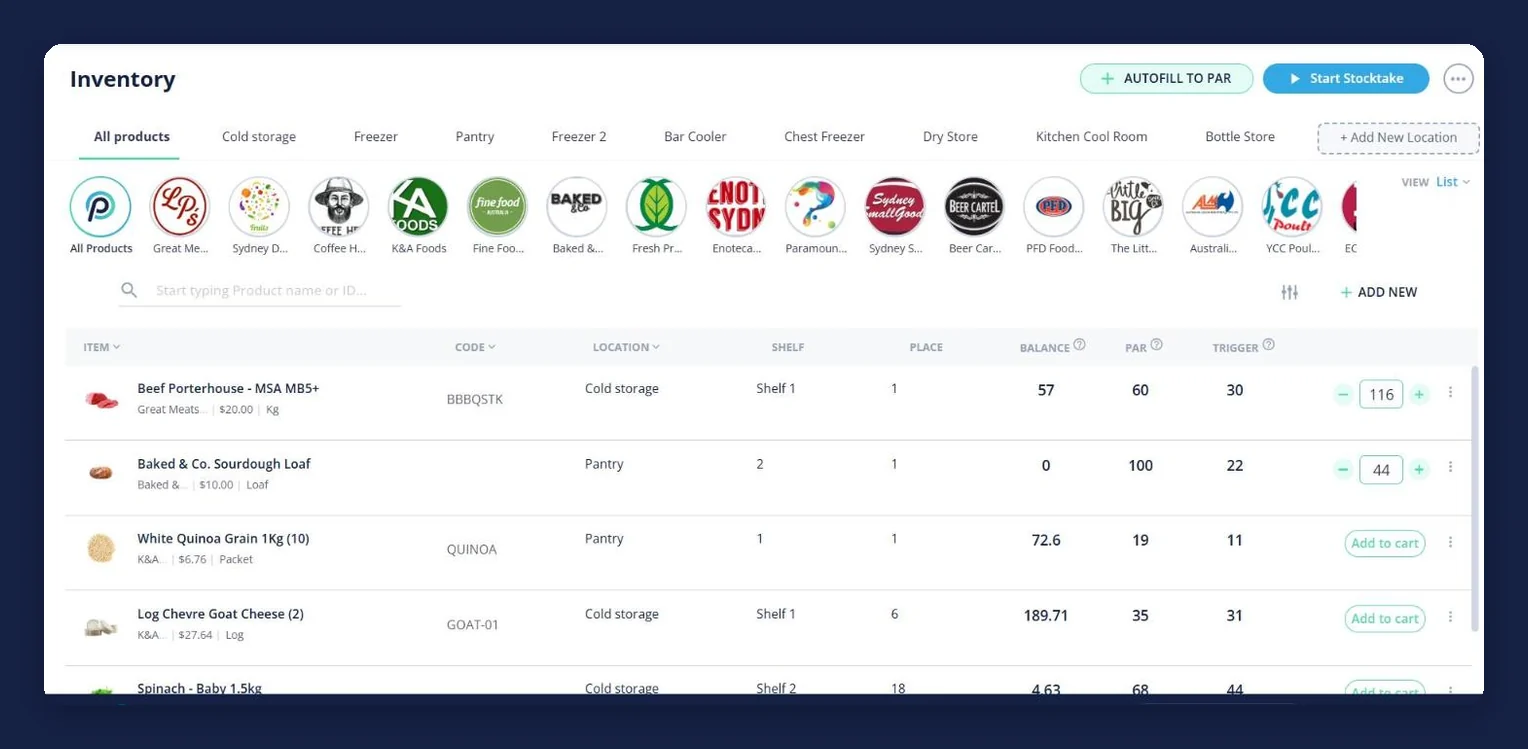
- On-hand balance, par level and trigger point on every product, by storage area
- Guided stocktakes on a phone — barcode or manual — that become your live stock
- Order across every supplier from one cart, or autofill the whole venue back to par
- Dish costs and food cost percentage that move when your supplier prices move
★★★★★ Trusted by 5,000+ venues across Australia
Recommended by:




The count, the order and the cost live in three different places
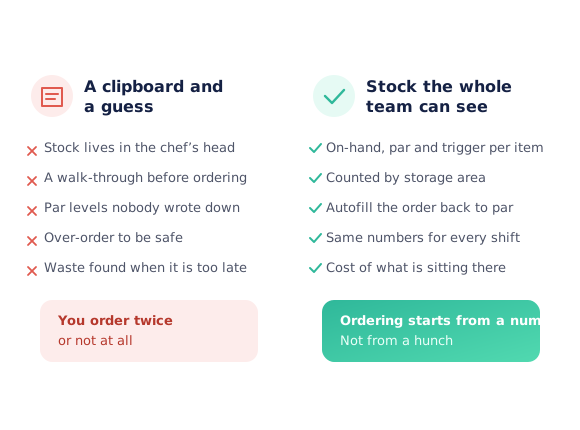
The stocktake is counted on paper, retyped on Monday, and out of date by Tuesday
The count sheet is ordered by supplier, but the stock is ordered by room
Par levels were agreed out loud once and never written down anywhere
The order round starts with a walk through the coolroom and a guess
A product bought by the carton gets counted in kilos, or the other way round
The spreadsheet knows how much you hold, but not what it cost you this week
Nobody can say what the stock sitting in the building is currently worth
From a count in the coolroom to a costed plate
Count what is actually there
Start a stocktake and work one storage area at a time — barcode scanning where everything carries a label, a regular count where it does not. Each line is counted in the unit in front of you, and a product bought two ways can be counted both ways. Ending the count writes the figures in as your live stock.
Give every product a par level and a trigger
Par is what you want to hold going into service; the trigger is the level that means order now. Both sit on the product beside its balance, filed by the coolroom, freezer, dry store or bottle store it lives in, so the decision is visible instead of argued about before service.
Order across your suppliers from one cart
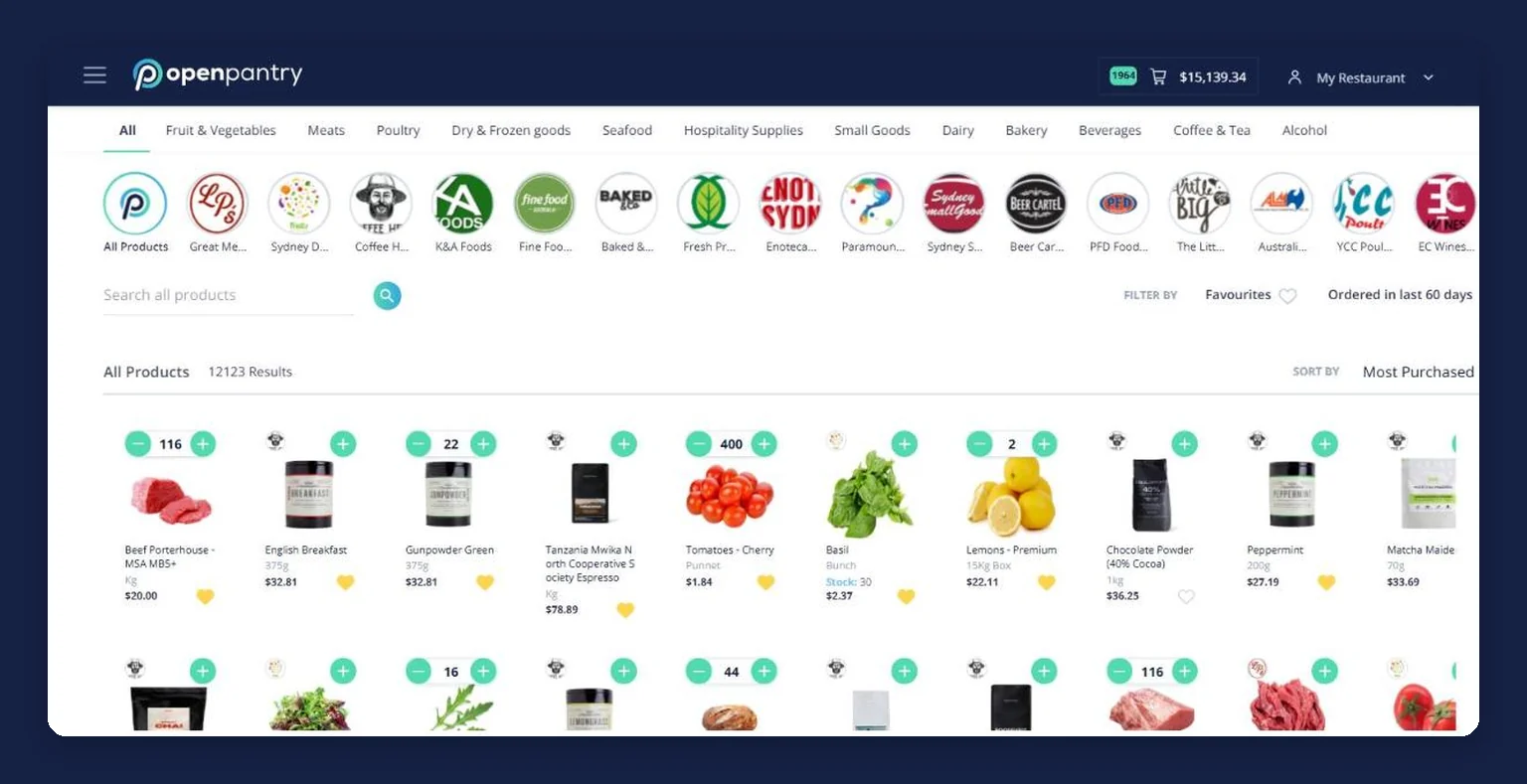
Autofill to par works out the gap across the whole venue and puts it in the cart, or you add single items from the inventory line. One cart splits itself into a separate order per supplier, you set the delivery date, and each supplier gets their own typed digital order.
Check the delivery off and let the invoice do the typing
Check the delivery off at the door, and the invoice is matched line by line against what arrived — a shortfall becomes a credit request your supplier can see. Invoices you photograph, upload or email in build your suppliers, products and prices rather than being keyed in one line at a time.
Watch the cost, not just the quantity
Every price that lands is recorded old price to new, and every recipe holding that product re-costs itself, sub-recipes included. Dishes pushed past their food-cost target arrive as a short list to reprice. The next count then closes the loop, and the order round starts from a number again.
See how Open Pantry works for venues
Balance, par and trigger on every product, filed where it lives
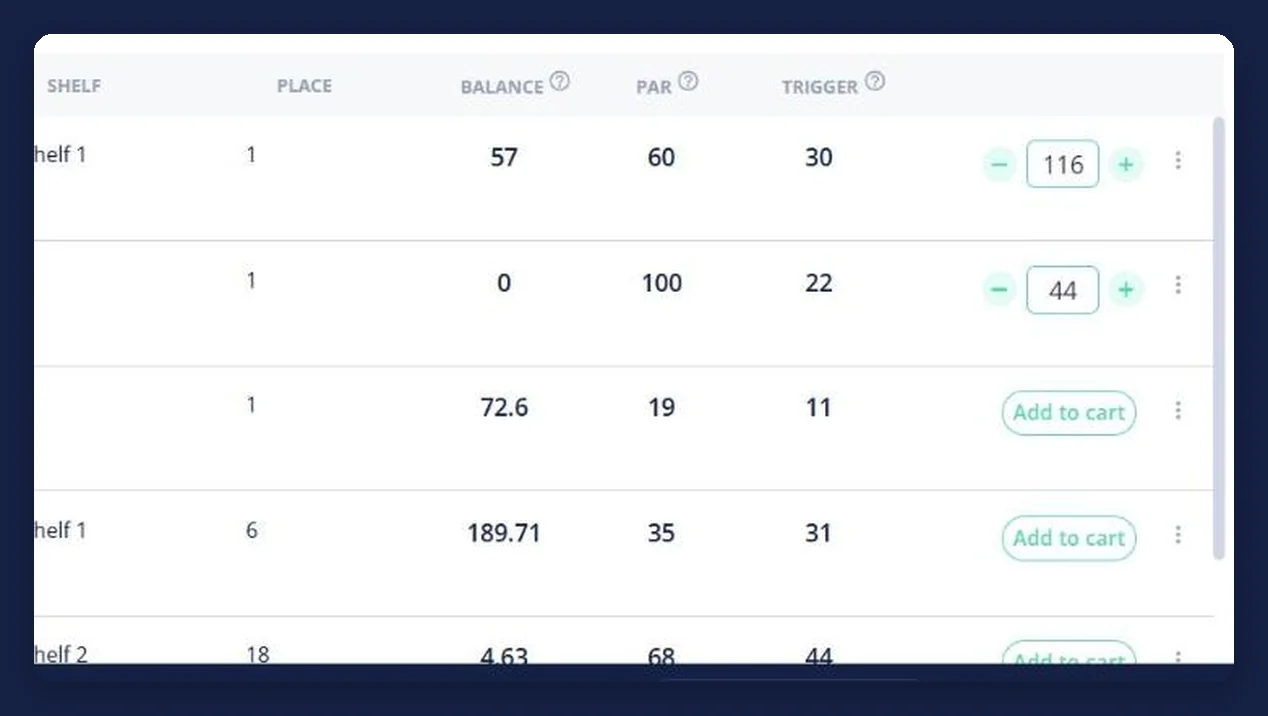
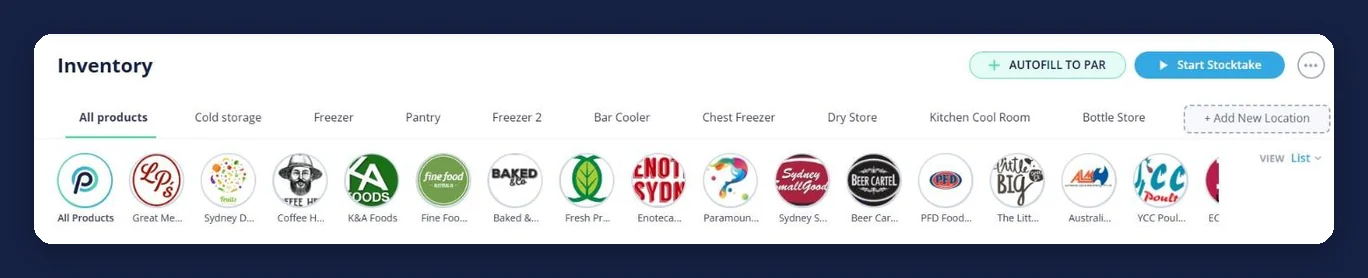
Three numbers do most of the work: what you have, what you want to hold, and the level that makes it an order. They sit side by side on every product, and the same line carries an add-to-cart button, so acting on a short item does not mean going somewhere else. Stock is filed the way a venue is actually laid out — a tab per storage area, with a shelf and a place recorded against the item — because a venue does not hold one pile of stock, it holds a coolroom, a freezer, a dry store, a bar cooler and a bottle store.
- Balance is what was counted, not an estimate someone remembers
- Par is the level you want to hold; the trigger is the point that means order
- A tab per storage area, and you can add your own
Stocktakes that finish as live stock, not as a document
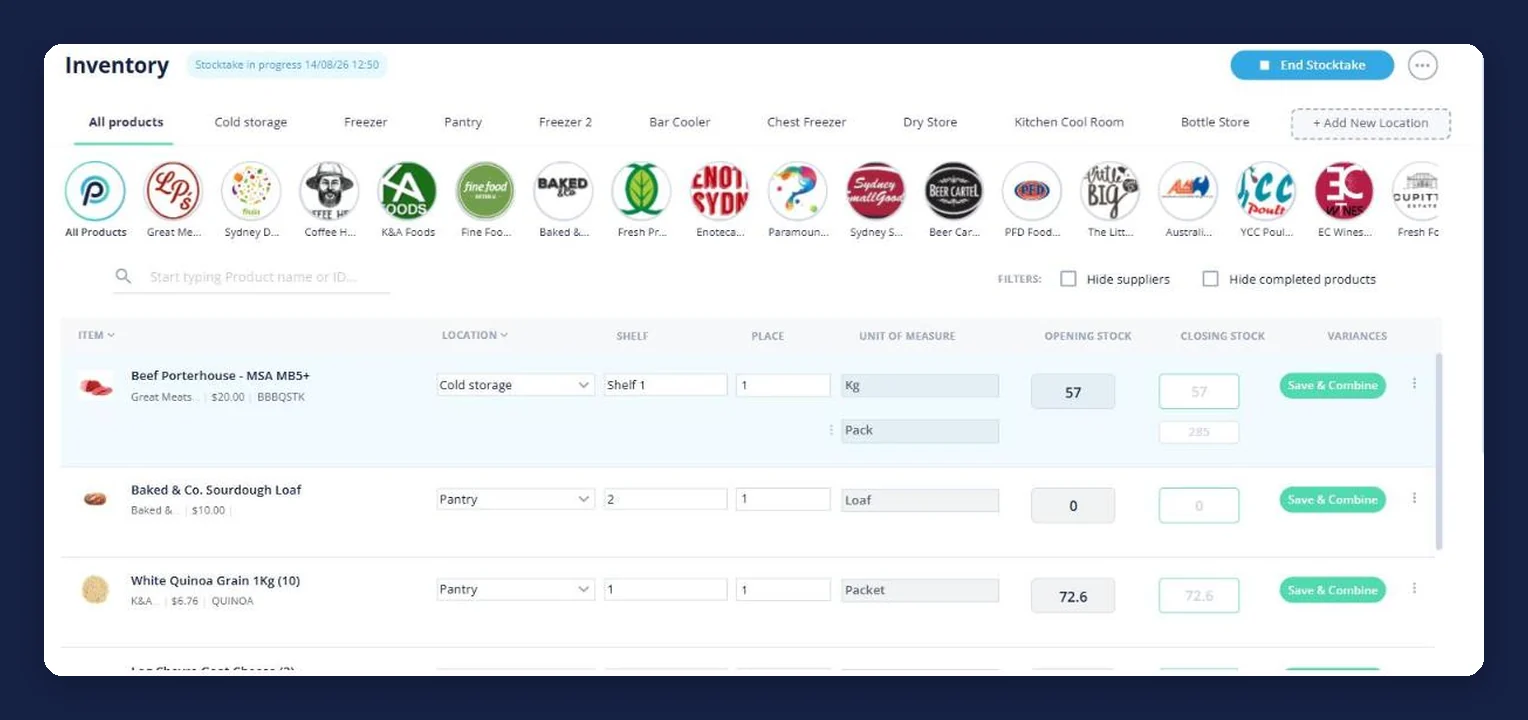
A count is only worth doing if something happens to it afterwards. The stocktake is guided on the device you are already holding: one storage area at a time, filters to hide suppliers you are not counting and products already done, and a unit of measure on every line so beef can be counted in kilos and packs without arithmetic on a ladder. Opening stock sits against your closing figure with the variance worked out per line, and the venue carries one stocktake in progress at a time, so three people counting three rooms are contributing to one count rather than three versions of the truth.
- Barcode scanning or a regular count, chosen per stocktake
- Opening stock, closing stock and variance, line by line
- The finished count becomes the balance the ordering screen uses
Inventory, purchasing, recipe costing and supplier ordering in one platform
This is the part most inventory tools leave to you. In Open Pantry the stock count, the supplier order and the dish cost are not three systems talking to each other overnight — they are the same products. The item you counted on Sunday is the item autofill to par puts in Monday’s cart; the price on that order is the price the recipe costs off; the invoice that follows updates the price and re-costs every dish holding the ingredient. Nothing is exported, re-keyed or reconciled between four tools, because there is only one set of products underneath. That is also why the ordering is worth having even before the stock control: you are not buying an inventory system and then wiring it to your suppliers, you are ordering from the suppliers you already have and switching stock control on above it.
- One set of products behind inventory, ordering, purchase history and recipes
- Autofill to par builds a real order to a real supplier, split by supplier when you send it
- You keep your own supplier accounts and your own negotiated prices — Open Pantry is not a marketplace and sells you nothing
Purchasing: what you bought, what you paid, and what just changed
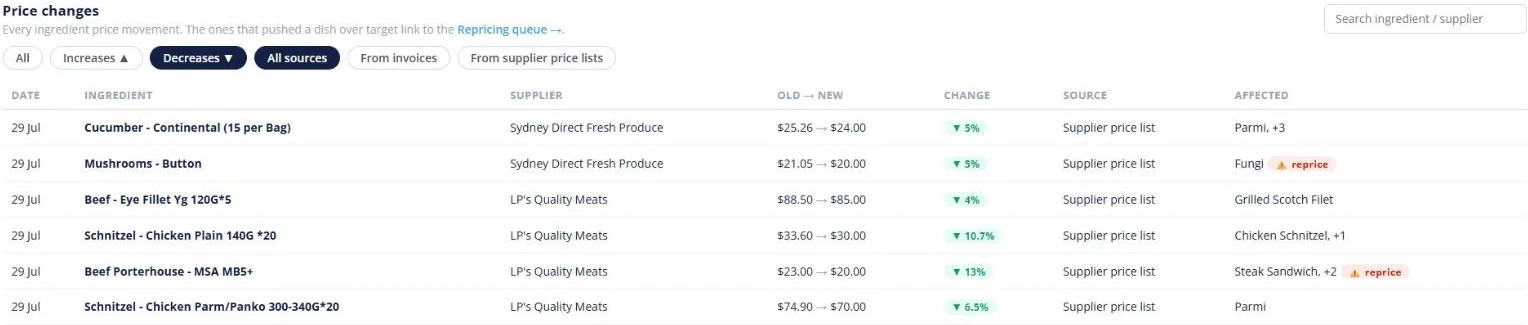
Every order the venue places stays on the record with its supplier, its delivery date, its total and the unit price you paid on each line, alongside the invoice and any credit. So “what did we pay for porterhouse last month?” is a search rather than an afternoon with a folder of PDFs. Ingredient prices are then tracked as they move — old price beside new, the percentage, the supplier, and whether it came off a price list or an invoice — with the dishes that ingredient appears in listed next to the change. A good order can be re-ordered in one tap or saved as a reusable pantry list, and the dashboard totals the week’s purchases against last week and splits them by category.
- Orders, invoices and credits in one searchable, exportable view
- Ingredient price movements old price to new, with the dishes affected
- Re-order a past order, or save it as a pantry list the venue reuses
What the stock is worth once it is on the plate
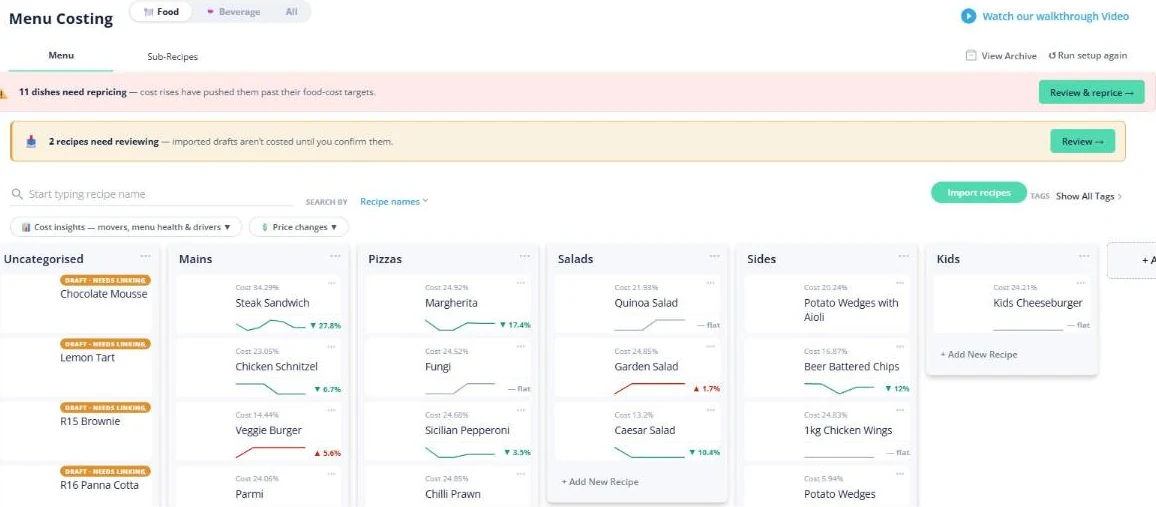
Counting tells you how much you hold. Costing tells you what holding it is doing to the menu. Recipes in Open Pantry are built from the same purchased products the inventory screen tracks, so a dish is priced off what you actually pay, and sub-recipes — a napoli, a stock, a dough — cost themselves and roll up into everything that uses them. The board shows each dish’s cost percentage with the movement since last time, grouped the way your menu is grouped and with food and beverage kept apart, and the dishes a price rise has pushed past their food-cost target are counted in a banner that leads straight into the repricing queue.
- A live cost percentage and cost movement on every dish
- Sub-recipes cost themselves and roll up into the dishes that use them
- Dishes past their food-cost target listed, ready to reprice
Sales and waste, so usage is more than a hunch
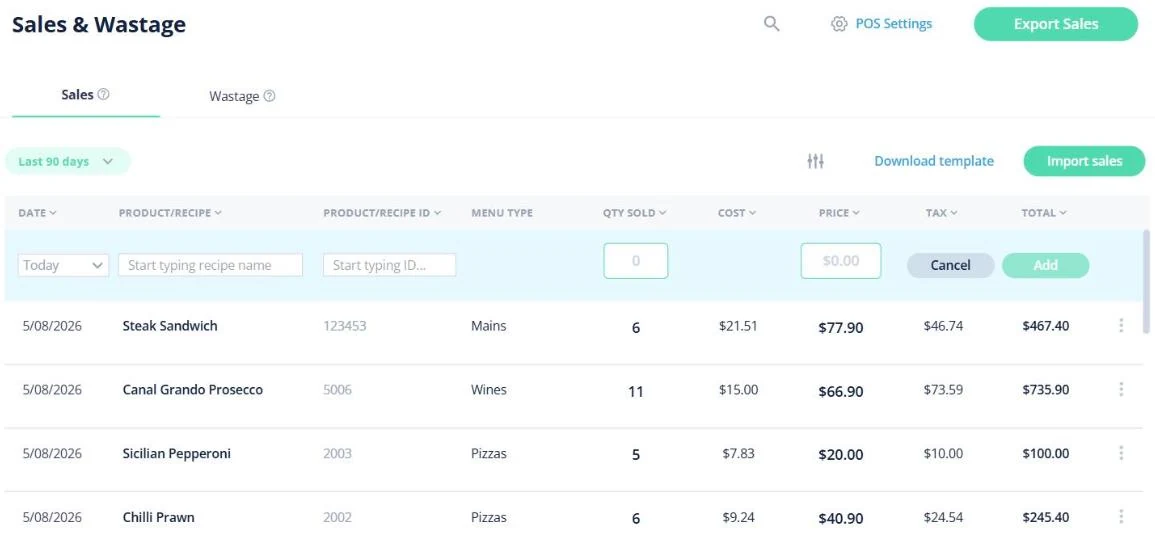
The other half of a stock figure is what left the building. Sales arrive against the recipe they belong to, carrying date, product or recipe and its ID, menu type, quantity sold, cost, price, tax and total — brought in from your POS, whichever one you use, and never written back to the till. Waste is logged in Open Pantry rather than imported, with the reason it was written off and who reported it, so the waste report splits the cost by reason, menu, item and employee instead of showing one unexplained number. With those in, sales, profit and cost report against the equivalent previous period with a cost-of-goods percentage per menu category.
- Sales in from your POS, whichever one you use
- Waste kept with its reason and its reporter, and costed
- Sales, profit and cost against the previous period, with COGS % by menu category
One venue or several — and where the line is
Each venue keeps its own suppliers, products, recipes and price history. That is deliberate rather than a gap: two sites buying produce from different growers should not share a wrong number, and a cost that is right in Newtown is not automatically right in Fitzroy. A group is handled as per-venue licences, and within a venue you can add teammates on a paid plan so a head chef, a sous chef and a manager work on the same live stock and the same repricing list. On this plan there is no group catalogue, central group price list or group purchase approval chain, and no cost-centre allocation of invoice lines across venues. Group purchase approvals, weekly budgets, venues side by side and stock transfers come with Restaurant AI Manager.
- Per-venue suppliers, products, recipes, stock and price history
- Teammates within a venue on a paid plan, working on the same numbers
- Group approvals and budgets come with Restaurant AI Manager
- Suppliers on Open Pantry
- 600+
- Wholesale suppliers across Australia already taking orders through the platform.
- Venues ordering
- 5,000+
- Restaurants, cafes, bars and pubs running their order round on Open Pantry.
- Cost to order
- $0
- Ordering through Open Pantry is free for restaurants and venues.
Inventory, stocktaking, costing and reporting sit on the paid plans — ordering itself stays free.
Sits on top of the buying you already do
Venues running their stock on Open Pantry
Chefs Love Open Pantry

Thank you OPEN PANTRY, we used to have to use 6 apps to get access to ordering from our suppliers, the fact we can do it all in one has saved an incredible amount of time & effort! We love you!

We’ve been using Open Pantry for a few months now and it’s been an absolute lifesaver. We’re short staffed so being able to place all of our orders with all of our suppliers in the one spot is a massive help.

So glad this service exists. Has made it so easy for my manager & chefs to order & all payments are settled in one go. The recurring orders & pantry lists are amazing time savers!!
Why not run inventory in a spreadsheet, like everyone else?
Because the spreadsheet is the only part of the kitchen nothing else reads. It cannot build an order, so the order still gets guessed at; it does not know your supplier moved lamb on Tuesday, so the value it reports is confidently wrong; and it has to be retyped after every count, which is the step that quietly stops happening in a busy fortnight. The work in inventory was never the arithmetic — it is the re-keying between the count, the order, the invoice and the costing. Keeping all four on one set of products removes exactly that, and turns “we are holding too much stock” into a list of products you can look at this week.
Open Pantry for restaurants in Australia
Australian restaurants, cafés and pubs use Open Pantry to order from all their suppliers in one place and keep food costs in view.
- Plans priced in
- AUD — see Australia pricing
- Accounting sync
- Xero, MYOB and QuickBooks Online
- Supplier directory
- 1,100+ Australian wholesale food & beverage suppliers
Can restaurants in Australia use Open Pantry?
Yes. Restaurants, cafés and pubs in Australia use Open Pantry to order from all their suppliers in one place, track what they buy and keep food costs in view. Paid plans are priced in AUD.
Is ordering on Open Pantry free for restaurants?
Yes. The ordering package is free, with unlimited suppliers and orders. Paid plans add menu costing, inventory and reporting, and are priced in AUD.
Restaurant inventory software — questions Australian venues ask
What is restaurant inventory software and what does it do for a venue?+
How does inventory software know how much stock I actually have?+
Can restaurant inventory software order stock from my suppliers automatically?+
How do I track stock across a coolroom, freezer and dry store separately?+
Does the inventory connect to my recipe costing and dish margins?+
Do I have to key in supplier invoices to keep my prices current?+
Can I run a stocktake on a phone instead of on printed count sheets?+
Can Open Pantry bring in sales from my POS so I can see what was used?+
How does this work if I run more than one venue or a small group?+
How much does restaurant inventory software cost in Australia?+
Works even better with
Restaurant Inventory Management
Balances, par levels and triggers by storage area, with autofill to par building the order.
Explore →Restaurant Stocktaking
Guided counts on a phone, barcode or manual, with opening, closing and variance figures.
Explore →Restaurant Ordering Platform
Every supplier in one store list, and one cart that splits into an order each.
Explore →Food Costing Software
Every recipe costed off the supplier prices you actually pay, re-costed when they move.
Explore →Products Purchased & Purchase History
Every price you have paid, and how it has moved since.
Explore →Restaurant Procurement Software
Ordering across every supplier you already buy from, and the purchase history it builds.
Explore →Start the order round from a number, and know what it costs
Ordering across your suppliers is free for venues; add inventory, stocktaking and costing when you want the stock and the margin on the same screen.
Free to order · Paid plans include a free trial · Cancel anytime