
Restaurant Ordering Platform: Every Supplier, One Order Round
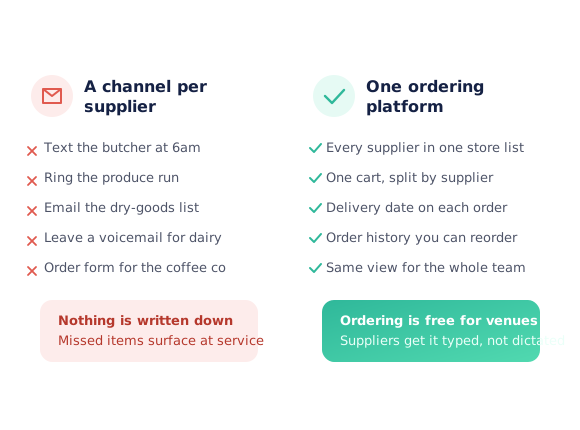
Open Pantry is an ordering platform for restaurants, cafes, bars and pubs. Every supplier you buy from sits in one store list, so the team browses by supplier or category, builds one cart, picks a delivery date and sends each supplier their own digital order. No 6am texts, no voicemails, no order form per supplier — and ordering through Open Pantry is free for venues.
- Every supplier in one store list — browse by supplier or by category
- One cart that splits itself into a separate order per supplier
- Delivery date chosen on the order, and the whole order round on one screen
- Order history the team can reorder from instead of remembering last week
★★★★★ Trusted by 5,000+ venues across Australia
Recommended by:




Ordering is the job nobody schedules, done five different ways
A text to the butcher, a call to the produce run, an email to dry goods — a different channel for every supplier
Nothing is written down, so a missed item only shows up when the delivery lands
Whoever ordered last is the only person who knows what was ordered
Prices and pack sizes live in someone’s head rather than on the order
Reordering means rebuilding the same list from memory every week
Chasing what was ordered, and from whom, eats the hour before service
From “who do I need to ring?” to a finished order round
Open one store list
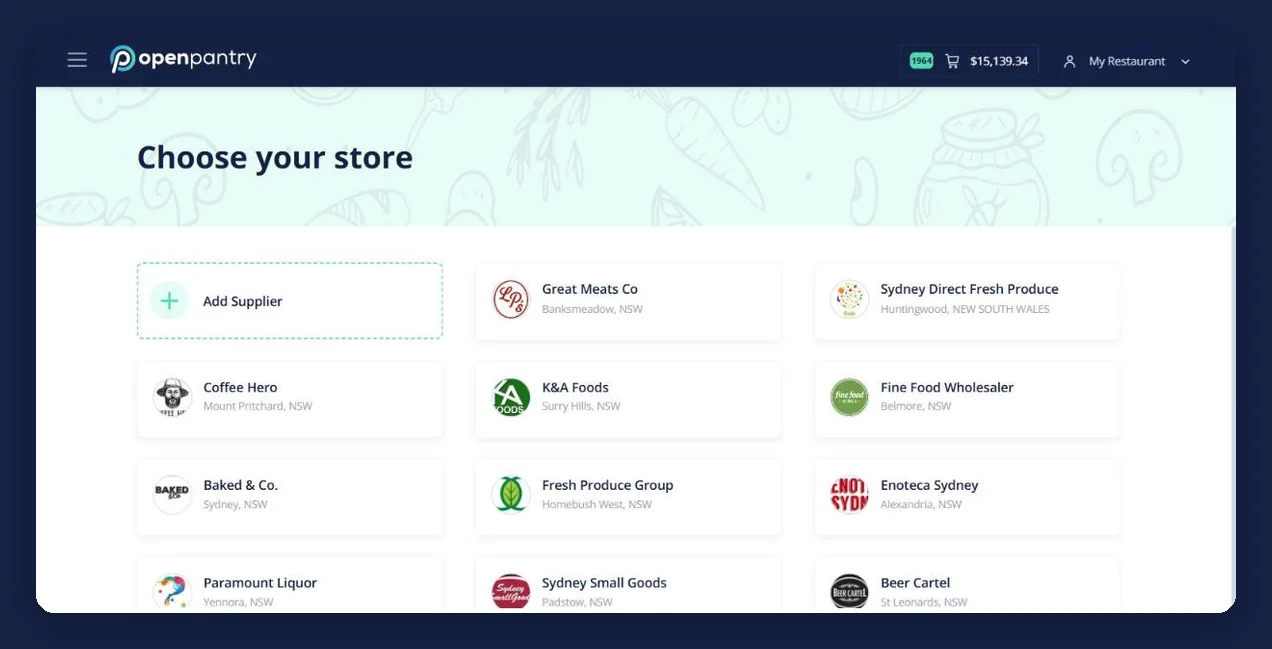
Every supplier your venue buys from appears on one screen, with their own catalogue, your prices and their delivery days. Add a new supplier and they join the same list.
Browse by supplier or by category
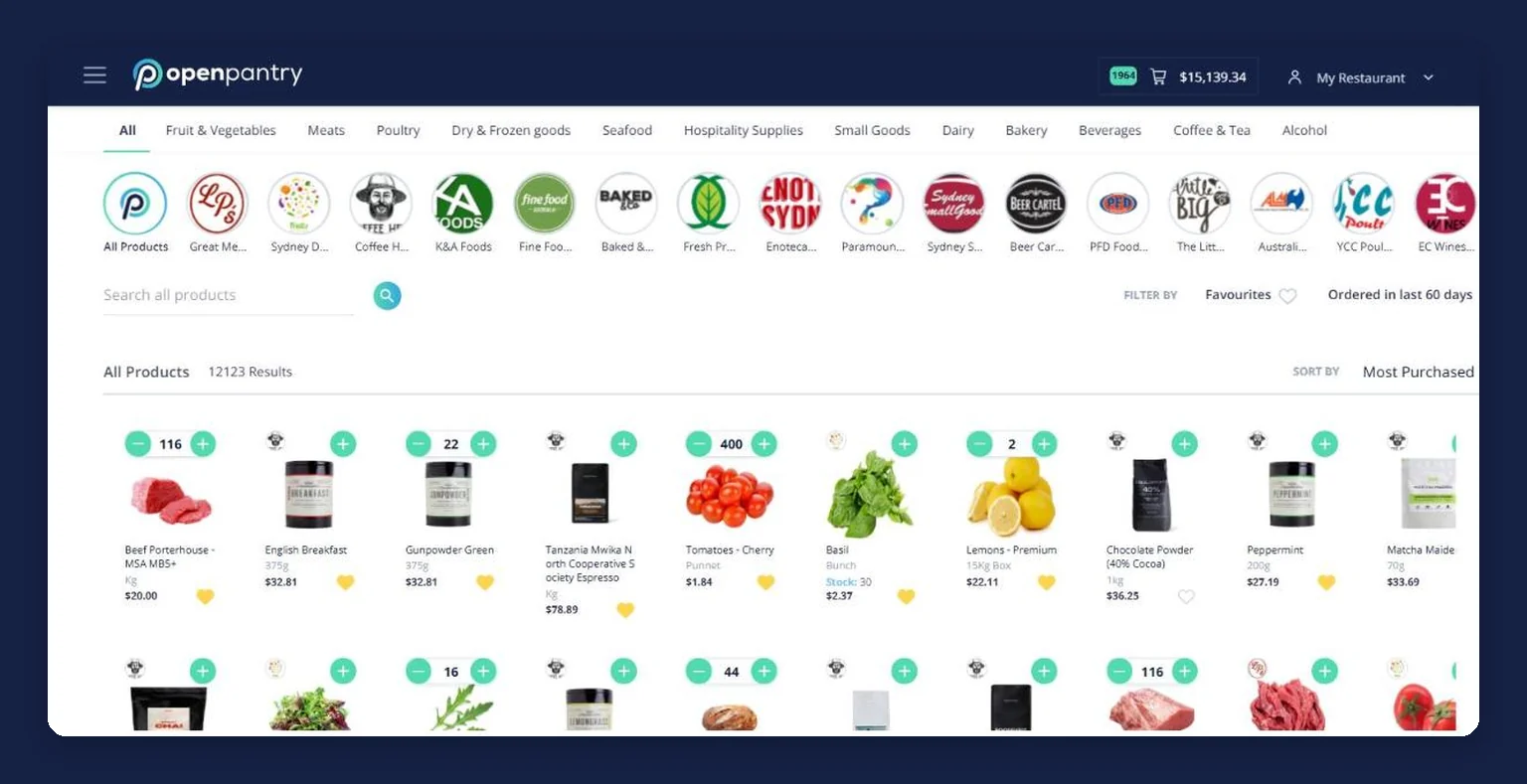
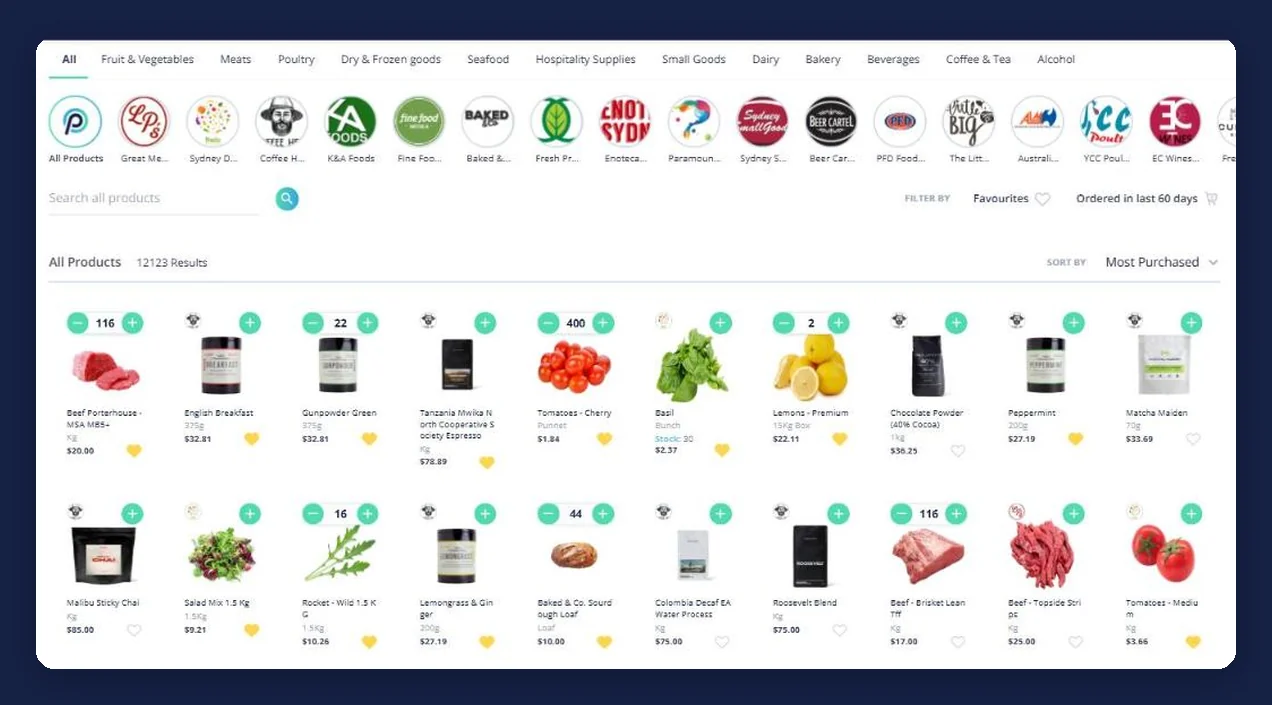
Search the whole catalogue, or work down the category tabs — meat, produce, seafood, dairy, dry goods, beverages. Filter to your favourites or to what you ordered in the last 60 days.
Build one cart
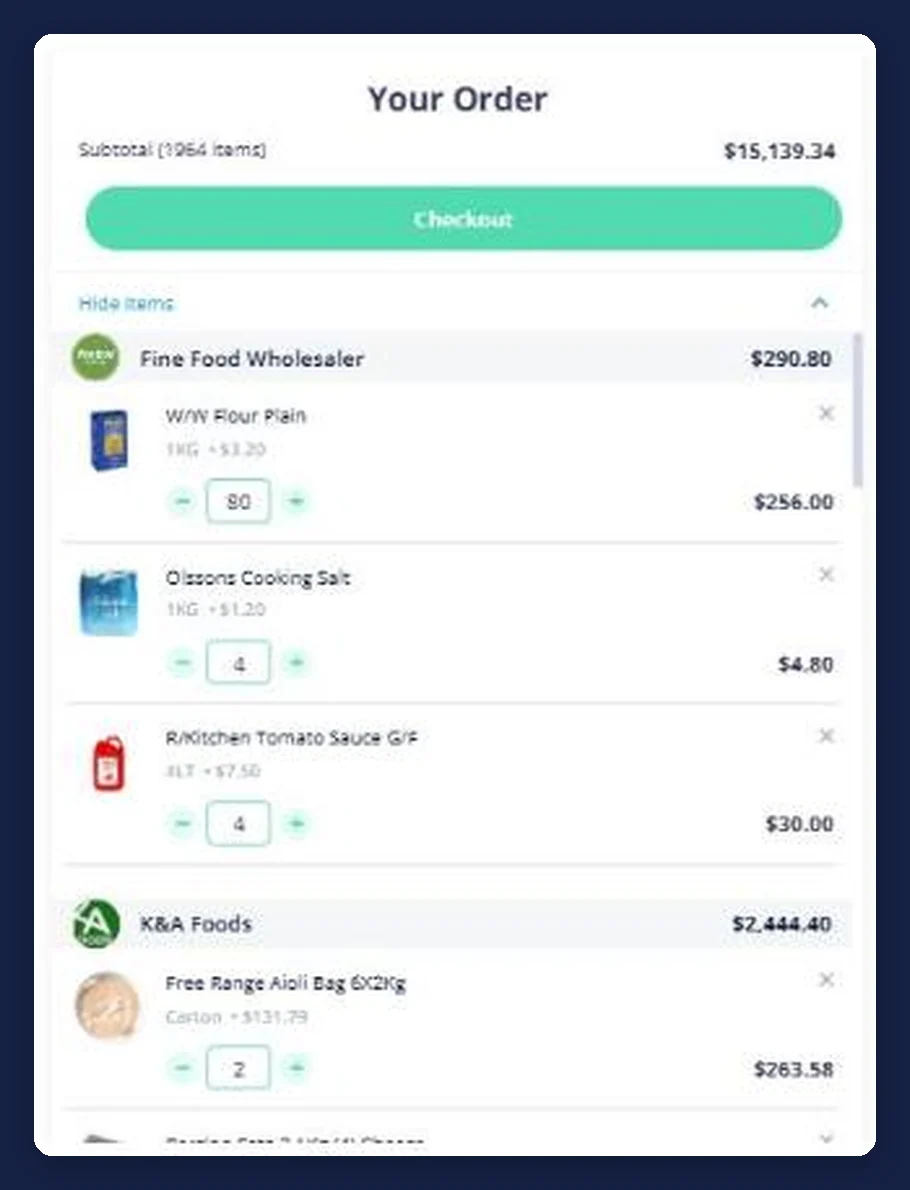
Add what you need from as many suppliers as you like. The cart keeps them apart, showing a running subtotal per supplier so you can see the size of each order before it goes.
Set the delivery date and send
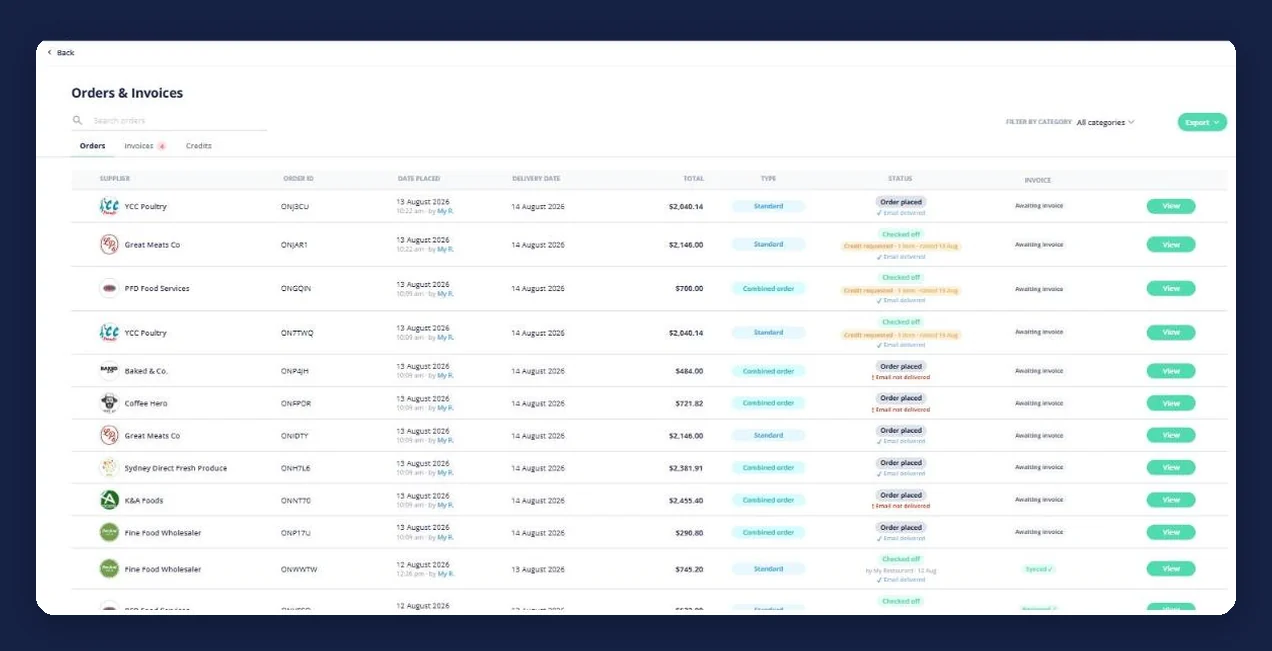
Choose when you want it, and each supplier receives their own digital order. Everything lands in Orders & Invoices with its date, total and status, ready to reorder next week.
See how Open Pantry works for venues
Every supplier your venue buys from, on one screen
Instead of one app for the produce run and a text thread for the butcher, the venue gets a single store list. Each supplier keeps their own catalogue and their own prices — Open Pantry is not a marketplace and does not sit between you and the people you buy from. It just puts them all in one place.
- One list of every supplier, whether or not they are already on Open Pantry
- Add a supplier yourself and start ordering from them the same way
- Your prices, their catalogue — nothing is re-quoted or re-priced by us
Browse by category when you do not know who stocks it
Chefs think in ingredients, not in suppliers. The category tabs cut across every supplier you buy from, so you can search the whole catalogue at once, sort by what you buy most, and filter down to your favourites or to what you ordered in the last 60 days.
- Category tabs across every supplier: meats, produce, seafood, dairy, bakery, beverages and more
- Search the full catalogue, with pack size and price on every product
- Filters for favourites and for anything ordered in the last 60 days
One cart, one order per supplier
You build a single cart and Open Pantry keeps it separated by supplier underneath, with a subtotal against each one. When you send it, each supplier receives only their own lines — as a typed digital order rather than a voicemail somebody has to transcribe at the other end.
- A running subtotal per supplier, and a total for the whole order round
- Quantities and pack sizes on every line, so nothing is guessed at either end
- Each supplier receives their own order, not a copy of everyone else’s
Delivery dates and an order round you can look back at
Every order carries the delivery date you chose, and lands in Orders & Invoices with its total and status — placed, delivered, checked off, credit requested. That is what makes next week faster: the team reorders from what actually went out, instead of rebuilding the list from memory.
- Delivery date recorded against every order, not agreed verbally
- Order status visible to the whole team, not just whoever placed it
- Past orders become the starting point for the next order
- Suppliers on Open Pantry
- 600+
- Wholesale suppliers across Australia already taking orders through the platform.
- Venues ordering
- 5,000+
- Restaurants, cafes, bars and pubs running their order round on Open Pantry.
- Cost to order
- $0
- Ordering through Open Pantry is free for restaurants and venues.
Paid plans add menu costing, inventory and reporting on top — ordering itself stays free.
Fits the way your venue already buys
Venues that stopped juggling apps
Chefs Love Open Pantry

Thank you OPEN PANTRY, we used to have to use 6 apps to get access to ordering from our suppliers, the fact we can do it all in one has saved an incredible amount of time & effort! We love you!

We’ve been using Open Pantry for a few months now and it’s been an absolute lifesaver. We’re short staffed so being able to place all of our orders with all of our suppliers in the one spot is a massive help.

So glad this service exists. Has made it so easy for my manager & chefs to order & all payments are settled in one go. The recurring orders & pantry lists are amazing time savers!!
Why not just keep texting the order through?
Because a text is not a record. It cannot be checked against what arrives, it cannot be reordered next week, and it only exists on one person’s phone. Moving the same order onto a platform costs the venue nothing and gives everyone — your team and your suppliers — the same written version of what was asked for.
Open Pantry for restaurants in Australia
Australian restaurants, cafés and pubs use Open Pantry to order from all their suppliers in one place and keep food costs in view.
- Plans priced in
- AUD — see Australia pricing
- Accounting sync
- Xero, MYOB and QuickBooks Online
- Supplier directory
- 1,100+ Australian wholesale food & beverage suppliers
Can restaurants in Australia use Open Pantry?
Yes. Restaurants, cafés and pubs in Australia use Open Pantry to order from all their suppliers in one place, track what they buy and keep food costs in view. Paid plans are priced in AUD.
Is ordering on Open Pantry free for restaurants?
Yes. The ordering package is free, with unlimited suppliers and orders. Paid plans add menu costing, inventory and reporting, and are priced in AUD.
Restaurant ordering platform — questions venues ask
What is a restaurant ordering platform?+
How does Open Pantry help restaurants place supplier orders?+
Can I order from multiple suppliers at once?+
Can restaurants browse by supplier and by category?+
Can delivery dates be chosen when ordering?+
What if my supplier is not on Open Pantry yet?+
Is Open Pantry free for restaurants and venues?+
Is an ordering platform only worth it for larger venues?+
Works even better with
Recurring Orders
Set the order you place every week to repeat every 7, 14 or 28 days, with the quantities already saved.
Explore →Products Purchased & Purchase History
Every order kept by supplier with the unit price you paid, and the price movements since.
Explore →Restaurant Inventory Management
On-hand balances, par levels and triggers, so the order round starts from a number instead of a walk-through.
Explore →Put the whole order round on one screen
Start with the suppliers you already buy from — ordering is free for venues.
Free to order · Add your own suppliers · Cancel anytime