
Purchasing & Auto-POs: Restock Before You Run Out, Without the Guesswork
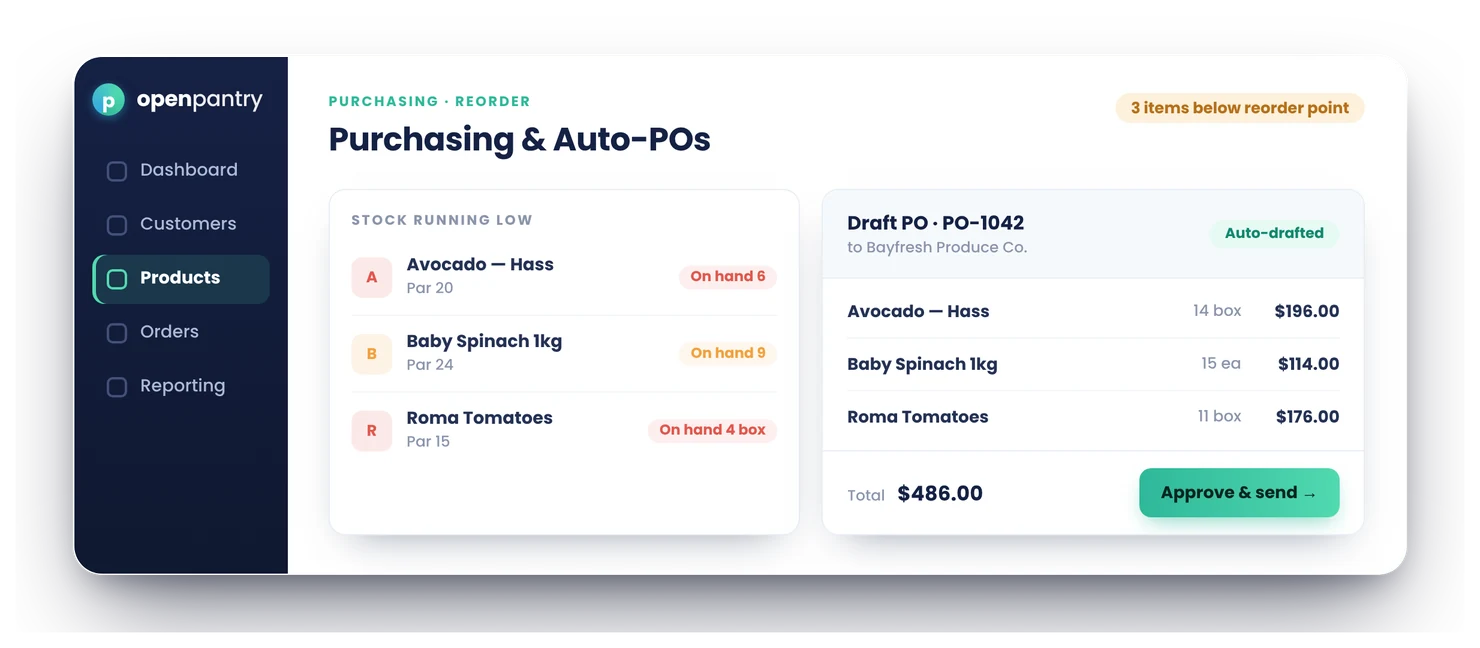
Open Pantry watches your stock against the reorder points you set and, when a line runs low, drafts a purchase order to your own supplier — ready to approve and send in a click. Receive against the PO and stock, lot and expiry update themselves, with the vendor bill flowing on to your accounts. Purchasing lives in the same platform as your ordering, stock and invoicing.
- Reorder points flag low stock and draft the PO to your supplier
- Buy in your supplier’s units — cartons, pallets — with cost per base unit
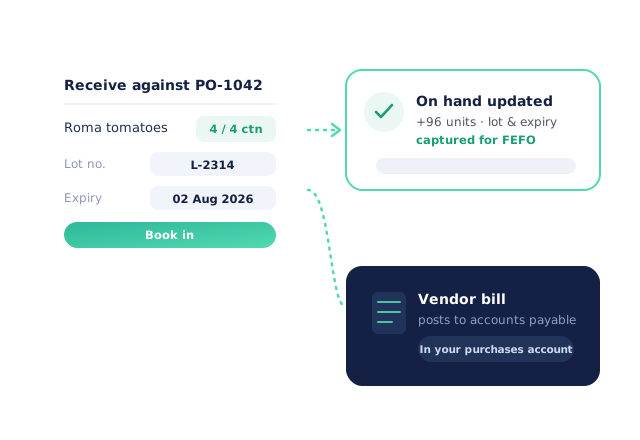
- Receive against the PO: stock, lot and expiry update automatically
★★★★★ Trusted by 600+ suppliers across Australia



Buying stock runs on memory and panic

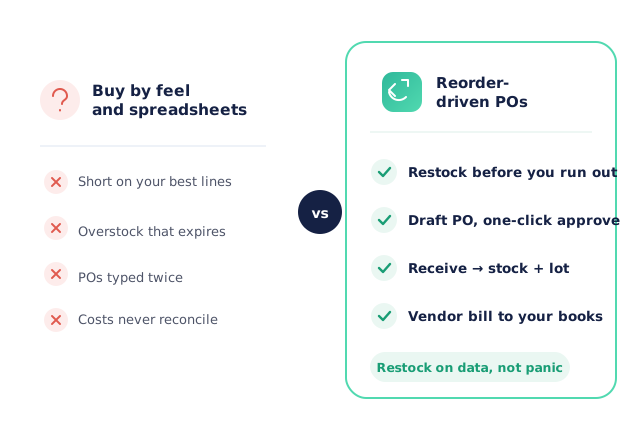
A fast line runs out mid-week and you’re short on the orders already placed

Purchase orders written up in email and spreadsheets, then re-typed on arrival

Over-ordering ties up cash and fills the coolroom with stock that expires

What you paid a supplier never lines up with what you receive — or your books
How Purchasing & Auto-POs Work
Set reorder points
Give each line a reorder point and a preferred supplier — the level you never want to drop below.
Open Pantry drafts the PO
When stock falls to the reorder point, a draft purchase order to that supplier is prepared for you.
Approve and send
Review the draft, adjust quantities, and approve — the PO goes to your supplier in a click.
Receive against it
Book goods in against the PO; stock, lot and expiry update, and the vendor bill posts to your accounts.
Free trial · Cancel anytime
Reorder points that watch your stock
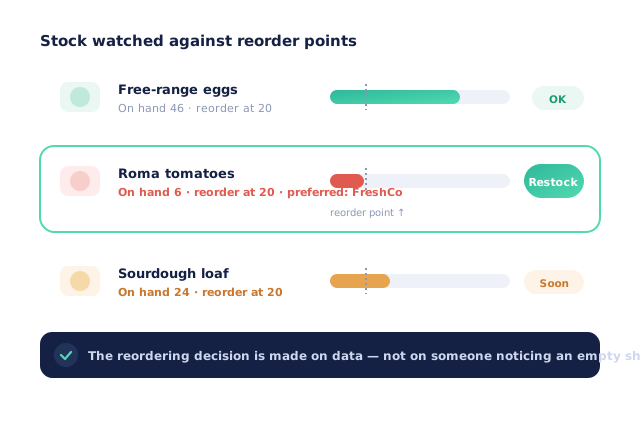
Set a reorder point and preferred supplier per line. As orders draw stock down, Open Pantry watches the level for you — so the reordering decision is made on data, not on someone noticing an empty shelf.
Draft POs you just approve
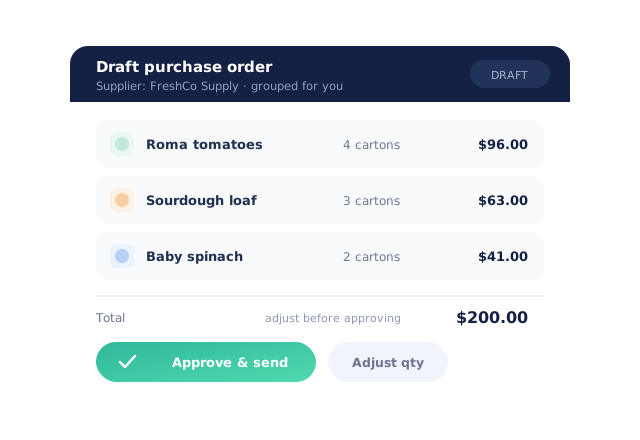
When a line hits its reorder point, the purchase order is drafted for its supplier — the products, the quantities, the costs. You review, tweak if needed, and approve; the PO goes out in a click.
- One draft per supplier, grouped for you
- Suggested POs show why each line is there and how confident the suggestion is
- Adjust quantities before you approve — nothing is sent automatically
Buy in the units your supplier sells
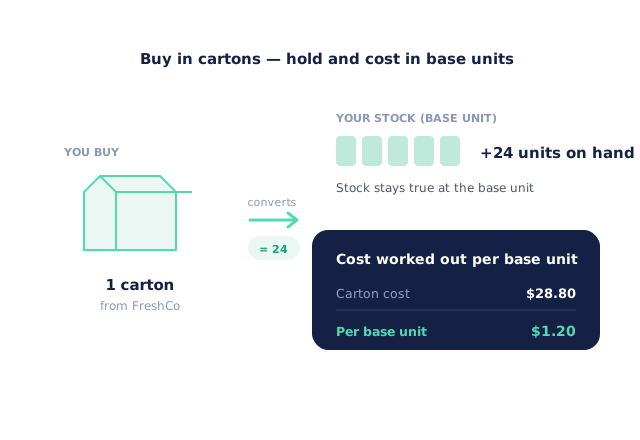
Order in cartons or pallets while your stock stays true at the base unit. Open Pantry converts the buy unit to on-hand and works out the cost per base unit, so what you pay and what you hold always reconcile.
Receive straight into stock
Book goods in against the PO and on-hand updates instantly — with lot and expiry captured for tracked products. Damaged or short lines are recorded at receiving and can become a supplier claim. The approved vendor bill posts to your accounting as accounts payable.
- More product lines purchased
- 24%
- Your always-on branded store and app put your full range in front of customers, so baskets grow.
- Less order-processing cost
- 95%
- AI order capture and auto-invoicing remove the manual keying between order and books.
- Fewer picking errors
- 80%
- Tablet pick & pack with FEFO lot and expiry tracking catches shorts and wrong items before they ship.
Real gains suppliers report after moving ordering, fulfilment and invoicing onto Open Pantry.
Purchasing Connects Stock to Your Books
Trusted by M&J Chickens
- $175m+
- Annual turnover
M&J Chickens use Open Pantry to move ordering out of calls and messages and into one digital workflow — giving customers a smooth ordering experience and giving the team fewer errors and less admin.
“With Open Pantry, we launched our own fully branded ordering app — it’s helped us protect our customer base, move to digital ordering, and deliver a much better experience to our venues.”

Why not just keep buying by feel?
Buying by feel is how you end up either short on your best lines or overstocked on the ones that expire. Reorder points make the call on data before a shelf runs empty, and drafting the PO for you turns purchasing into a quick approval instead of a spreadsheet job — with receiving and the vendor bill already connected to your stock and your books.
Open Pantry for food suppliers in Australia
Australian food and beverage wholesalers use Open Pantry to take orders from restaurants, cafés and venues online, with every order flowing to picking, invoicing and accounting.
- Plans priced in
- AUD — see Australia pricing
- Accounting sync
- Xero, MYOB and QuickBooks Online
- Supplier directory
- 1,100+ Australian wholesale food & beverage suppliers
Can Australian food suppliers use Open Pantry?
Yes. Wholesalers and distributors in Australia use Open Pantry to take orders from restaurants, cafés and venues through their own branded ordering app and online store. Plans are priced in AUD, and orders and invoices sync with Xero, MYOB and QuickBooks Online.
Is there a free plan for suppliers in Australia?
Yes. The free plan lets you list products and receive unlimited orders. Paid plans add accounting, inventory and delivery tools, come with a free trial and are priced in AUD.
Questions Suppliers Ask About Purchasing & Auto-POs
How do auto purchase orders work?+
Does it send orders to my suppliers without me approving them?+
Can I set reorder points per product?+
Can I buy in cartons or pallets while I sell in smaller units?+
What happens when the stock arrives?+
Does receiving capture lot and expiry?+
Does the supplier’s bill reach my accounting system?+
What happens when a delivery from my supplier arrives damaged or short?+
Can I edit or cancel a purchase order?+
Can one draft cover several products from the same supplier?+
How does purchasing keep me from over-ordering?+
Do I need separate purchasing software?+
Which plan includes purchasing?+
Works Even Better With
Lot, Expiry & FEFO
Goods received against a PO capture lot and expiry, ready for first-expiry-first-out picking.
Explore →Accounting Sync
Approved vendor bills post to your ledger as accounts payable, in your chosen purchases account.
Explore →Quality Hold & Supplier Claims
Hold suspect stock, record waste reasons and claim short or damaged deliveries back from vendors.
Explore →Restock on Data, Not on Panic.
Join 600+ Australian suppliers running their ordering, fulfilment and invoicing on Open Pantry.
Setup done for you · Cancel anytime · Your data stays yours