

How Food Wholesalers Reduce Manual Order Entry: A Problem-Led Guide
Ask a wholesale food supplier how many orders they process manually and you will usually get a confident answer that is wrong. The number people quote is the orders that arrive by email, because those are visible and they sit in a folder that can be counted. The real figure includes the phone calls, the texts, the WhatsApp messages, the voicemails left before 6am, the PDFs, and the orders a rep took in a car park and wrote in a notebook.
Manual order entry is not one problem in one place. It is a dozen small leaks across the business, and it is the reason your best admin person spends the first two hours of every day typing instead of doing anything that grows the business.
This is a problem-led guide: where manual entry actually hides, what it costs, the five ways to reduce it, and how to measure whether any of it worked.
Where manual order entry hides
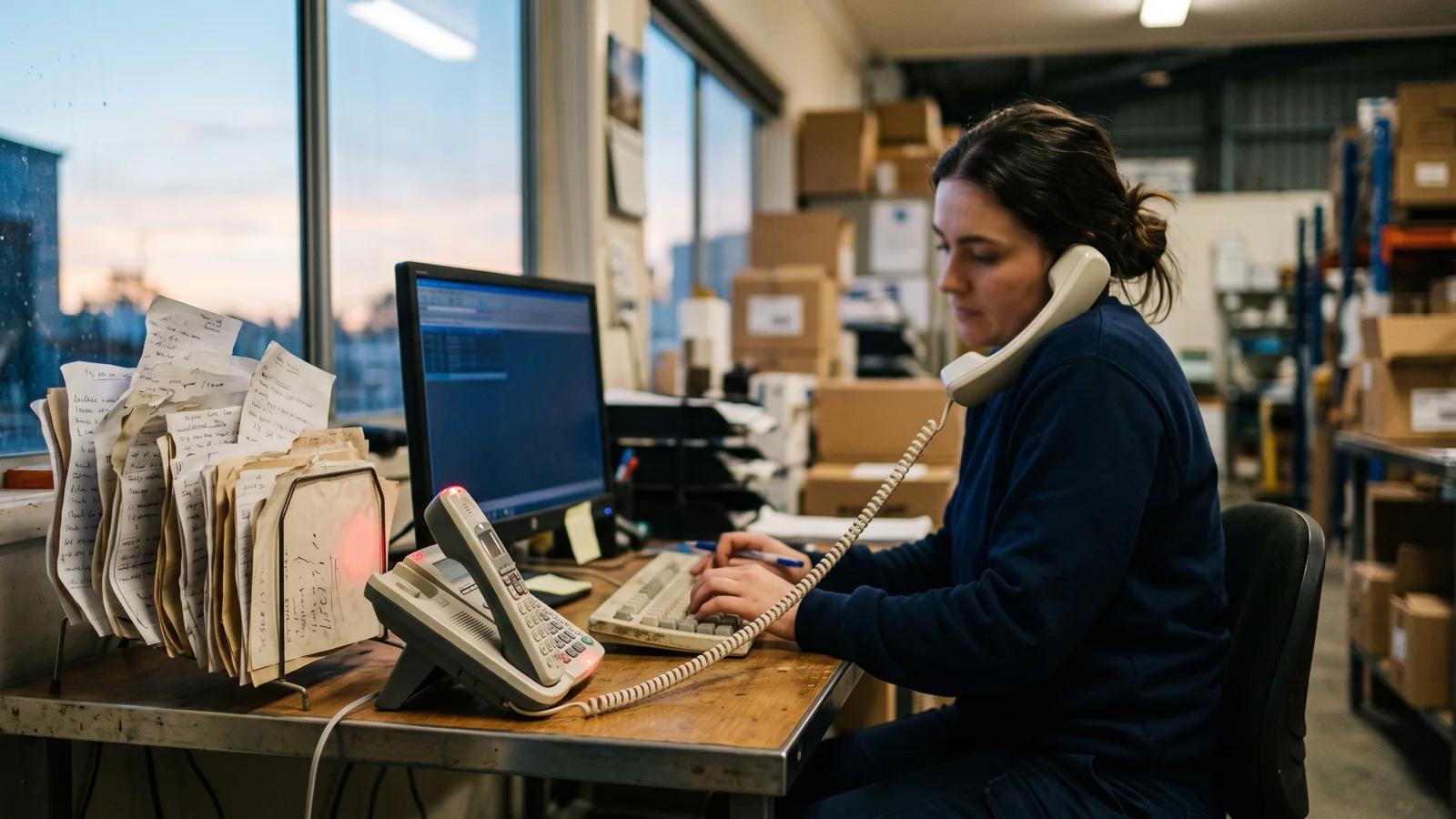
The phone
The most expensive channel you have. A phone order occupies two people simultaneously, cannot be processed while the phone is ringing again, and leaves no record of what was said. When there is a dispute about what was ordered, there is nothing to look at.
The highest-volume manual channel for most suppliers, and the one that concentrates risk in an inbox. If email orders come to one person’s address rather than a shared one, that person cannot take leave without a handover ritual, and nobody else can see the queue.
SMS and WhatsApp
Now a mainstream ordering channel in Australian hospitality, and the hardest to keep an audit trail for. Orders sit on somebody’s personal phone. They are frequently sent from the venue’s delivery bay at 5:30am in heavy shorthand.
Voicemail
Where phone orders go when nobody answers. Transcription is unreliable, background noise is guaranteed, and the message has to be listened to at least twice.
PDFs and printed purchase orders
Structured on the page and unstructured to your system. Larger venues, groups and institutional buyers send these, and the layout differs from customer to customer and sometimes month to month.
Reps in the field
A sales rep visiting six venues comes back with six orders in a notebook, a phone note or a memory. Every one of them is re-entered, sometimes hours later, sometimes by the rep, sometimes by admin from a photo of the notebook.
The rekeying nobody counts
Order to pick slip. Pick slip to delivery docket. Delivery docket to invoice. Invoice to the accounting system. Each of those is a transcription step, and each is a chance for a quantity, a price or a whole line to change. Suppliers often automate the front of the process and leave three copy-outs at the back.
What it actually costs
The obvious cost is time, and it is easy enough to work out. Take the number of orders typed in a week, multiply by realistic minutes per order — three to six is normal, more if the message needs decoding or a call back — and multiply by a loaded hourly rate. For most suppliers this alone is a part-time salary.
But time is the smallest part. The larger costs are:
- Wrong deliveries. A transposed quantity or the wrong pack size becomes a credit, a redelivery, or a venue short of an ingredient during service. Open Pantry cites industry studies putting manual order entry at 100–400 errors per 10,000 entries versus 1–4 for automated capture.
- Lost pricing. Retyping is where a negotiated price or a current special quietly fails to apply, and the margin difference never appears on any report as an error.
- Capacity that does not scale. The morning peak is the constraint. Twenty per cent more customers means twenty per cent more typing in exactly the two hours that are already full.
- Delayed picking. Every minute of order entry is a minute the warehouse is idle or working from an incomplete list.
- Customer experience. The venue that has to ring twice to confirm an order remembers it, and the churn shows up months later without an obvious cause.
Five ways to cut manual order entry
1. Consolidate the channels before you automate them
The first fix costs nothing. Move every ordering channel onto shared, business-owned addresses and numbers — one orders inbox, one orders mobile, one WhatsApp business account — rather than individuals’ accounts. You will not have reduced the typing yet, but you will be able to see the whole queue, cover absences, and measure the problem, which is the precondition for everything else.

2. Move the willing customers to self-service
Every order a customer places themselves in an ordering app or web store is an order nobody retypes, priced correctly, with live stock and the cut-off visible at the point of ordering. This is the cheapest and most accurate channel available.
The trap is treating adoption as a technology rollout. It is a sales job: migrate customers in waves, have reps sit with the top accounts and place the first order with them, and give people a reason — order history, saved lists, seeing their own prices, ordering at 11pm when they remember.
Expect to convert a good proportion and not all of them. Plan for the remainder rather than pretending it will disappear.
3. Turn repeat business into standing orders
A large share of wholesale ordering is the same list every week with small variations. Any customer whose order is 80% predictable should be on a recurring order they adjust, not one they recreate. This removes the typing and the omissions at the same time — the forgotten line that becomes an emergency delivery on Thursday.
4. Use AI order entry for everything that is left
For the customers who will not move — and for the one-off exceptions from customers who normally do — AI order entry converts the email, SMS or WhatsApp message into a draft order matched to your catalogue and priced on that customer’s price list, for a person to approve rather than type.
The important part is the approval step. The goal is not to remove the human from the order; it is to change what the human does, from transcription to a check. Insist that anything the system is unsure of is flagged rather than guessed.
5. Remove the rekeying at the back end
Cutting order entry and leaving three transcription steps downstream is half a job. Orders should flow into digital pick lists without reprinting, picking results should produce the delivery docket, and the docket should produce the invoice, which should sync to your accounting system rather than being entered again. Every removed copy-out removes a class of error, not just some minutes.
The mistake most suppliers make
The common failure is sequencing. A supplier launches an ordering app, gets 55% adoption, declares the project done, and leaves the other 45% exactly as it was — still typed, still in one inbox, still the reason the morning peak has not moved. Six months later the admin headcount is unchanged and the app is blamed.
The residue is the point. Manual order entry does not become cheap when it shrinks; the per-order cost stays the same and the error risk concentrates in the orders that were always the messiest — the shorthand texts, the late voicemails, the venue that has ordered the same way since 1998. Plan the last 40% at the same time as the first 60%, not afterwards.
The second common mistake is automating the front and ignoring the back. If the order arrives digitally and is then printed, annotated, retyped into a docket and keyed again into the accounting system, you have removed one transcription step out of four and will wonder why the error rate barely moved.
How to measure whether it worked
Set a baseline before you change anything, or you will be arguing about impressions in six months. Four numbers are enough:
- Orders typed per week, by channel. Count for one full week, without rounding down, including reps and voicemail.
- Minutes per order, sampled rather than estimated — time twenty real orders.
- Credits and redeliveries per month attributable to order errors, separated from quality and delivery issues.
- Time from order received to order picked, for the morning peak.
Then track two more once you are live: the proportion of customers self-serving, and the proportion of captured orders approved without an edit. Review at 30, 60 and 90 days. Progress in this area is incremental — a channel at a time, a customer segment at a time — and the numbers are what stop it from stalling at 60%.
How Open Pantry helps reduce manual order entry
Open Pantry attacks all three layers at once. Customers who will self-serve order through your own branded ordering app and store, with their own prices, live availability and your cut-offs enforced; predictable accounts move onto standing and recurring orders; and everything else is handled by AI Order Capture, which turns customer emails, SMS and WhatsApp messages into digital orders against your catalogue and price lists for your team to confirm. Behind all of it, orders flow into digital pick and pack, invoicing and two-way accounting sync, so the rekeying at the back end goes too. Open Pantry reports suppliers saving 38 or more hours of admin a week across order entry, picking paperwork and invoicing.
If you want the cost side in more detail first, see our breakdown of the real cost of manual order entry for foodservice suppliers.
Frequently Asked Questions
Sources
Related articles
 The Real Cost of Manual Order Entry for Foodservice SuppliersManual order entry increases errors, delays, admin time, and missed orders for foodservice suppliers. Learn how automation improves efficiency.Read the article →
 The Real Cost of Manual Order Management in a Wholesale Food BusinessDiscover the hidden cost of manual order management and how wholesale food suppliers can reduce admin, errors, and lost margin.Read the article →
 How to Reduce Order Errors Without Hiring More StaffReduce wholesale food order errors without hiring. Learn what causes mistakes—and the systems that prevent mispicks, disputes, credits, and churn.Read the article →
 Get Restaurant Customers to Order Online, Not by Phone.Help restaurant customers move from phone orders to online ordering with simple tactics that improve adoption and reduce manual admin.Read the article →