


Catch Weight Software Without the Clipboard: Connecting a Bench Scale to Open Pantry Pick & Pack
If you sell meat, seafood, cheese or produce by the kilo, the weight a customer orders is almost never the weight you deliver. A restaurant orders 10 kg of beef brisket; the cartons that come off the pack bench weigh 10.42 kg. That gap is what catch weight means, and handling it well is the difference between billing what you actually sent and quietly giving product away.
Most suppliers still handle catch weight on paper. A packer weighs each carton, writes the number on a pick slip, and someone in the office re-keys it into the invoice later that day. It works until it doesn’t: a smudged figure, a transposed digit, a slip that goes missing in the cool room. Good catch weight software removes the re-keying step entirely, so the weight read at the bench is the weight on the invoice.
This guide covers why catch weight breaks paper picking, how Open Pantry’s weigh sheet works in Pick & Pack, and the practical setup for connecting a bench scale so packers capture weights with a single key press.
Why catch weight breaks paper picking
Fixed-weight products are simple: order 12 cartons, pick 12 cartons, invoice 12 cartons. Variable weight products don’t behave that way. The ordered quantity is an estimate, and the true billable quantity only exists once the product has been weighed.
That creates three problems in a paper workflow:
- Re-keying errors. Every weight is written down once and typed once more. Two chances to get it wrong, on the lines where each kilo carries a real price.
- Lag between pack and invoice. Weights sit on slips until someone has time to enter them. Invoices go out late, or go out at the ordered weight with a promise to "fix it later".
- Silent under-billing. When the office is busy, the easy path is to bill the ordered quantity. If cartons routinely come in slightly over, that difference is margin walking out the door on every delivery run.
There is also a compliance side. Australian trade measurement laws cover wholesale as well as retail sales of meat and seafood, and most must be sold by weight. The National Measurement Institute (NMI) says that if you use a scale to weigh and sell meat or seafood that isn’t pre-packaged, your type of scale must be NMI-approved and verified by a servicing licensee, and you are responsible for keeping it correct. Paper can’t show that the billed weight came from that verified scale.
How the weigh sheet works in Pick & Pack
In Open Pantry, a product becomes catch weight with a single checkbox in the product editor, under a "Sold by weight" section. The product’s own description of the setting is plain: for products like meat where the delivered weight varies from the ordered amount, pickers weigh each pick and the invoice bills the actual kilograms delivered.
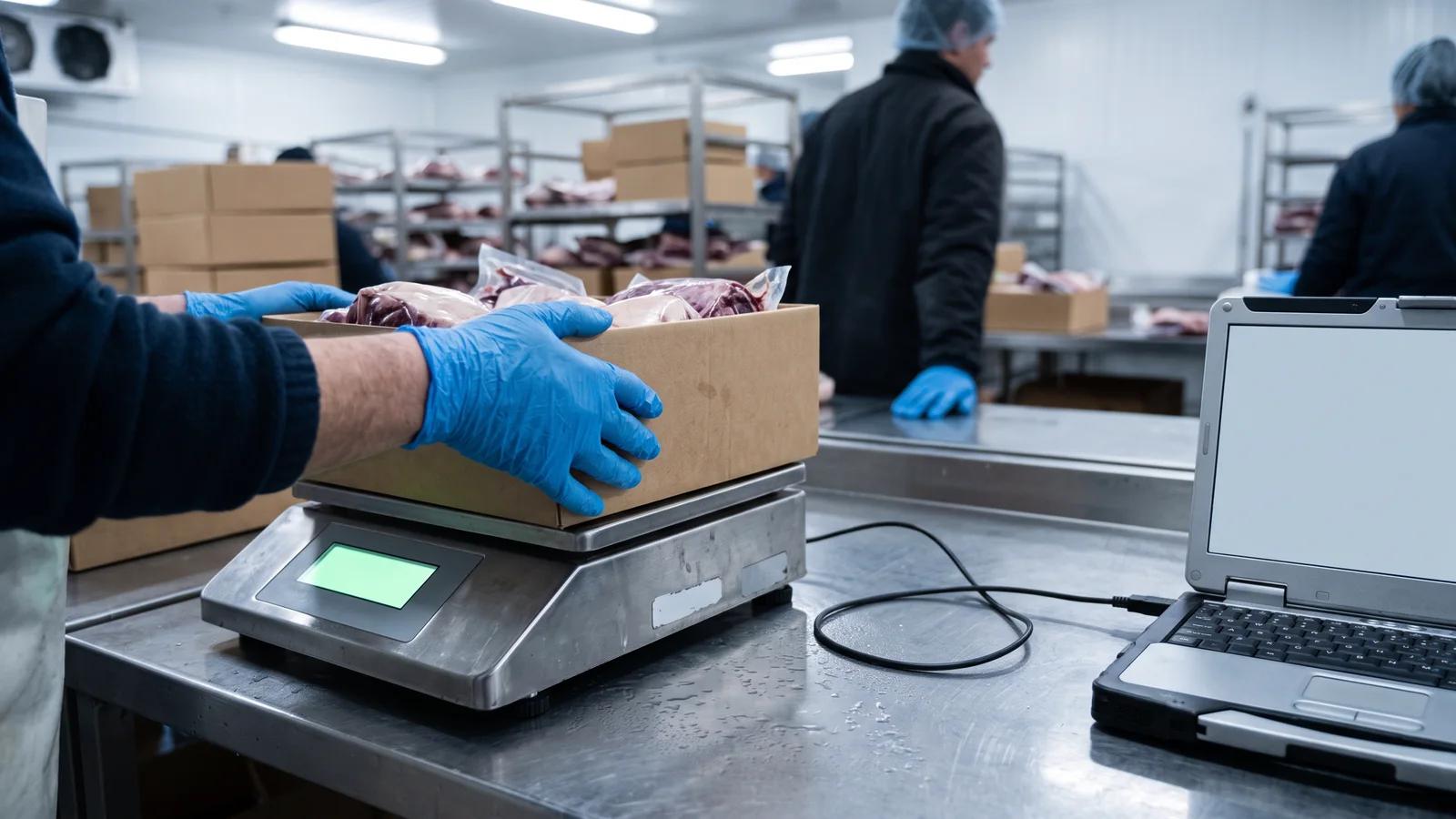
When a catch-weight product comes up in Pick & Pack, the packer works from a dedicated weigh sheet rather than a tick box. The weigh sheet shows one row per customer on the wave card. Each carton’s weight is captured against that customer’s row, and the captures accumulate until the ordered quantity is covered.
There are three ways to capture a weight, and all three are live:
- Press PRINT on the scale. With a connected scale in stable-print mode, the scale’s own PRINT key sends the reading straight into the weigh sheet.
- Tap Capture on screen. An on-screen button takes the current reading from the connected scale.
- Type the weight. The packer reads the scale’s display and keys the figure in.
Typing is not a fallback. It is a first-class flow, and it is the right option for many benches. Catch weight and the type-the-weight weigh sheet are available on the Pro plan and up. The connected scale, where the scale talks directly to the browser, is an Enterprise-plan feature.
For a picture of how digital picking changes the rest of the warehouse, see our guide to moving from paper pick slips to digital picking.
Connecting a scale: the fast setup
A connected scale removes the last manual step: nobody reads a display and nobody types a number. The scale sends its reading over a cable to a computer running Chrome, and Open Pantry reads it in the browser. There is no software or driver to install on the computer.
Setup happens in two places.
In Open Pantry. A manager opens the warehouse settings (the gear icon in Pick & Pack, hidden from picker accounts) and switches on "Use a connected weighing scale". This is off by default. When it’s off, the weigh sheet is type-the-weight only; when it’s on, the weigh sheet offers a Connect scale button.
At the bench. The first time, the packer clicks Connect scale, picks the scale from the list Chrome shows, and chooses the driver. From then on, the scale stays paired with that browser. Each carton after that is three moves: place the carton, press PRINT, done. The weight lands against the right customer on the order.
Open Pantry ships with two scale drivers:
- Adam Equipment (GBK / GFK / Gladiator) — for Adam’s bench and floor checkweighing ranges.
- Generic RS-232 scale — for scales that send the common flagged output format used by many A&D, CAS and Ohaus-style indicators, which mark each reading as stable, unstable or overloaded.
Scale settings that matter
For an Adam scale, three settings make the connection reliable:
- RS-232 output set to "weight only", so the scale sends just the weight and nothing else.
- Print mode set to "Manual Stable", so pressing PRINT sends the weight only once the reading has settled. Every line the scale transmits is then already a stable reading.
- Communication left at the default 9600 baud.
Your reseller can set these before delivery if you ask.
What to buy (and what not to)
You need a trade-appropriate bench scale with a serial data output, a way to plug it into a computer, and a computer that runs Chrome.
The scale. Start with the legal requirement, not the feature list. If the weight sets the price, the scale must be an NMI-approved type and verified by a servicing licensee. Ask your supplier specifically for a trade-approved model, not just the standard version of the same range, and keep the verification paperwork. Then check it has an RS-232 output; Adam lists an RS-232 interface for connecting to computers and printers on its GBK and GFK range, and many other trade scales offer one too. Choose a capacity with headroom above your heaviest carton. If the pack bench is hosed down, look at a stainless washdown model rather than a standard bench scale.
The cable. Most modern computers have no serial port, so you need an RS-232-to-USB adapter. For Adam scales, buying Adam’s own adapter avoids guesswork about cable wiring.
The computer. A basic Chromebook or an existing Windows laptop is enough.
Budget. For most suppliers the hardware is a few hundred dollars on top of the scale itself, and less if there’s already a laptop at the bench. Get a local quote that includes approval and verification.
What not to buy: a kitchen or postal scale without trade approval, a scale with no data output, or an iPad for the weigh bench if you want the direct connection. More on that next.
Tablets vs desktop at the pack bench
This is the decision that catches people out. The Connect scale feature uses the browser’s Web Serial API, and that only works in desktop-class Chrome or Edge: Windows, Mac, Linux and ChromeOS, including convertible Chromebooks. It does not work on iPad, Android tablets or Safari, because Apple and Google don’t allow browser serial connections on those devices.
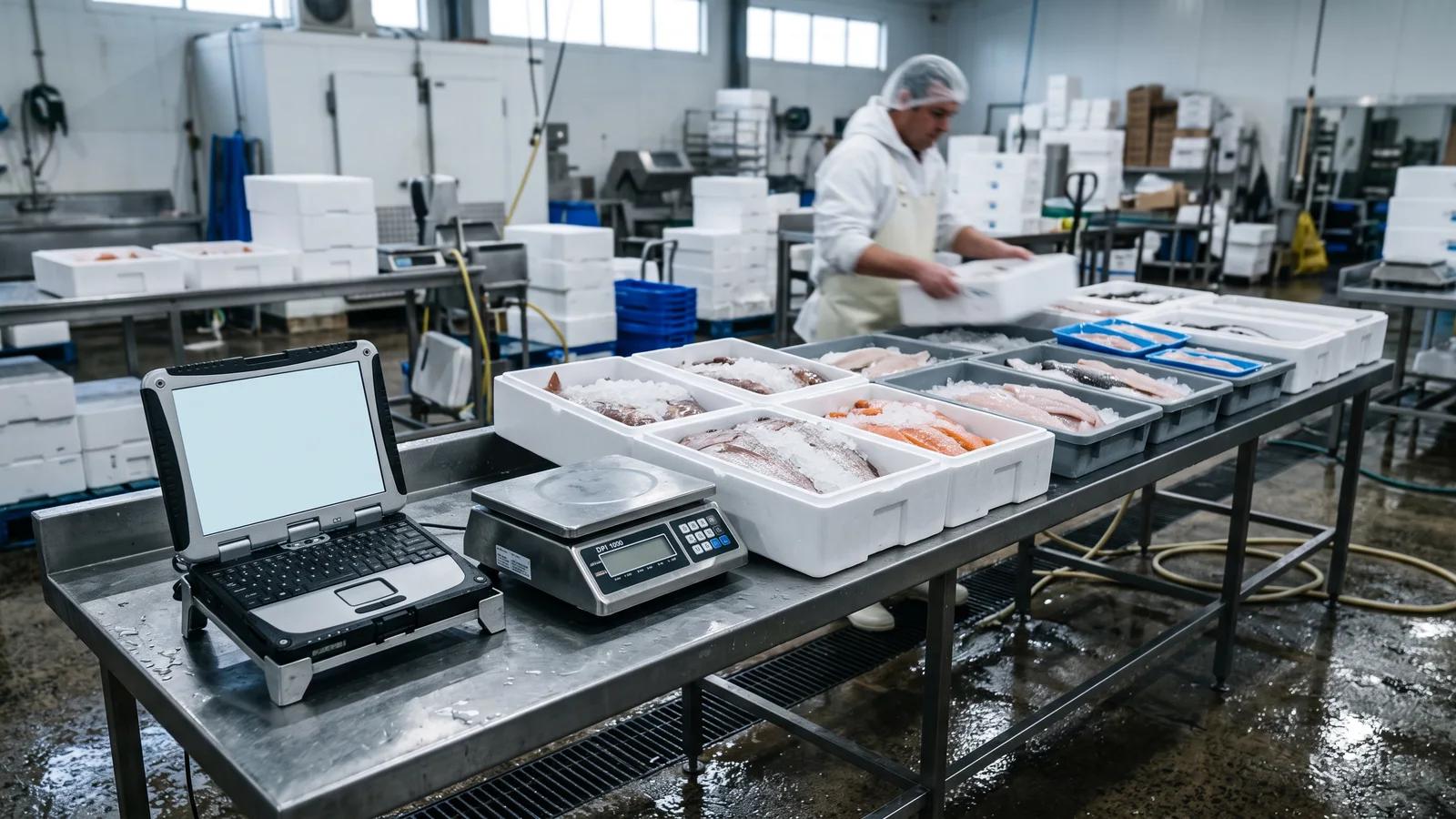
That doesn’t mean tablets are out. On an iPad or Android tablet, the packer reads the scale’s display and types the weight into the weigh sheet. The weight still lands on the order and the invoice still bills it. The only thing missing is the PRINT-key capture.
A practical pattern for many warehouses:
- Keep tablets on the floor for normal picking, where mobility matters most.
- Put a Chromebook or laptop at the weigh bench, cabled to the scale. If you want a touchscreen there, a convertible Chromebook gives you a tablet feel with the live scale connection.
From weight to invoice without re-keying
The point of capturing weights digitally is what happens next. When the pick is confirmed, a catch-weight order line is billed at the weighed quantity, whether that lands over or under what the customer ordered. The adjustment travels the same path Open Pantry already uses for short picks, so the invoice line simply carries the actual weight.
Because it’s an ordinary quantity adjustment, there’s nothing special for your accounting sync to handle. The invoice that reaches Xero, QuickBooks or MYOB shows the kilograms you delivered, not the kilograms someone estimated when the order came in. No end-of-day reconciliation of slips against invoices.
Getting started in an afternoon
A realistic first afternoon looks like this:
- Mark your catch-weight products. Open each variable weight product and tick "Catch weight" under "Sold by weight". Start with your highest-volume lines.
- Run one wave typing weights. Before any hardware arrives, have a packer use the weigh sheet and type weights from your existing scale. This proves the flow and the invoice result.
- Switch on the connected scale (Enterprise). In warehouse settings, turn on "Use a connected weighing scale".
- Set up the bench. Scale set to weight-only output and Manual Stable print mode, adapter into the computer, Chrome open on Pick & Pack.
- Connect once. Click Connect scale, pick the scale and driver. It stays paired with that browser.
- Check the first invoices. Compare a handful of invoices against the cartons you weighed, then let the paper slips go.
How Open Pantry helps with catch weight software
Open Pantry treats catch weight as part of picking rather than an office task that happens afterwards. Mark a product "Catch weight", and its picks move to a weigh sheet where each carton is captured against the right customer, typed from the scale’s display on any device, or read directly from a connected bench scale in Chrome on Enterprise. The invoice bills the actual kilograms delivered and syncs to your accounting package like any other line. See how the weigh sheet fits into digital pick and pack; it also underpins our meat supplier ordering software and seafood wholesale ordering.
Frequently Asked Questions
Sources
- National Measurement Institute — Selling meat (trade measurement laws, using scales)
- National Measurement Institute — Selling seafood (trade measurement laws, using scales)
- MDN Web Docs — Web Serial API (limited browser availability)
- Adam Equipment Australia — GBK plus / GFK plus bench and floor checkweighing scales (RS-232 interface)
Related articles
 How To Transition A Warehouse From Paper Pick Slips To Digital PickingReduce warehouse errors and speed up fulfilment with digital picking. See how Open Pantry helps suppliers modernise warehouse operations.Read the article →
 Digital Picking for Wholesale Food SuppliersReplace paper pick slips with digital picking. Reduce warehouse errors, speed up fulfillment, and streamline food supplier operations.Read the article →
 The Link Between Picking Accuracy and Customer RetentionLearn how picking accuracy helps wholesale food suppliers reduce errors, improve customer retention, and build stronger customer trust.Read the article →