Back
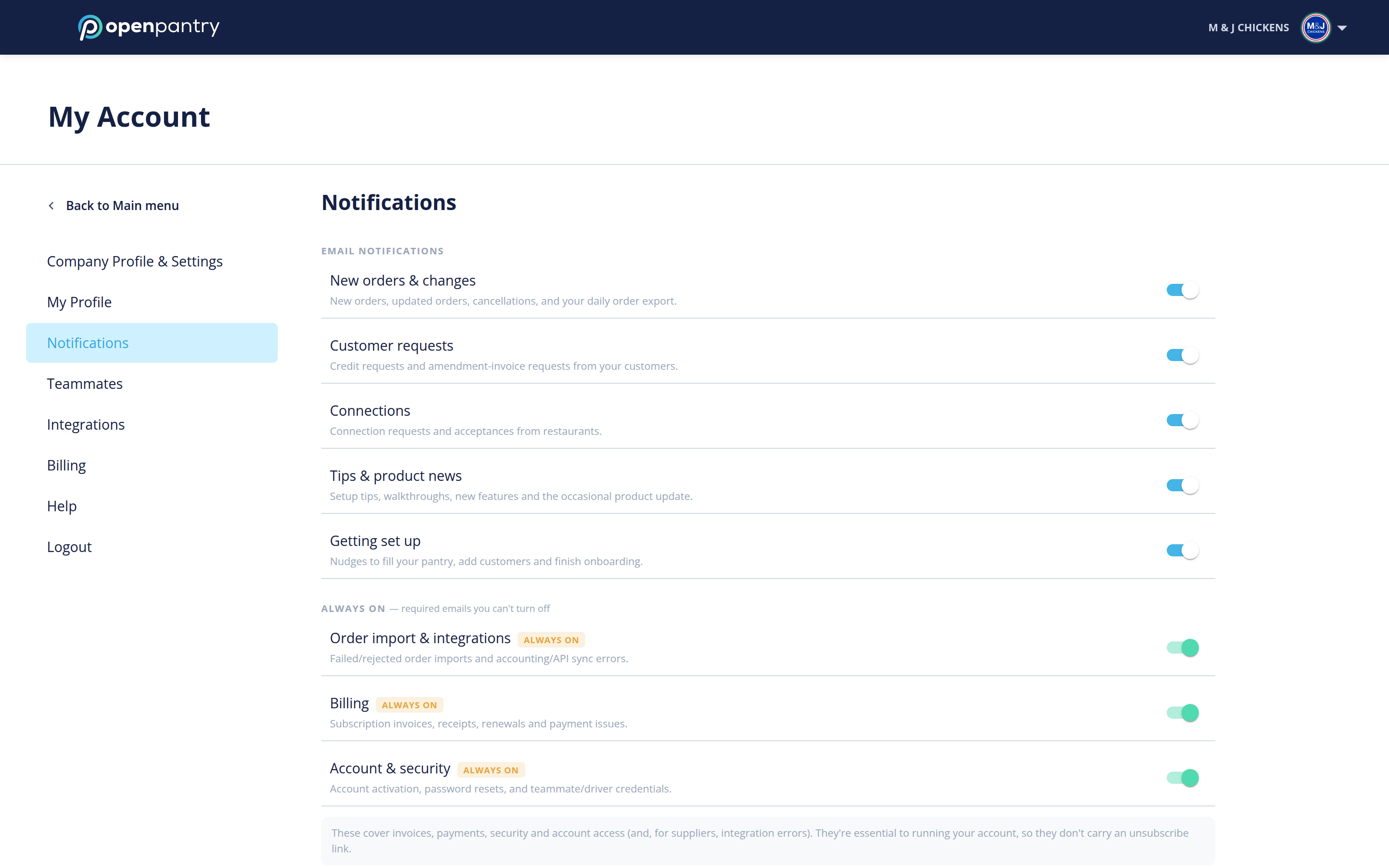
Email Notifications
Which emails will I get, and how do I change them?
Open the account menu: on a wide window, click your business name in the top right. On a narrow window, tap ☰ in the top left, then your business name at the bottom of the menu.
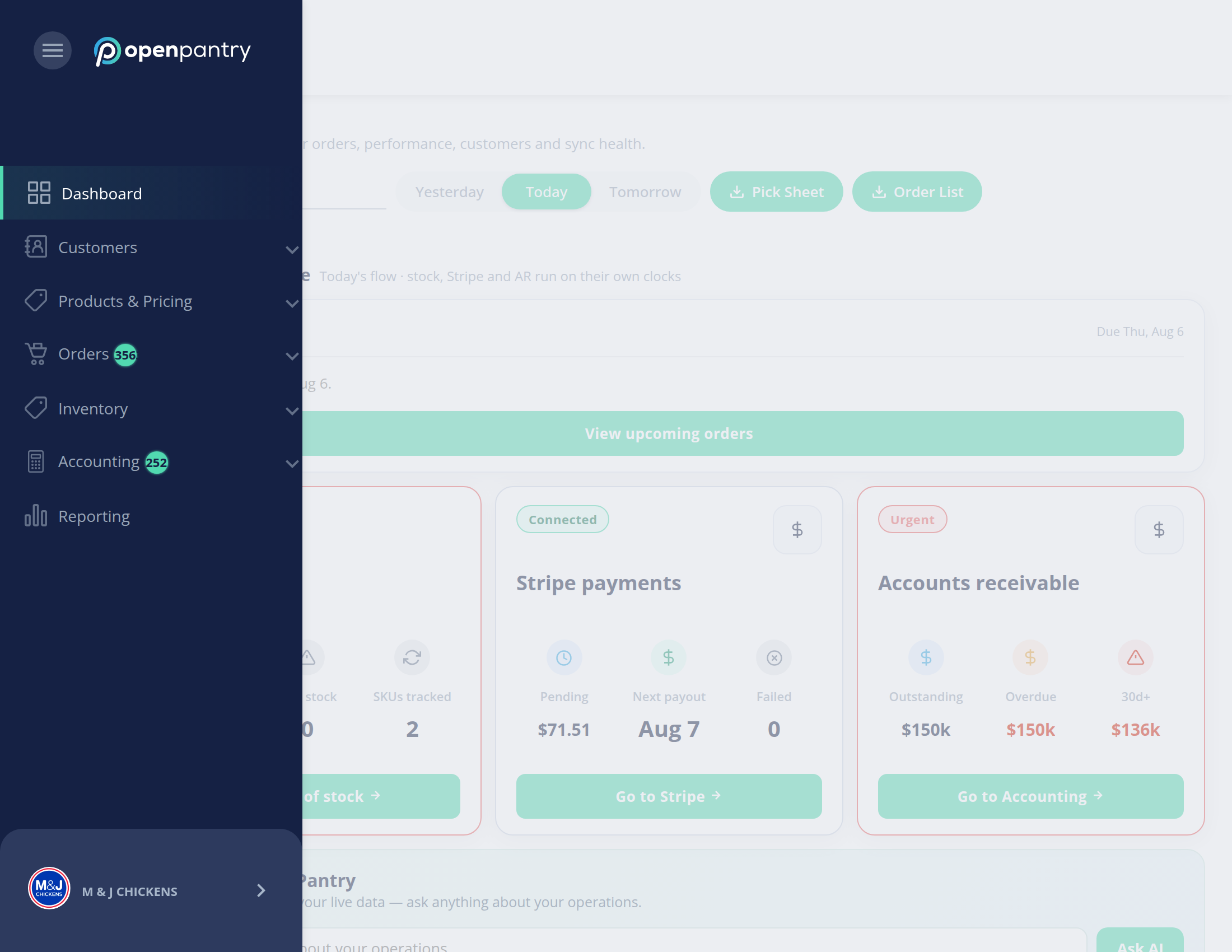
- Choose Notifications.
- Turn each row on or off:
- New orders & changes — new, changed and cancelled orders, plus your daily order export.
- Customer requests — credit requests and invoice change requests.
- New connections — customers asking to connect with you.
- Tips & setup help — setup reminders and new features.
Some emails are always sent and can’t be turned off: billing, account security, and failed imports or syncs.
To get alerts in your browser too, use Web push notifications → Enable on this device.