


Back
How to add sales
Select the ☰ menu button in the top left of the screen, then Restaurant Pro Suite.
- Select Sales & Wastage, then the Sales tab.
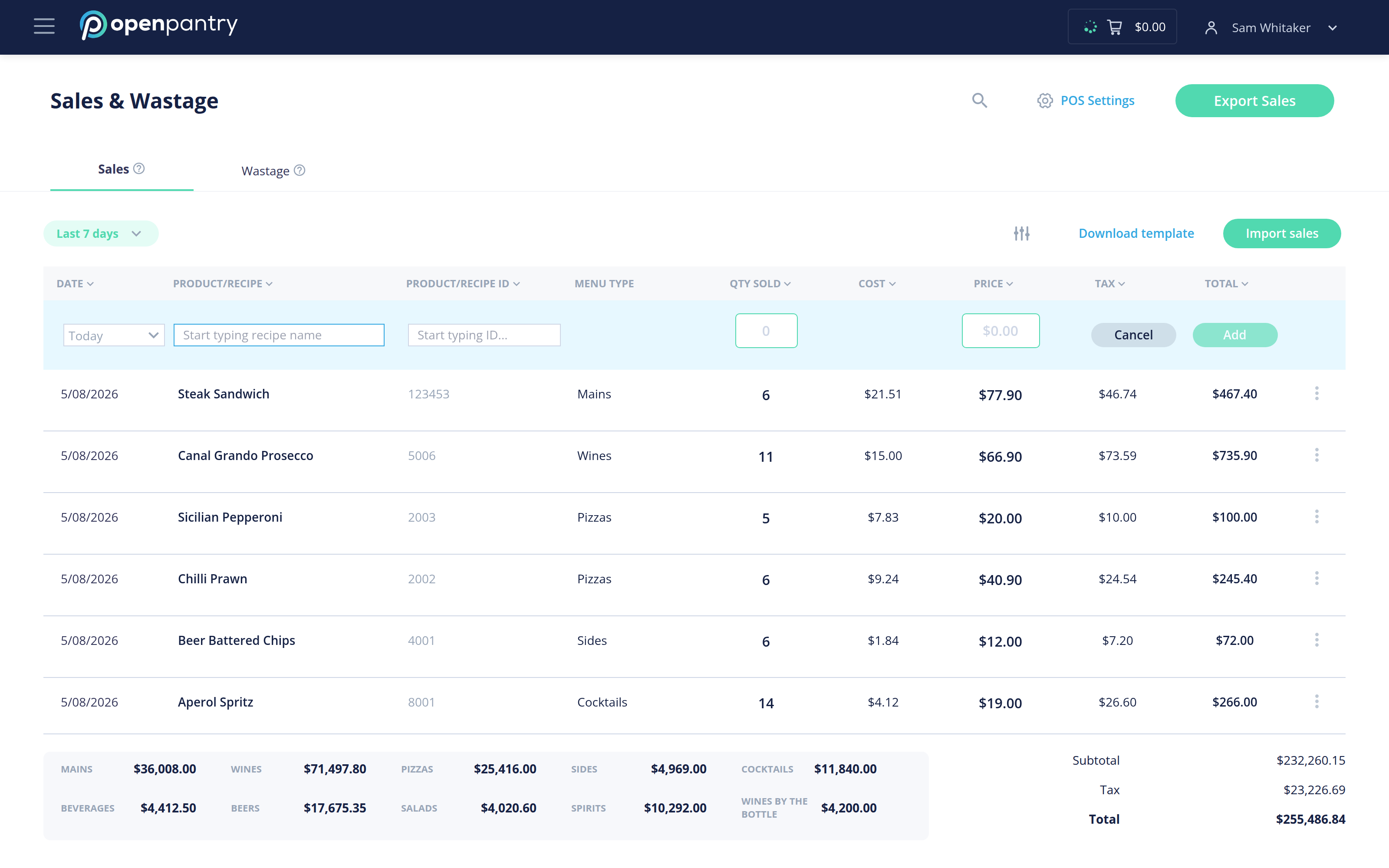
There are three ways to get sales in:
- POS integration — sales come across automatically. Use POS Settings to set this up, or contact Open Pantry and we will help.
- Download template — fill in the spreadsheet and use Import sales to bring it back in. Best for a whole week at once.
- By hand — use the entry row at the top of the table. Enter the date, product or recipe, product code, menu type, quantity sold and price, then Add.
The totals along the bottom show sales, cost and margin for the period selected in the date filter. Export Sales downloads the period you are looking at.
Sales are what drives stock down in inventory and what automatic ordering reads, so keeping them current is what makes both accurate.