


Back
How to update your inventory list
Your Inventory screen shows live stock on hand for every product, along with the PAR and Trigger levels that drive reordering.
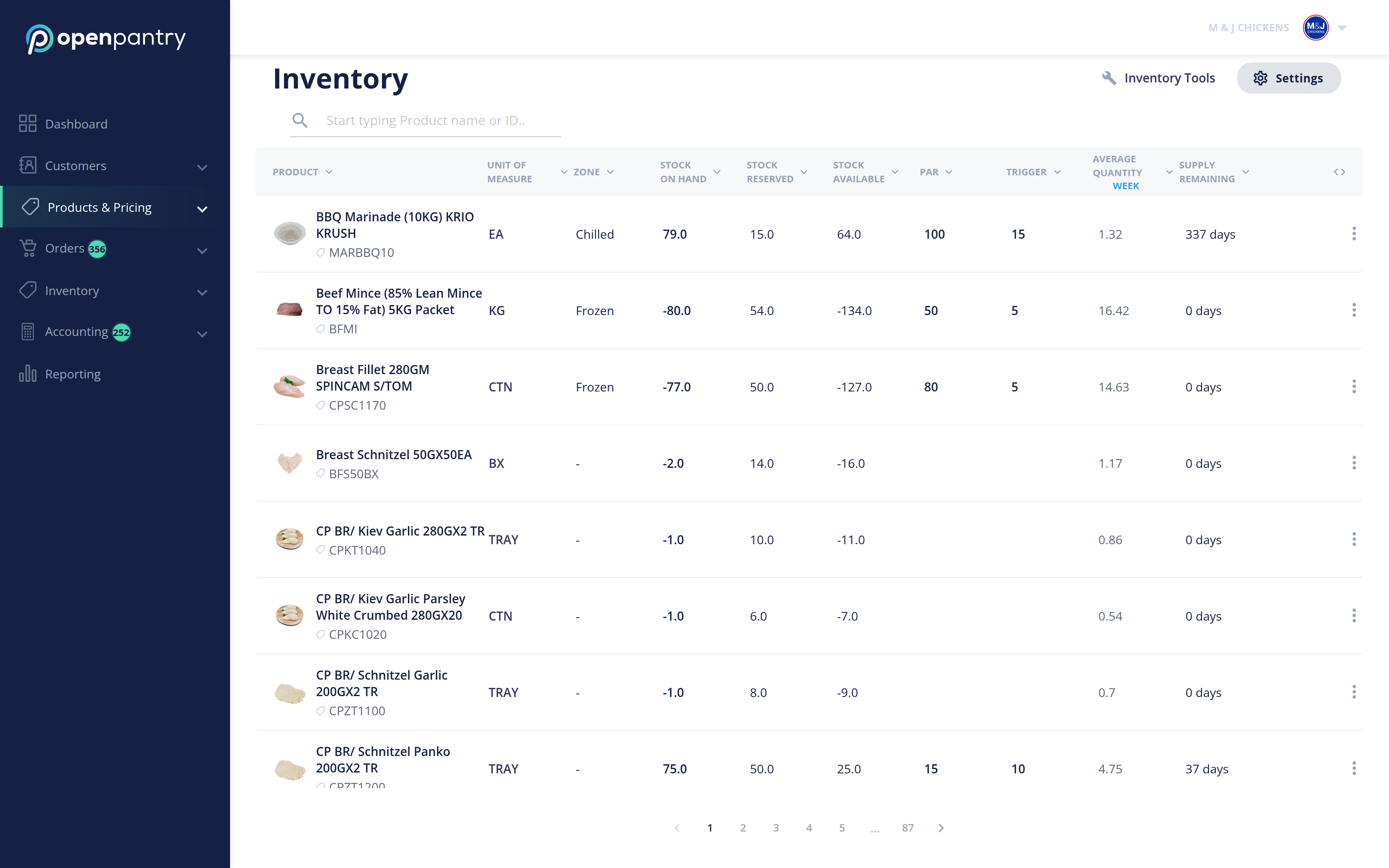
- Go to Products → Inventory in the left menu.
- Click Inventory Tools in the top right.
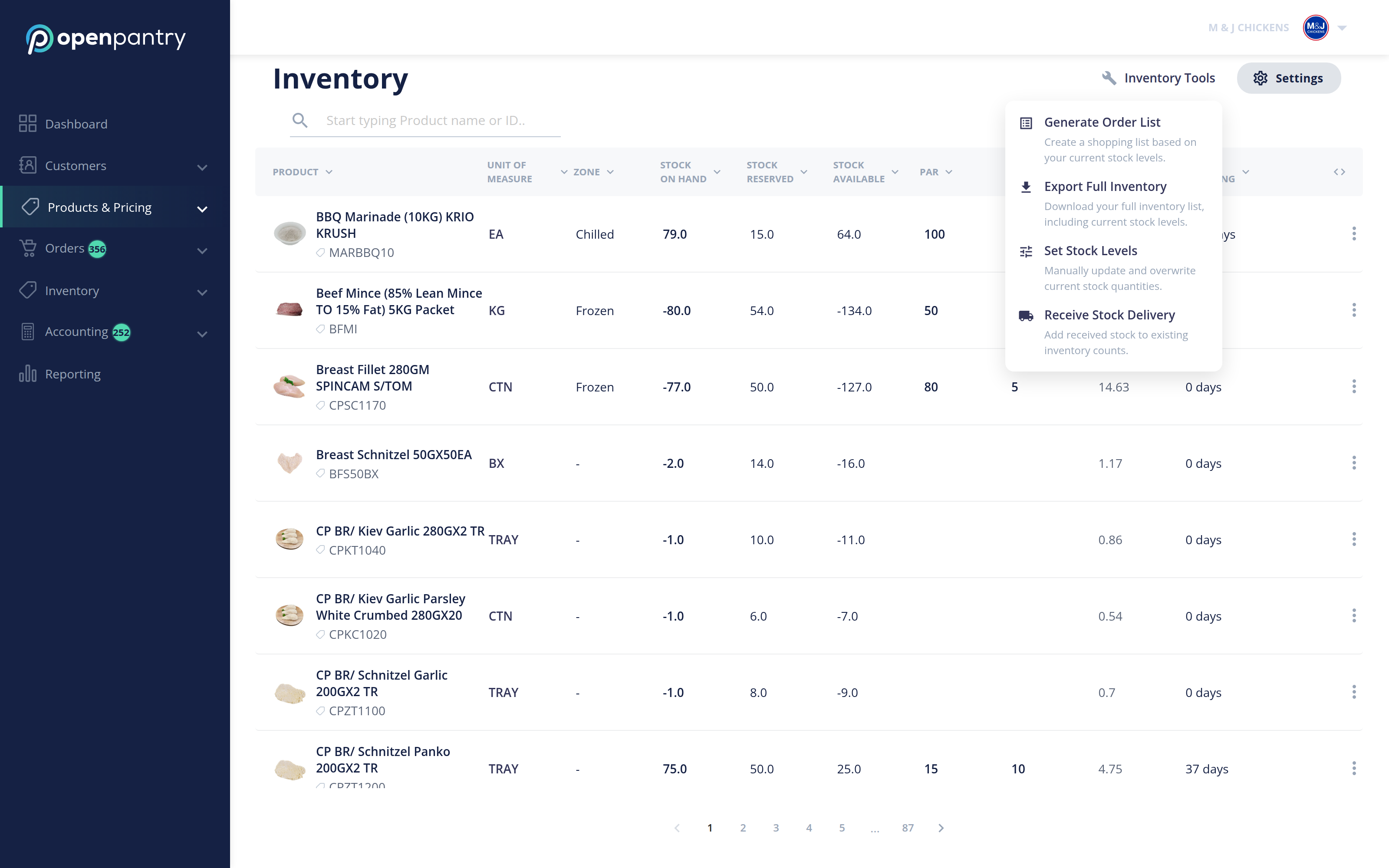
From here you can:
- Generate Order List — create a shopping list based on your current stock levels.
- Export Full Inventory — download the whole list.
- Set Stock Levels — manually update and overwrite current stock quantities.
- Receive Stock Delivery — add received stock to existing inventory counts.
To change a single product, click into its row and edit the quantity, PAR or Trigger there.
Using the full Inventory module (its own item in the left menu)? Stock counts, receiving and bins are managed there instead.