


Back
How to add a price list
- Select Products & Pricing in the menu, then Product List.
- Scroll to the right-hand side of the table, where the price list columns are. Select the + above them to add a new list.
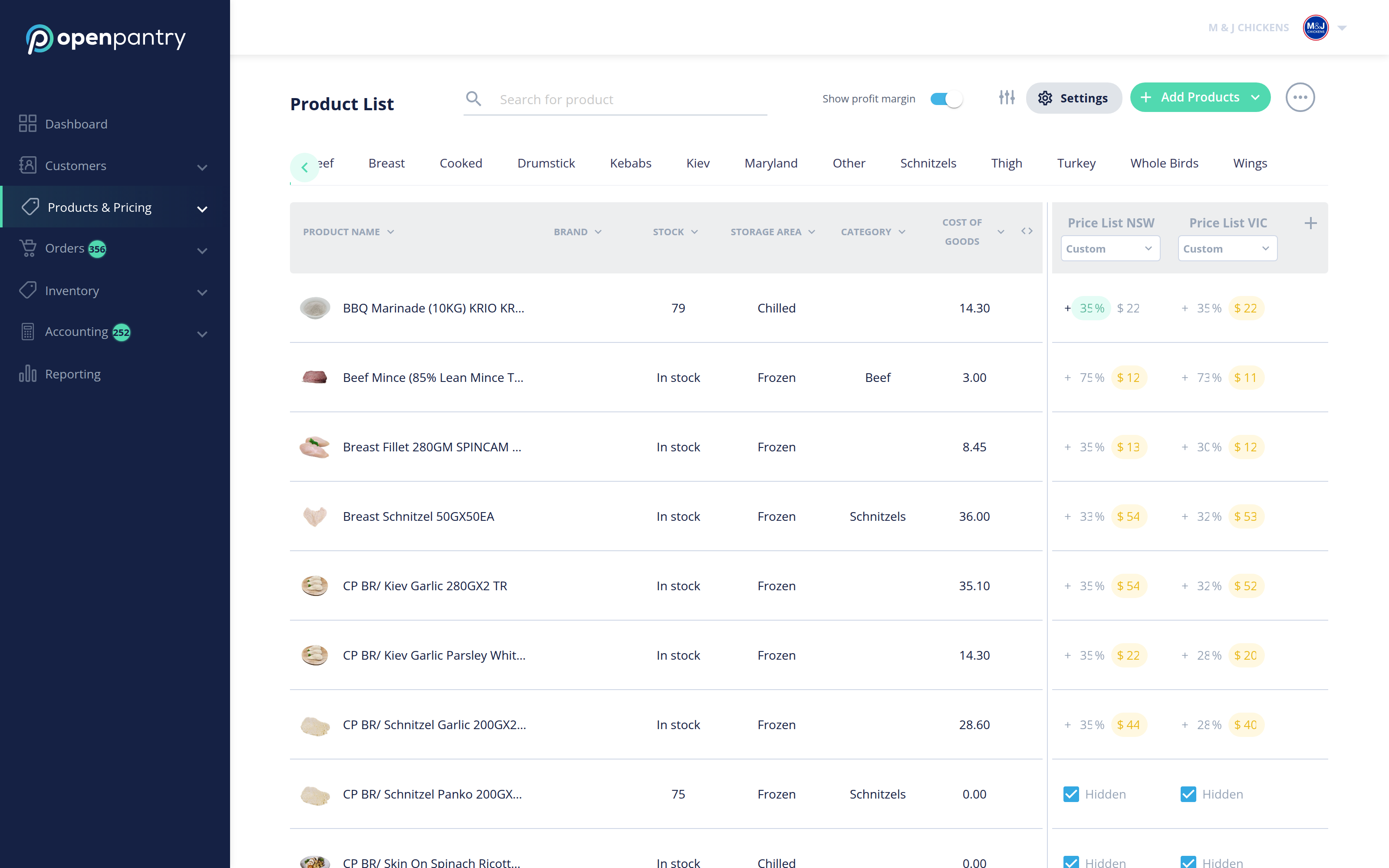
- The new list appears as a column with an editable name. Select the name to rename it — most suppliers name lists by region or customer type, for example "Price List NSW" or "Wholesale".
- Use the < > control beside the columns to scroll through your lists when you have more than fit on screen.
- To price the whole list off cost, use the dropdown under the list name — change it from Custom and enter the percentage margin you want applied.
Enter Cost of Goods for a product before using a margin, or there is nothing for the percentage to work from.