


Back
What are price lists and how do they work
A price list lets you sell the same product at different prices to different customers — for example a standard list and a wholesale list, or one list per state.
Price lists appear as columns on the right-hand side of your Product List, one column per list. Each product can carry a price on every list.
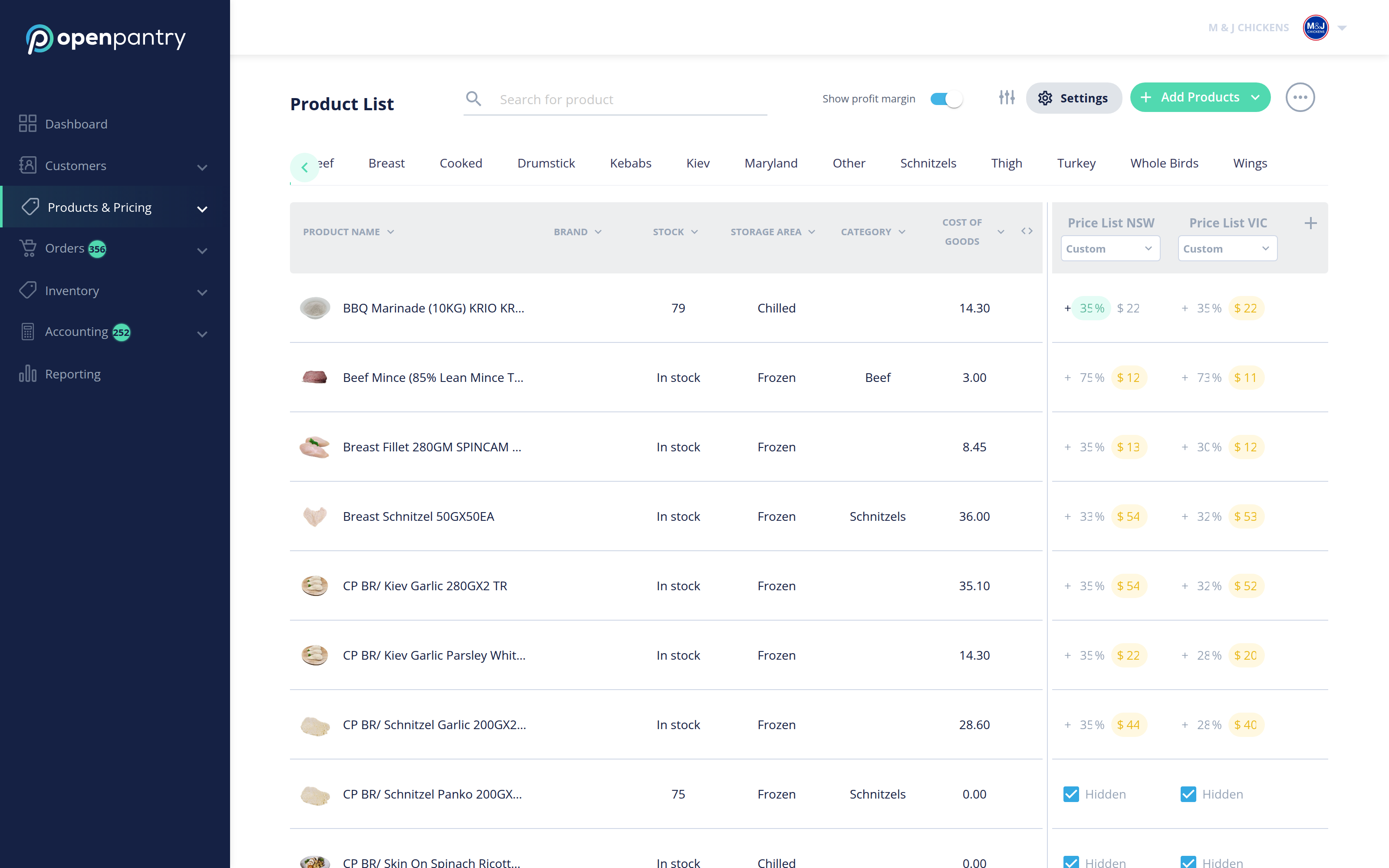
You can price a product two ways:
- A price — type the sell price you want.
- A margin — enter Cost of Goods for the product, then set a percentage on the list. Every product on that list is then priced from its cost. Turn on Show profit margin above the table to see the margin alongside each price.
You then apply a list to a customer when you add or edit them, under Apply pricing list.
If one customer needs a different price on just a few products, do not build a whole list for them — use Price Exceptions instead.