


Back
How to add customers in bulk
Open Pantry no longer offers the "sync from your email" option. Importing customers from a Gmail or Outlook contact list has been retired. There are two ways to add customers now, and both are on the same screen.
- Select Customers in the menu, then Add New Customer.
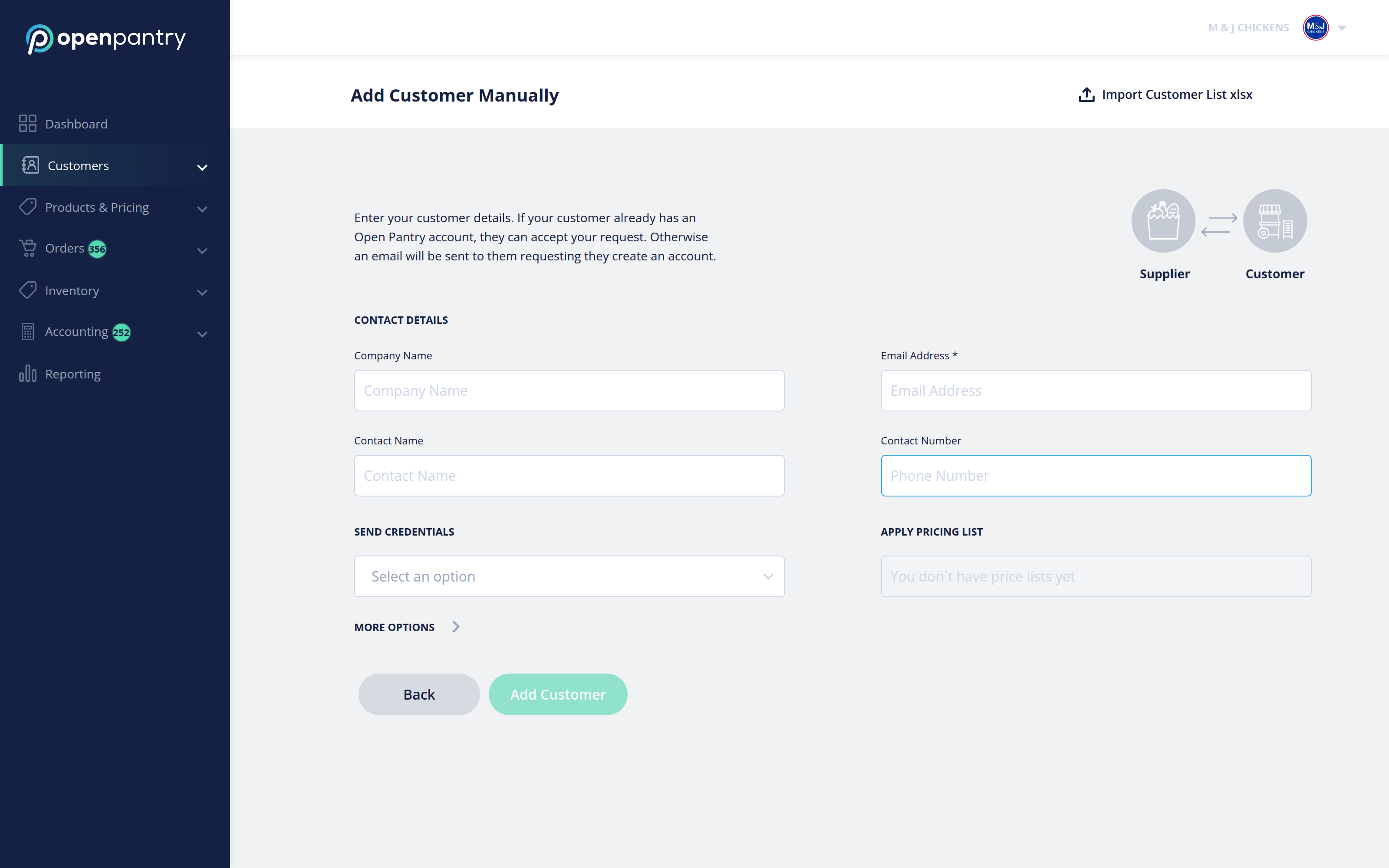
- Add Customer Manually — best for one or two customers.
- Import Customer List xlsx — best for a whole list. Download the template, fill it in, upload it, and preview before confirming.
Either way, each customer receives an emailed invitation to connect with you. See How to Add Customer List for the import walked through step by step.