


Cartons, pallets, SSCC labels, load out and trace
Quick answer: With Track cartons & pallets on, every carton is received by scanning its label and keeps its own serial, weight, dates, lot and bin. You can build pallets with GS1 SSCC labels, scan pallets onto the right truck, and trace any carton, pallet or lot to the customers who received it.
Receive by scanning
- On the Floor app choose Receive, then pick the purchase order (or From production).
- Scan each carton. Duplicates show red; products not on the PO show amber but are added; an unknown barcode opens a sheet to teach it.
- Finish by scanning the receiving bin or choosing the dock. The Done screen lists the lots created.
On the desktop, a purchase order’s Receive screen has a Typed rows / Scan cartons toggle.
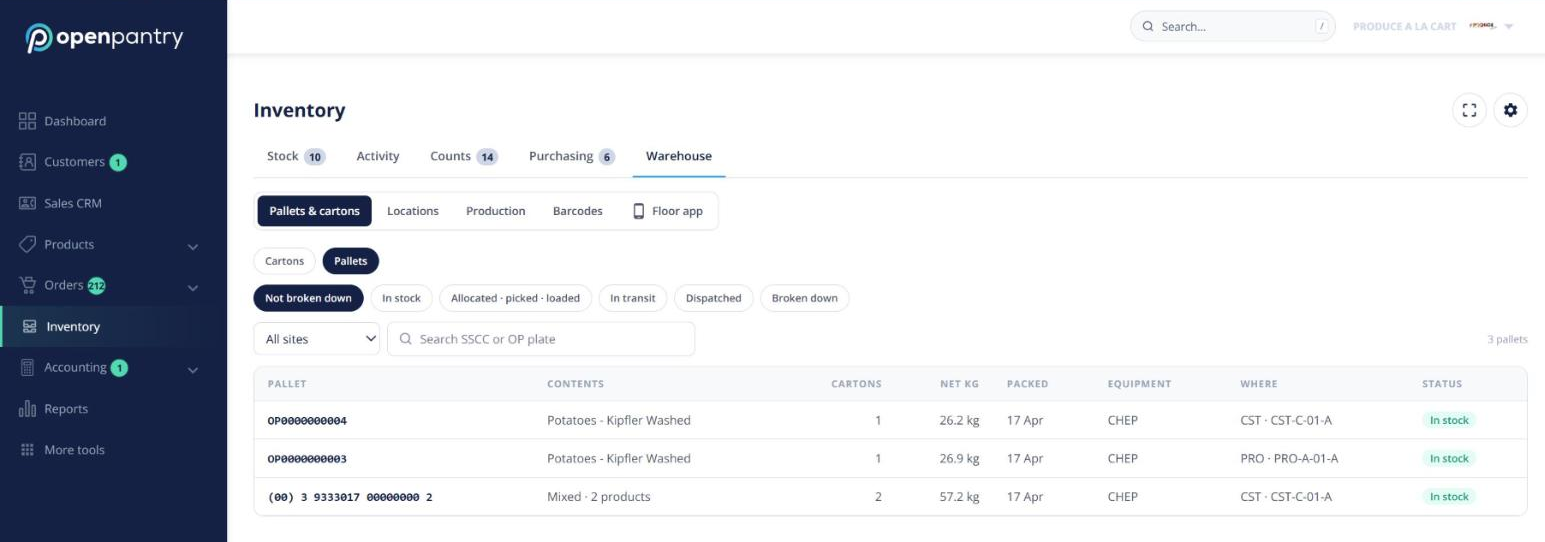
Build a pallet and print its label
- On the Floor app choose Build pallet — for a customer’s order (“Pallet 1 of 3”) or as a stock pallet.
- Scan the cartons on. A carton that breaks first-expired-first-out is warned; a carton already on another pallet is blocked.
- Close the pallet, choose the equipment and add the gross weight if you weigh it. Open Pantry assigns an SSCC (set your GS1 company prefix under Settings → Labels) and shows the label. Click Print 2 labels.
Packers can also build pallets in Pick & Pack → Pack, where “Boxes” becomes Boxes & pallets.
Load out
From Pick & Pack → Dispatch, click Load out on a run (or use the Floor app tile) and scan each pallet and box onto the truck. A pallet for another run is refused (“Wrong truck”). Complete load out dispatches only the orders that are fully loaded.
Trace a carton, pallet or lot
- Go to Inventory → Trace and type or scan a lot, carton serial, SSCC, carcass body number or GTIN.
- See where it came from, where it went, and which customers were affected.
- Click Export CSV, or Notify customers to send a message on their orders (plus push and email).
Each supplier order with tracked lines also shows a Traceability card listing the cartons dispatched, with PDF and CSV downloads.