


Picking a wave
Quick answer: Group several orders into a wave, assign a picker, then pick all their items in one efficient pass around the warehouse, marking each item as you go.
A wave is a batch of orders grouped together so they can be picked in one efficient pass around the warehouse, rather than one order at a time. Picking is the first hands-on step in fulfilling an order.
How do I create and launch a wave?
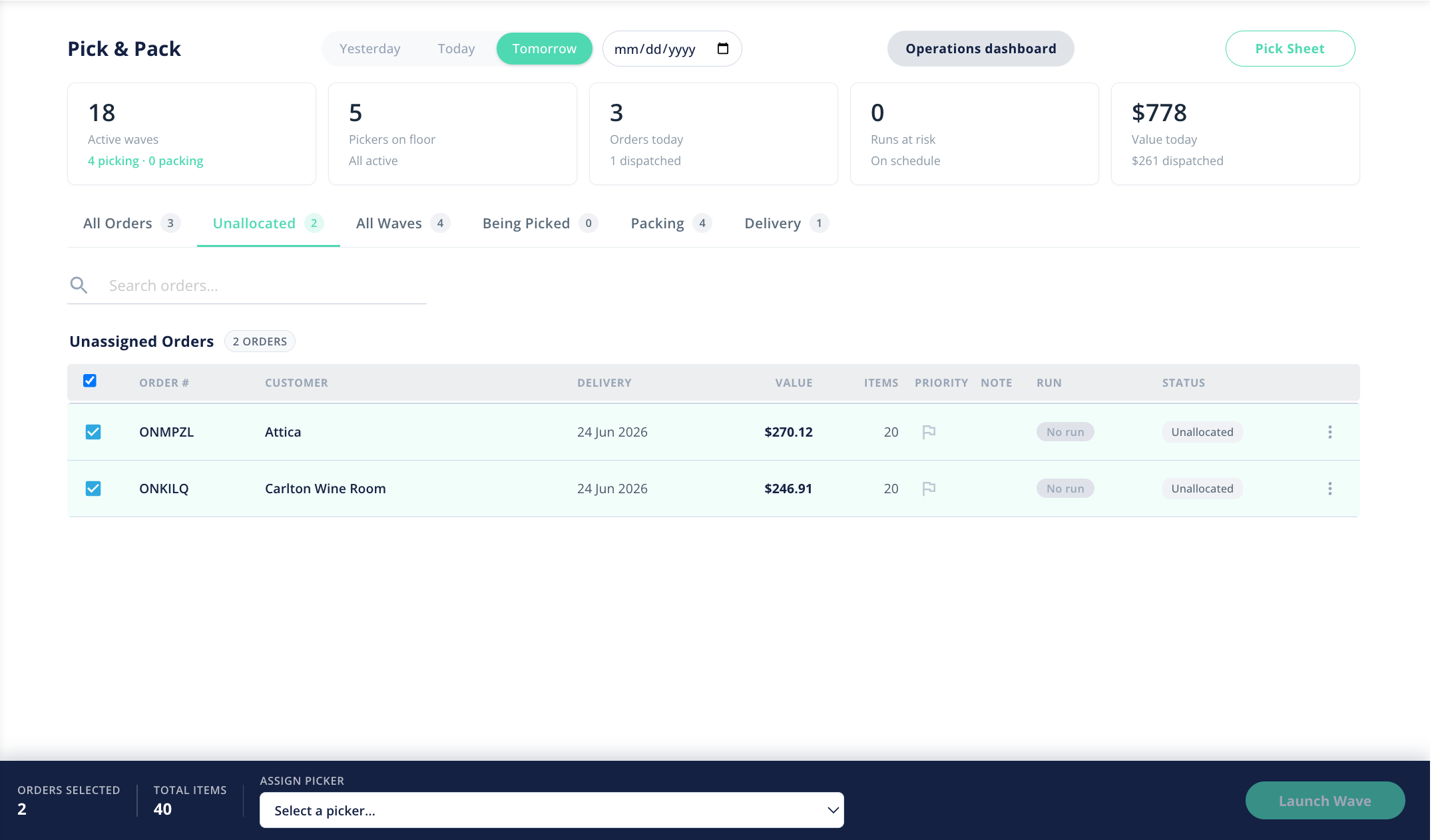
- Go to Orders → Pick & Pack and make sure the date filter is set to the day you're fulfilling.
- Open the Unallocated tab to see the orders that aren't in a wave yet.
- Create a wave from the orders you want to pick together, then launch it. The wave moves into the Being Picked stage and appears on the All Waves board.
How do I assign a picker?
Assign a team member to the wave so everyone knows who's picking what. The Pickers on floor KPI on the board reflects who is actively picking, and the wave shows who it's assigned to.
What is the picker view?
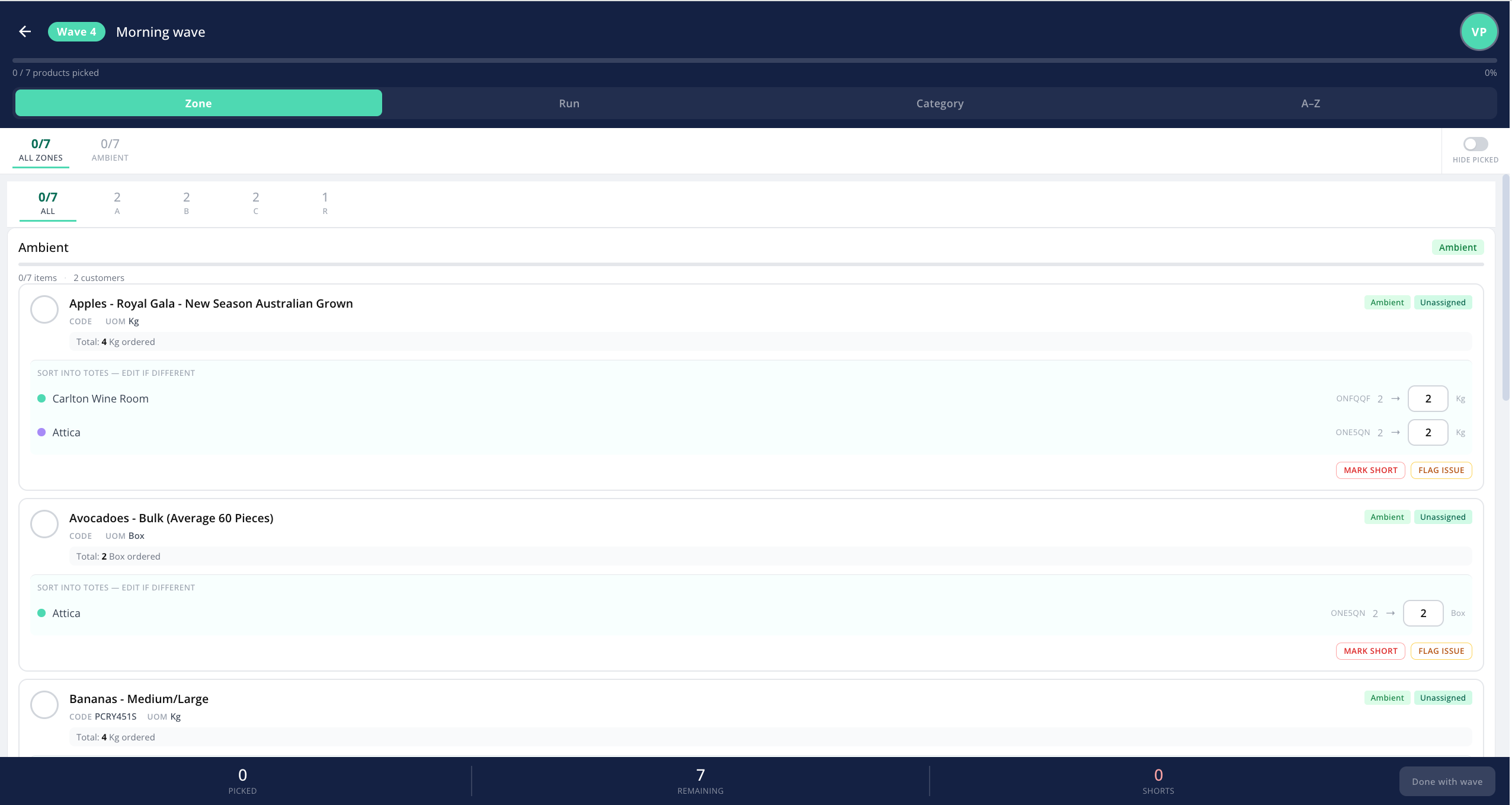
When a picker opens a wave, the items can be grouped to suit how your warehouse is laid out. Use the grouping control to switch between:
- Zone — grouped by the storage zone of each product.
- Run — grouped by delivery run.
- Category — grouped by product category.
- A–Z — a simple alphabetical list.
There's a hide-picked toggle that removes items you've already picked from view, so the list shrinks as you work and only what's left is shown. Your chosen grouping and hide-picked setting are remembered for next time.
How do I mark each item?
As you work through the list, set a status on each item:
- To pick — not yet picked (the starting state).
- Picked — picked and ready.
- Substituted — picked, but with a substitute product in place of the one ordered.
- Not available — couldn't be picked because there's no stock.
- Back order — to be supplied later when stock arrives.
Once everything in the wave is accounted for, the wave is ready to move on to packing.
Tip: the picker view is designed to be used on a phone or tablet on the warehouse floor, so the text is kept large and easy to read.