


Connecting & syncing your accounting
Quick answer: Connect any of 15 systems — including Xero, MYOB, QuickBooks Online, NetSuite, Sage and Unleashed — to sync invoices and keep your accounting in step, using the guided onboarding wizard.
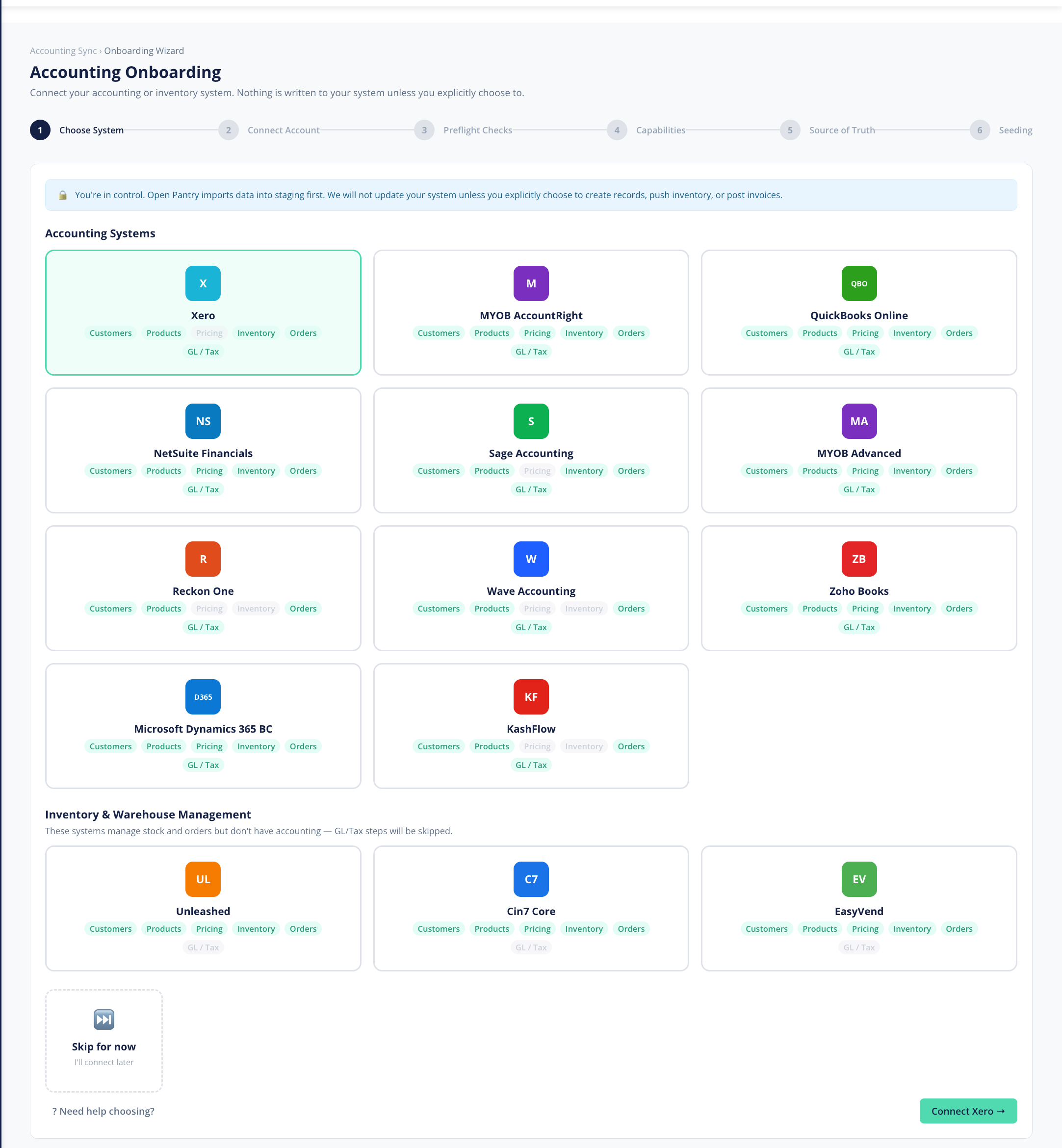
Connecting your accounting system keeps Open Pantry and your books in step — so customers, products, pricing, stock and orders flow through automatically and you're not double-entering anything. Open Pantry connects to 15 systems:
- Accounting: Xero, MYOB AccountRight, MYOB Advanced, QuickBooks Online, NetSuite, Sage Accounting, Reckon One, Wave, Zoho Books, Microsoft Dynamics 365 Business Central and KashFlow.
- Inventory: Unleashed, Cin7 Core and EasyVend.
- Ordering and ERP: ABM (Advanced Business Manager).
We recommend syncing orders to your accounting system. When you do, each order arrives there as a draft invoice, ready for you to finalise and send. That keeps a clean split: Open Pantry is your operational source of truth (orders, picking, packing, delivery), and your accounting system stays your financial source of truth (where invoices are finalised, sent and reconciled).
What is the setup wizard?
When you connect, an onboarding wizard walks you through setup step by step, with steps tailored to the system you're connecting. Along the way you choose what to keep in sync:
- Customers — match and sync your customer records.
- Products — match and sync your product catalogue.
- GL & tax — map your general-ledger accounts and tax rates (for example GST).
- Pricing — keep pricing aligned where supported.
- Inventory — keep stock levels in step where supported.
- Orders — flow orders through as draft invoices.
What is sync health?
Once you're connected, a sync-health view shows you that everything is flowing correctly and flags anything that needs attention — so you can spot and fix a problem before it affects your books.
What are the platform-specific guides?
Each accounting platform has its own connection guide with the exact account, tax and product mapping details. See the existing help articles:
- How Open Pantry + Xero work together
- How Open Pantry + QBO work together
- How Open Pantry + MYOB work together
- Plus the per-platform mapping and "what we need from you" checklists.
Using a system that isn't on this list? Get in touch and we'll talk through your options.
Recommendation: If you're not connected yet, connecting is the single biggest time-saver — it removes manual re-entry and keeps your operational and financial records in agreement.