


Back
The delivery exceptions inbox
Quick answer: When a driver records a problem at a stop — a short line, a rejection, damage — it lands in Delivery runs → Exceptions for the office to review. The tab shows a count of what’s waiting.
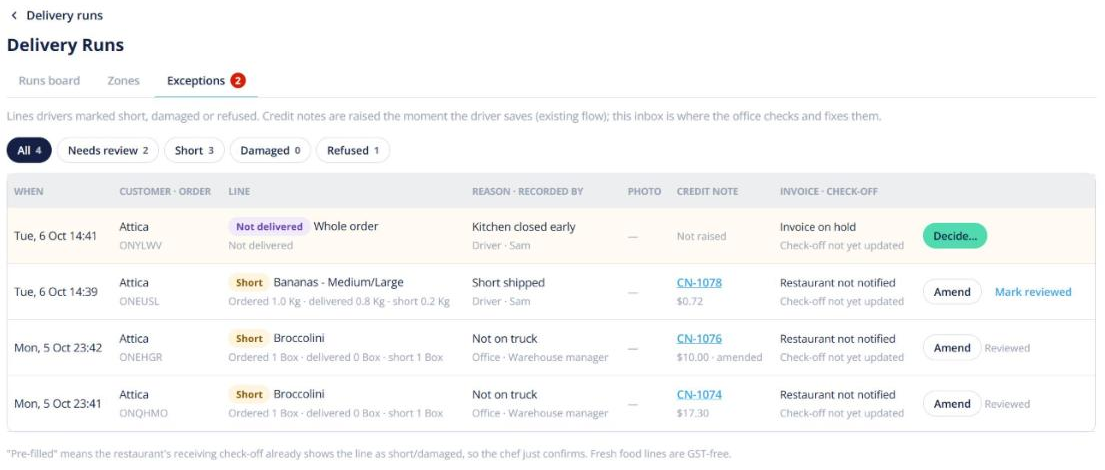
- Open Exceptions and click an exception to see the lines, reason and photo.
- Decide what happens: accept it, amend it, or raise a credit.
- Mark it reviewed.
Exceptions also show on the stop card on the runs board, and on the order’s activity (visible to you only). Delivery partners using the Partner API can send exceptions too.