


Back
Delivery methods: own run, courier or customer collects
Quick answer: Every customer has a delivery method: Our run, Courier or Customer collects. It comes from their freight rule, and you can change it on the customer’s Delivery tab. Run orders go onto their run automatically once packed; courier and collect orders are kept off the runs.
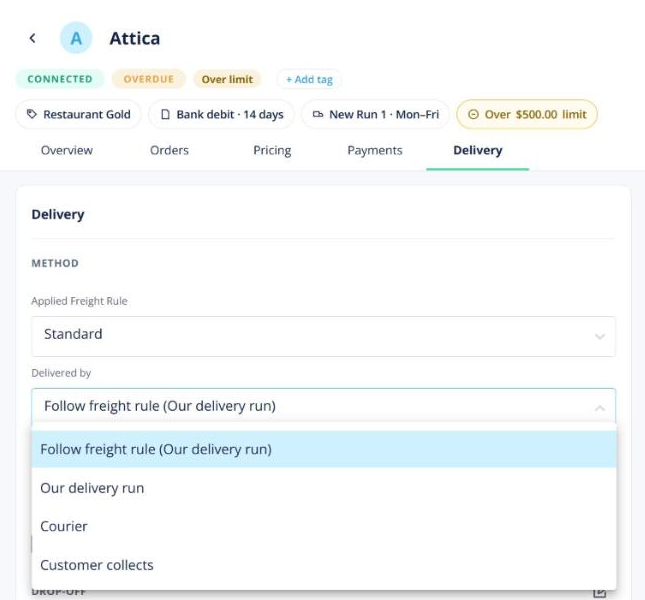
Set a customer’s method
Open the customer → Delivery. A courier freight rule means Courier; anything else means Our run. Override it if needed. Courier rows (which courier, what to do if nobody’s there) only appear for courier customers.
On the delivery runs board
- Packed run orders land on the customer’s run for that day by themselves. If you move one back to Unassigned, it stays there. You can switch this off in Manage runs.
- Courier orders sit in the Courier lane; collect orders in the Collection lane.
Change one order
Open the order card and choose Change delivery method. Pick run, courier or collect, then the freight: the rule’s amount, keep the current amount, or your own.
Booking the courier: see Booking a courier with Starshipit.