


Back
Recording delivery temperatures for chilled and meat orders
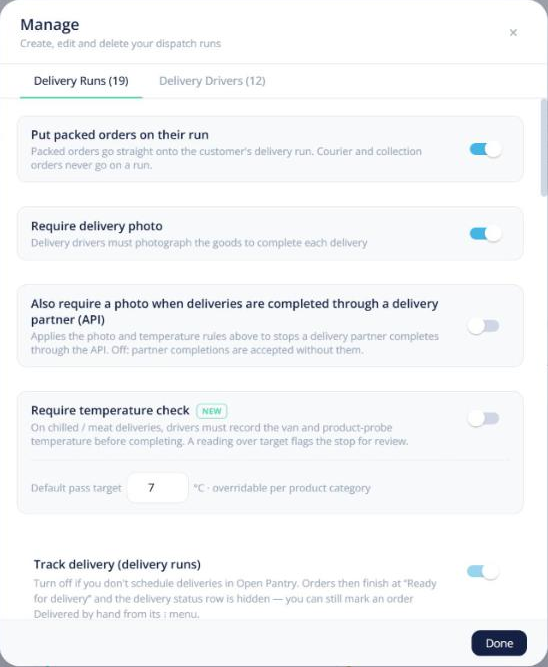
Quick answer: Turn on Require temperature check in Delivery runs → Manage runs & drivers (Enterprise). On chilled and meat deliveries, drivers must record the van temperature and a product-probe temperature before completing the stop. A reading over target flags the stop for review.
Settings
- Default pass target — in °C; you can override it per product category.
- Show temperature to customers — shows the reading on the kitchen’s check-off page with a pass/fail badge and photo, so it doubles as their goods-in record.
What the driver does
On the stop screen, the Temperature card asks for Van temperature and Product probe temperature. Each turns green, amber or red against the target. A failed reading asks for a reason and a photo.
Where it shows
The reading appears on the order’s picking slip, and failures appear on Food safety → Today if you use Food safety.