


Back
Driver tools: pre-start checks, load-out scan, cash on delivery and cash-up
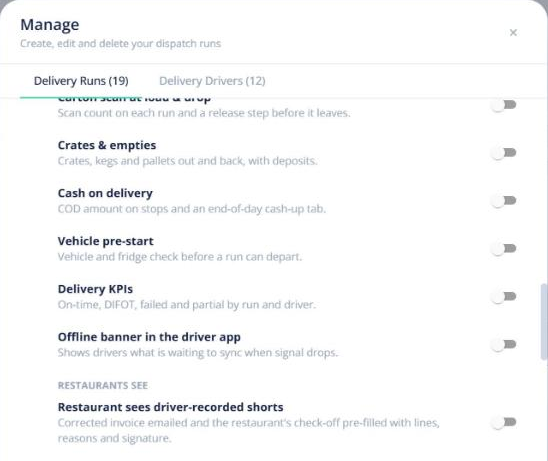
Quick answer: With Advanced delivery on (Enterprise), drivers do a pre-start vehicle check and scan the cartons onto the van before they leave. At each stop they see access notes, collect cash on delivery and record exactly what was delivered. At the end of the run they cash up. Turn on only the options you need in Manage runs.
Before the run
- Pre-start checklist — edit it in Manage runs. Drivers complete it in the app before they can start.
- Load-out scan — drivers scan each carton onto the van, so nothing is left on the dock.
At each stop
- Delivery access and unattended instructions show first (gate codes only to the assigned driver, only on the day).
- A COD badge shows when payment is due on delivery; the driver records the payment.
- Drivers record any short lines with a reason, photo and signature. A partial delivery can raise a credit note.
End of run and cash-up
The driver’s End of run screen totals the cash collected. In the office, the Cash-up tab on Delivery runs checks it and closes each run.
Adding a stop to a live run
Drag or move an order onto a run that’s already out and choose Add stop to live run. The driver sees a banner to accept it.
Offline: the driver app shows an Online/Offline pill and keeps working with no signal, sending everything once it reconnects.