


Back
EDI orders from supermarkets and large buyers
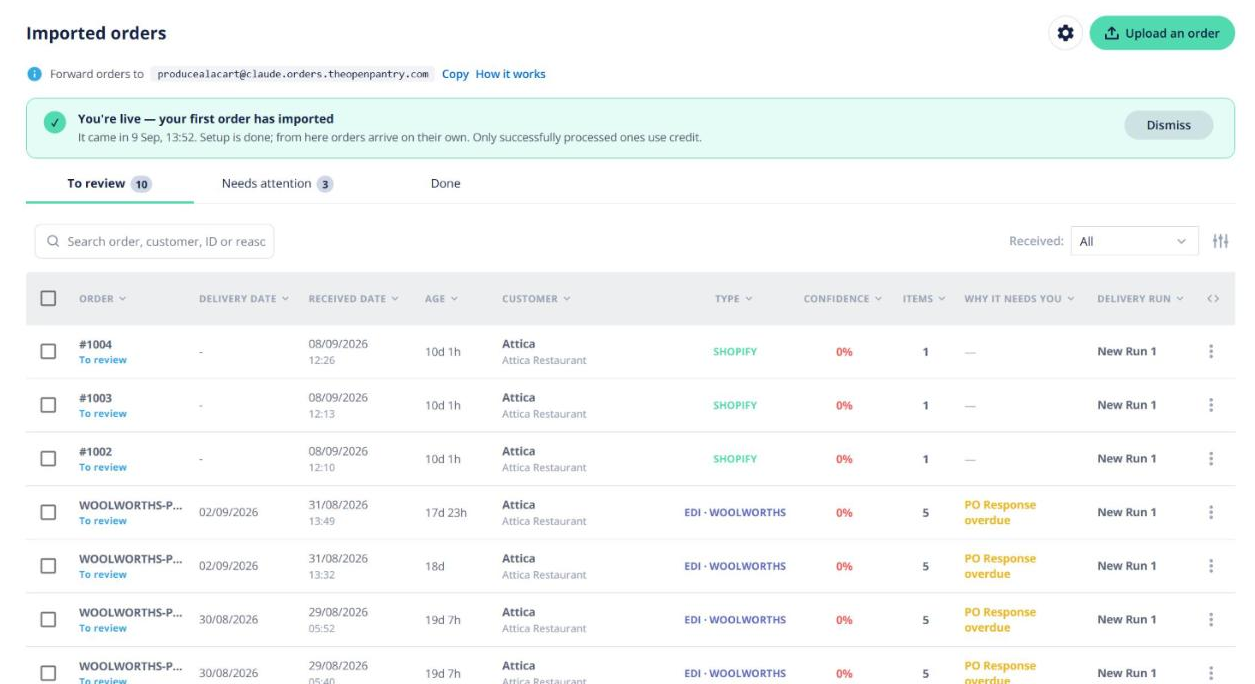
Quick answer: EDI is a channel of Imported Orders. Supermarket and large-buyer purchase orders arrive in Open Pantry, you review them like any imported order, and the response goes back automatically when you confirm. Request it under Imported Orders → ⚙ → Payments → Your order channels → EDI → Request activation.
Getting connected
- Request the EDI channel as above. We contact you to set up each trading partner (the buyer) and the customer account their orders go to.
- We test the connection with you, then switch it on.
Working EDI orders
- New purchase orders appear in Orders → Imported Orders.
- The first time a buyer’s product code appears, confirm which of your products it is. Open Pantry remembers it.
- When you confirm or reject the order, the purchase order response goes back to the buyer.
- The order’s picking slip has an EDI documents card showing what’s been sent, such as the advance shipping notice (ASN) and SSCC pallet labels.
EDI orders are charged from your AI order importing credit at a lower rate than emailed orders. See AI order importing: credit, pricing and the Enterprise monthly allowance.