


Food safety: daily checks, goods-in checks and records
Quick answer: Turn on Food safety under Inventory → Settings (Enterprise). A Food safety item appears in the left menu with Today, Checks, Records, Recalls, Certificates and Mock recall. It replaces paper HACCP sheets with checks on a phone or tablet and a record you can hand to an auditor.
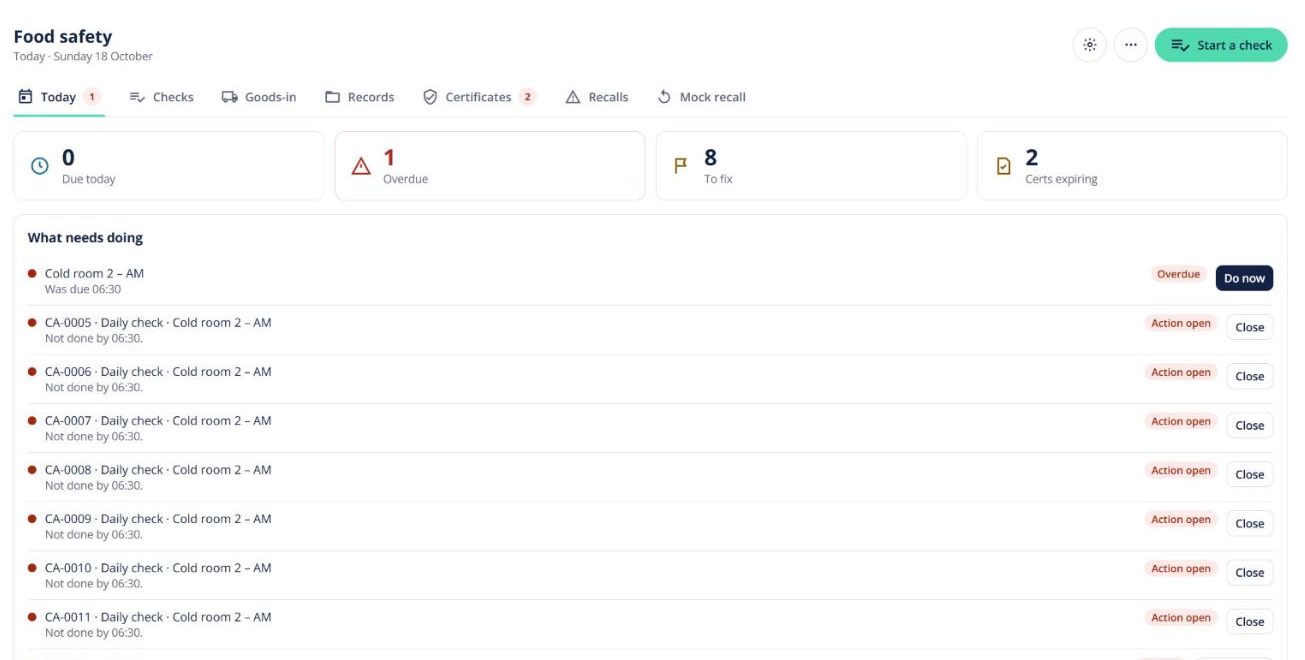
Daily checks
- Under Checks, create a template: the items to check, limits, how often, and which role does it.
- Staff run due checks from Today. A reading outside its limit asks for a corrective action.
- Checks can be filled in offline and sync later.
Today shows checks due and overdue, open corrective actions, and delivery-temperature failures to review.
Goods-in checks
When you receive a purchase order, the goods-in check records truck temperature and cleanliness, and for each line the temperature, packaging, label, lot and use-by. A failed line can be accepted, rejected or put on hold. A rejected line emails the vendor.
Records and audits
Records is a log that can’t be edited after the fact — corrections are added alongside the original. Filter it, then export a PDF or CSV for your auditor, or email them a signed link that works for 14 days.