


Back
Running a product recall and a mock recall
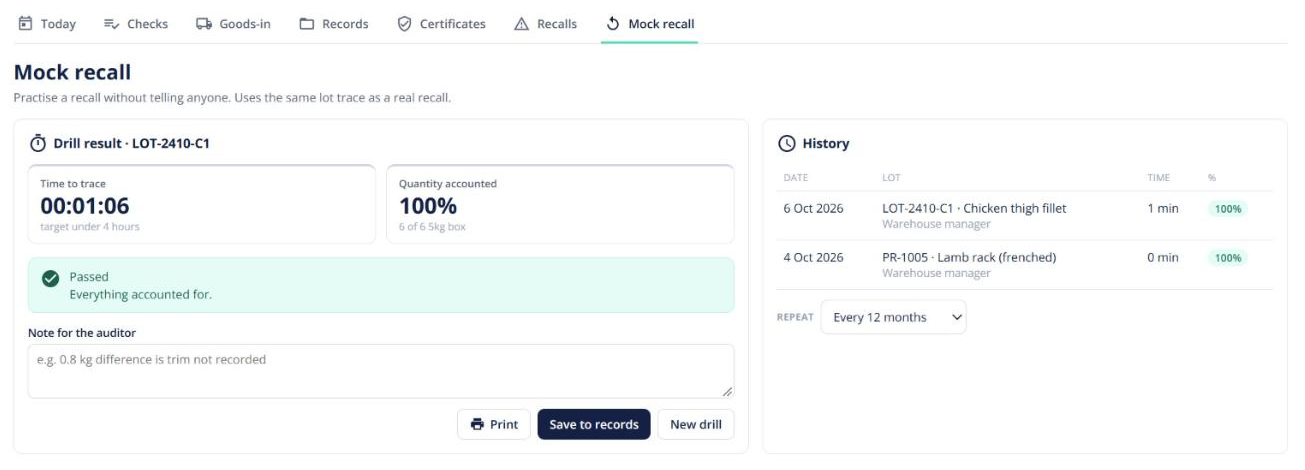
Quick answer: With Food safety on, Food safety → Recalls traces a lot to every customer who received it, sends them a recall notice, and tracks who has confirmed. Mock recall runs the same thing as a timed drill for your audit.
Start a recall
- Go to Recalls, or open the lot in Inventory → Trace and click Start recall.
- Work through the steps: reason, risk, recall level, the action customers should take, and the contact person. Confirm whether the authorities have been told.
- Send the notices. Customers get an email with a link to a page where they confirm the quantity they hold and what they did with it — no login needed.
Track it to the end
The tracker shows each customer’s status (opened, confirmed). Chase anyone who hasn’t replied, log phone calls, confirm by hand, record stock destroyed or returned to the vendor, then close the recall and download the PDF report.
Mock recall
Pick a lot and start the clock. Trace it, reconcile the quantities, and save the result as a record. Run one before every audit.