


Back
Landed cost: adding freight, duty and customs to stock cost
Quick answer: With Landed costs on (Warehouse features, Enterprise), you can spread freight, duty, customs and insurance across a purchase order. The cost of each product received goes up by its share, so your margins reflect what the stock really cost.
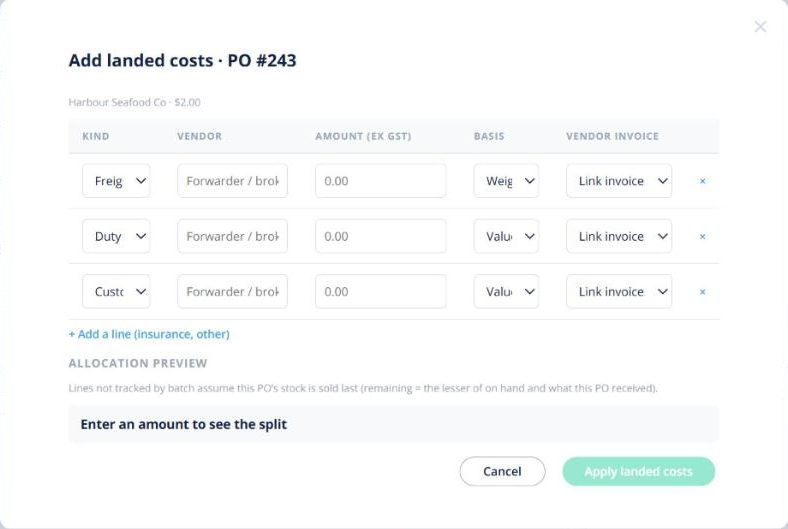
Add landed costs to a PO
- Open the purchase order and use the Landed costs panel.
- Add each cost and how to spread it. A preview shows the new unit cost per line.
- Click Apply, or choose Apply when received if the goods haven’t arrived.
You can also open a forwarder’s bill under Invoices and choose Mark as landed cost….
When the bill arrives late
If some of the stock has already been sold, that share becomes one cost-of-goods adjustment dated the day you apply it. Past sales are never rewritten.
Note: applied lines can’t be edited; correct them with a negative line. Landed costs change stock value inside Open Pantry only — no journal is sent to your accounting software.