


Back
Chasing overdue invoices automatically with payment reminders
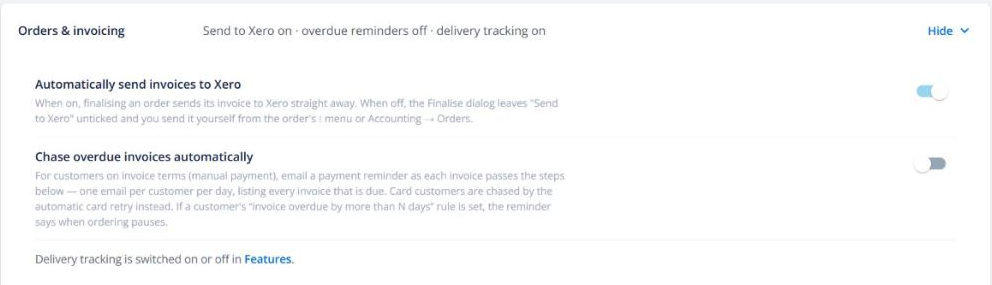
Quick answer: Turn on Chase overdue invoices automatically in Business settings → Orders & invoicing, and pick the days to send reminders (for example on the due date, then 7, 14 and 21 days after). Each customer gets one email listing every invoice that reached a reminder that day.
Set it up
- Open Business settings → Orders & invoicing.
- Turn on Chase overdue invoices automatically.
- Choose the reminder days.
Who gets reminded
- Only invoices on account terms that still have money owing. Card orders are already chased by the card retry process.
- Fully credited invoices are skipped.
- Customers who have switched off transactional emails aren’t emailed.
- Each reminder is sent once per invoice per step — never twice.
If you’ve set ordering to pause once an account is a certain number of days overdue, the reminder tells the customer when that will happen.