


Pick by area: splitting waves across dry store, chiller and freezer
Quick answer: Turn on Pick by area in Pick & Pack → ⚙ Warehouse settings. Every wave is then split into one job per storage area (Dry Store, Chiller, Freezer), so several people can pick the same order at once, each in their own area. The wave goes to packing when the last area is finished.
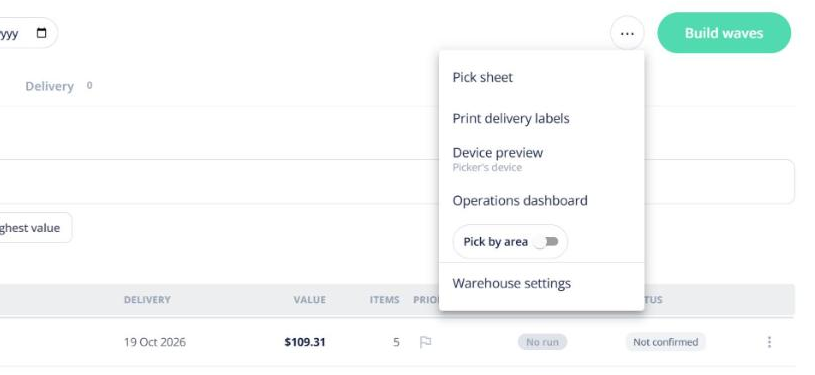
Set it up
- Make sure your products have a storage area (product settings → Storage areas).
- In Warehouse settings, turn on Pick by area.
- Use Who works which area to tick the areas each person picks. Auto-assign gives an area’s jobs only to people ticked for it.
Pick frozen last
Pick frozen last is on by default: a wave’s Freezer job waits until its other areas are picked, so frozen stock spends less time out of the freezer. A supervisor can still give it early.
On the board and the picker
Each card shows one wave in one area, with a strip showing where the wave’s other areas are and who has them. The picker screen is locked to that area’s lines and reads “Now picking · Freezer only”.
Turning it off: new waves are whole again; waves already split finish by area.