


Back
The Sales CRM: running your sales reps in Open Pantry
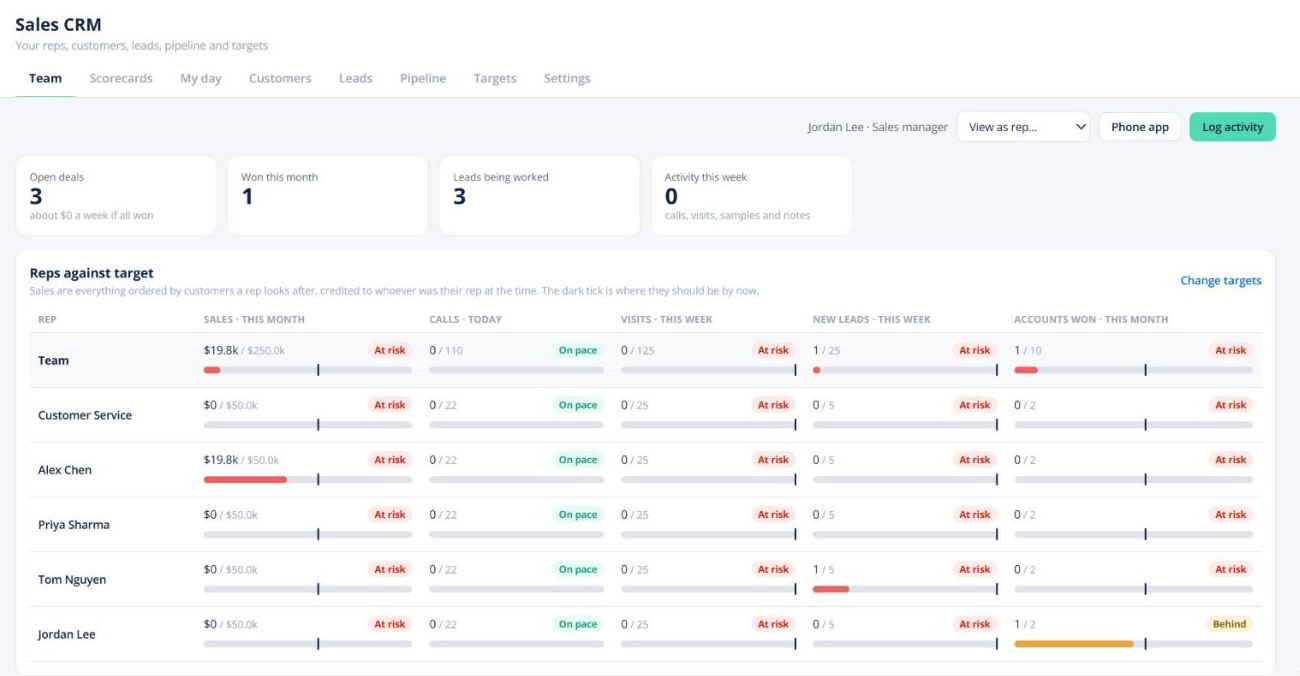
Quick answer: Sales CRM in the left menu is a CRM for your own sales team. If you don’t see it, switch it on in My Account → More tools. Owners and sales managers see every rep’s results against target; reps get their day, customers, leads and pipeline. It’s on Pro Standard and Enterprise.
What’s in it
- Team (managers) — each rep’s sales, calls and other targets, with a marker for where they should be by now, pipeline by rep, and items that need you.
- My day — the rep’s follow-ups and visits for today.
- Customers — an account page with people, activity and usual items, plus Reorder usual, Place order and Quote.
- Leads — your own leads and Open Pantry leads, as a list or map. Plan visits and import or export leads.
- Pipeline — a board of stages you set, ending in Won.
- Targets and Settings — rep permissions, follow-up rules, visit tiers, lost reasons, commission and days off.
Adding reps
Add a teammate with the Sales rep role. They land on Sales CRM when they sign in. You can also give a custom teammate the CRM section. Assign a rep to any customer on the customer’s record; orders are credited to that rep.