


Back
Scan-to-pick: confirming picks with barcodes
Quick answer: With Scan-to-pick barcodes on (Pick & Pack → ⚙ Warehouse settings, Enterprise), pickers scan each product’s barcode to confirm the pick. A wrong product is caught at the shelf, not by the customer.
How it works on the picker
- Scan the product with a handheld, ring scanner or the device camera. A match ticks the line; a different product is refused.
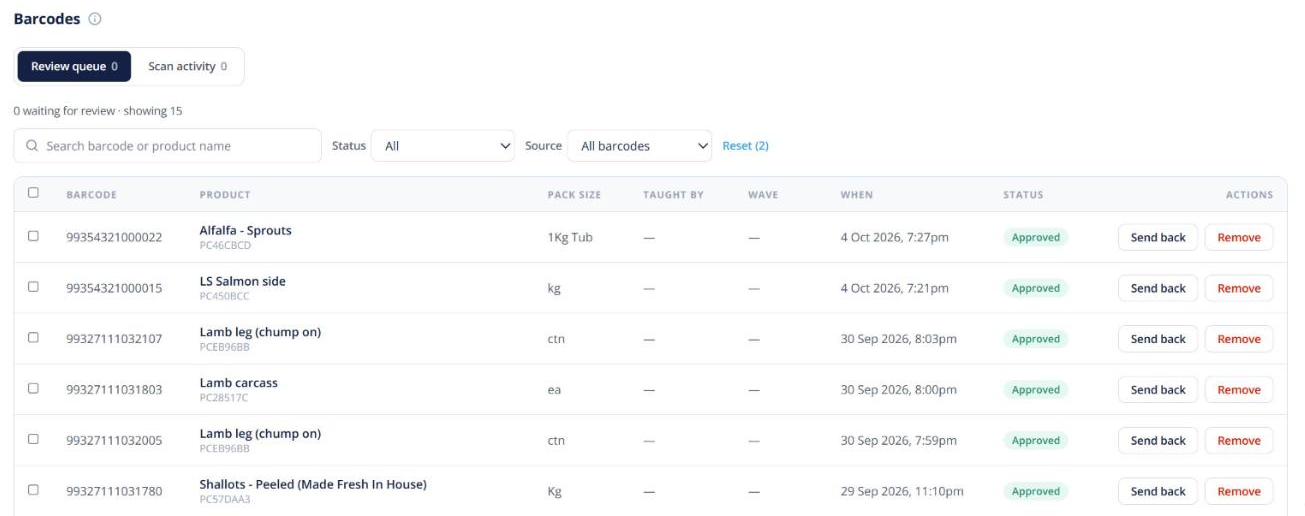
- If a product has no barcode yet, the picker can teach it: scan the code and confirm which product it belongs to. Next time it’s recognised.
- With cartons tracked, scanning a carton records that exact carton, and on weighed lines the label’s kg goes straight onto the weigh sheet.
Reviewing taught barcodes
Barcodes taught on the floor go to a review queue so the office can check them. The queue can be worked from a phone as well as a desktop.
Related: FEFO batch guidance in the same settings shows pickers which batch to take first on lot-tracked products.