


Back
Stock reports pack, price history and future prices
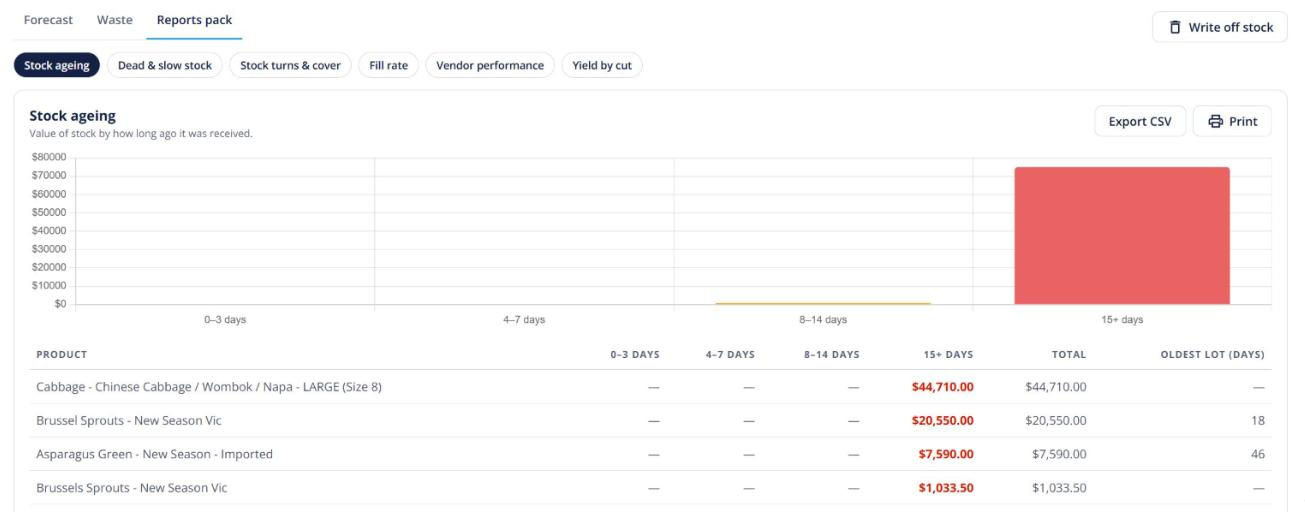
Quick answer: Insights → Reports pack adds stock ageing, dead and slow stock, turns and cover, fill rate and vendor performance reports. Each product also gets a Price history tab where you can schedule a future price. Part of Advanced stock control (Enterprise).
The reports
- Stock ageing — how long stock has been on hand.
- Dead & slow — items that aren’t moving, with Promote and Write off buttons.
- Turns & cover — how fast stock sells and how long it will last.
- Fill rate — how much of what was ordered you delivered.
- Vendor performance — how your suppliers deliver.
- Yield by cut — only with Carcass breakdown on.
Every report exports to CSV and has a print preview.
Price history and future prices
On a product, the Price history tab charts its prices and shows customer margins. When a cost goes up, a bar offers Review N customers. Click Add future price to set a price that switches on automatically on a date you choose.