


Supplier inventory
Quick answer: Track stock levels by product, set run-out triggers and organise storage areas from the Supplier Inventory screen.
The Inventory screen is where you keep on top of stock — how much you have, when items are running low, and where they're stored in your warehouse. Find it under Products & Pricing → Inventory (/products/inventory).
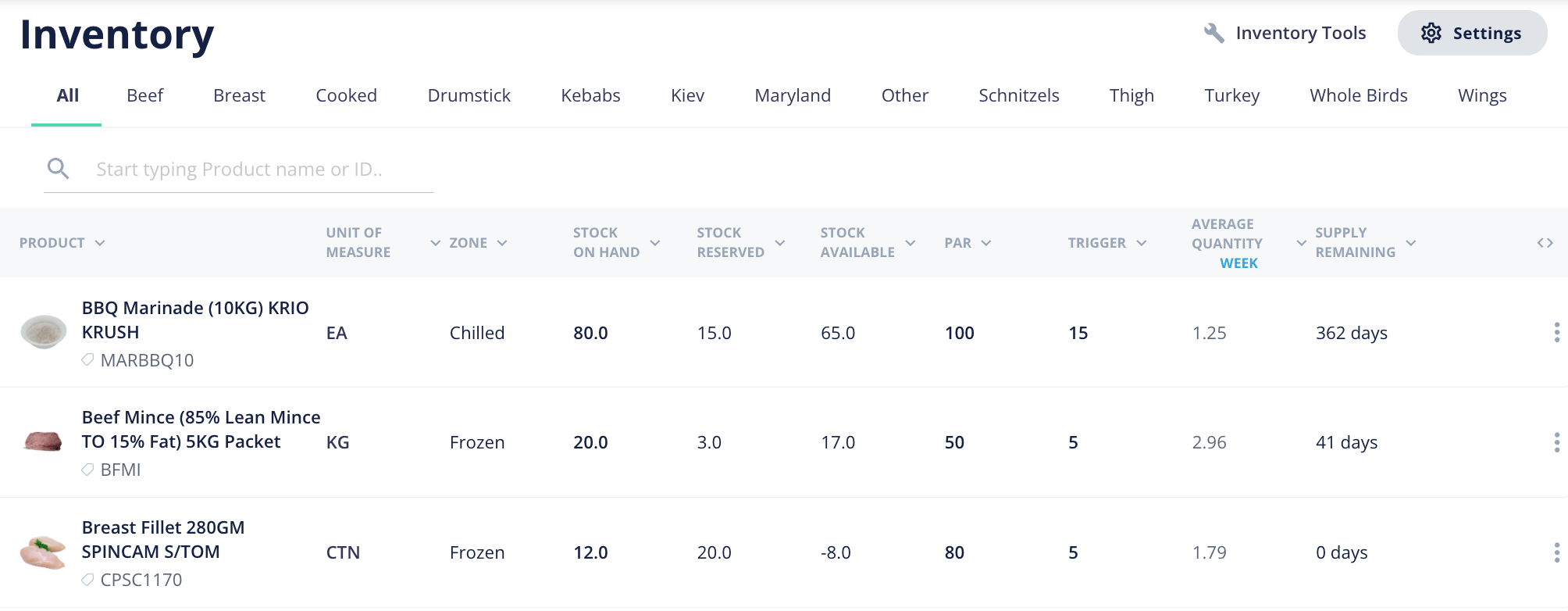
How do stock levels work?
See your current stock for each product at a glance, so you know what's available to sell and what needs replenishing.
What are run-out triggers?
Set the level at which a product counts as running low. This gives you an early warning so you can reorder or restock before you run out and let a customer down.
What are storage areas?
Organise stock by where it lives in your warehouse. Tidy storage areas make picking faster and help your warehouse team find items quickly.
Related: Inventory settings is also where Product categories live (Inventory → Settings) — the categories customers see when ordering. See the existing articles "Receive inventory," "Update an inventory list" and "Export an inventory list."