


Tracking an order through its stages
Quick answer: Follow an order across its stages with the multi-track status pills, move it between stages from the row menu, and review its full Activity Log timeline.
Every order moves through several stages from the moment it's placed to the moment it's paid. The Orders screen shows you exactly where each order is, and gives you tools to move it along, change it or cancel it.
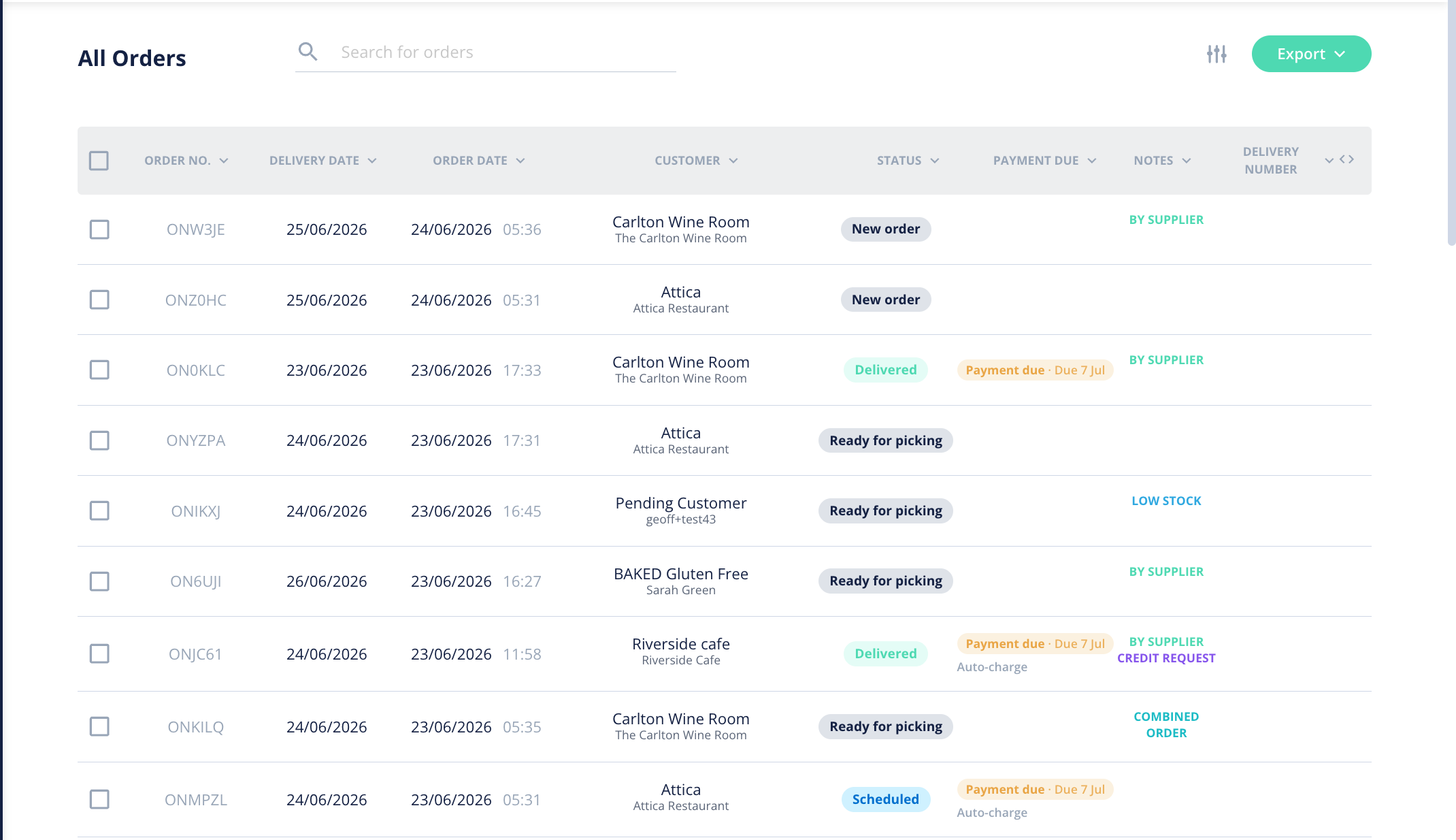
What do the status pills mean?
Each order shows a set of status pills covering its separate tracks, so one glance tells you the full picture:
- Order — the order itself (placed, edited, cancelled).
- Fulfilment — progress through picking and packing.
- Delivery — where it is in the delivery process.
- Billing — invoicing and payment.
- Check-off — the final sign-off.
How do I move an order to a stage?
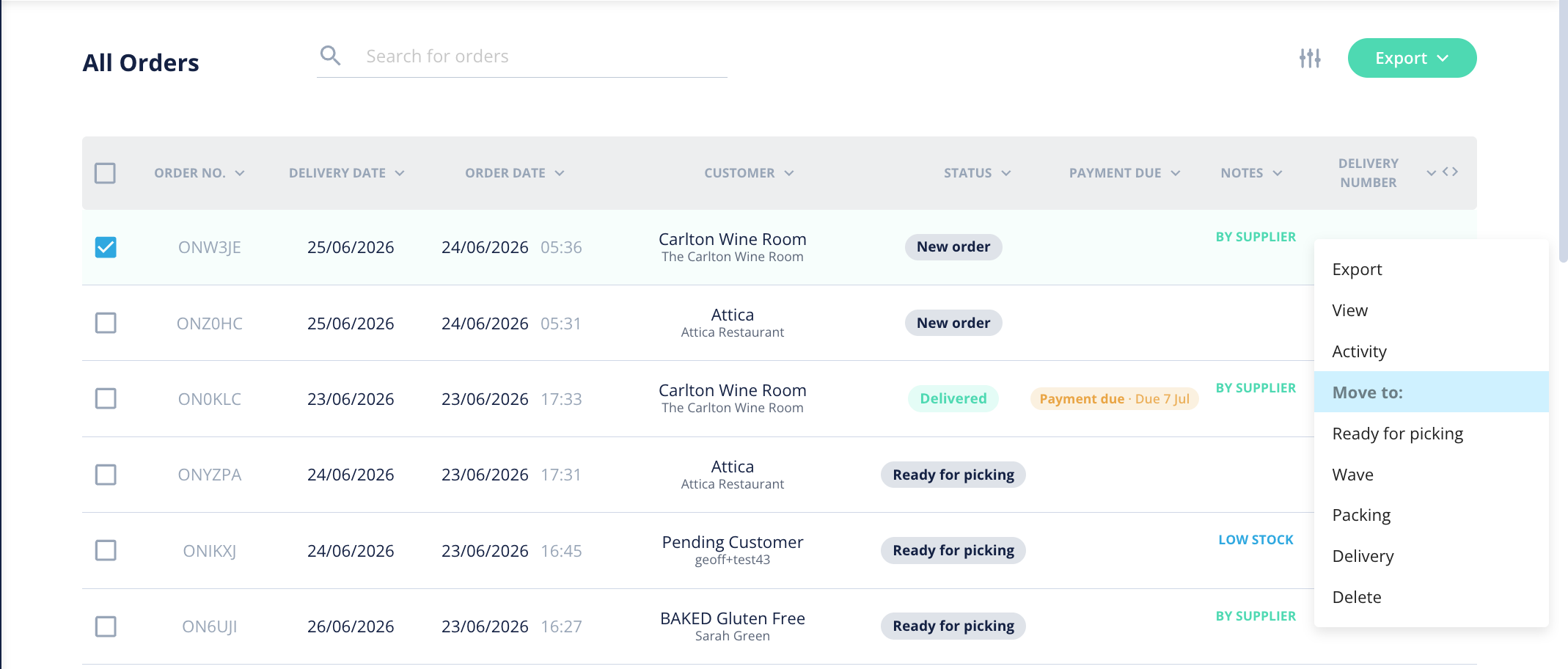
- Find the order in the list and open the kebab menu (the ... icon) on its row.
- Choose Move to and pick the stage you want: Ready for picking, Wave, Packing or Delivery. This is handy for nudging an order forward or putting it back a step.
How do I edit an order?
Use Edit Order to change an order before it's too far along. You edit it as a soft draft ("edit-in-cart") and then Replace the original with your changes. An amendment panel and an Updated badge make it clear the order has been changed. Some orders may not be editable depending on how far through the process they are — the eligibility rules decide this for you.
How do I cancel an order?
If an order shouldn't proceed, cancel it. The cancellation is recorded against the order so there's a clear trail of what happened.
What is the Order Activity Log?
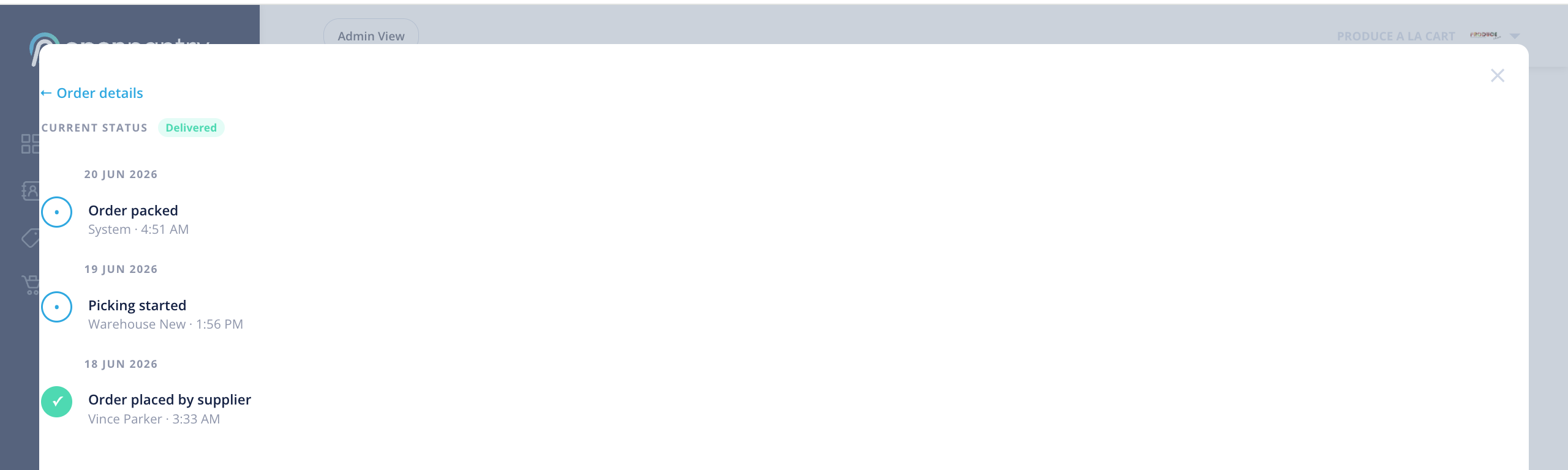
Every order has an Order Activity Log — a plain-English timeline of the key events: when it was placed, edited (and by whom), cancelled, dispatched and paid. It's a quick way to answer "what happened with this order?" without piecing it together yourself.
Tip: you can also tailor the Orders list — choose which columns show and how it's sorted, and your preferences are remembered. Export to PDF, CSV or invoice from the same screen.