


Back
Taking orders by WhatsApp, SMS and voicemail
Quick answer: Customers can send orders by WhatsApp message, text message or voicemail. Open Pantry reads each one (including photos of handwritten lists), matches it to the customer and your products, and puts it in Imported Orders for you to check and confirm. Request each channel under Imported Orders → ⚙ → Payments → Your order channels.
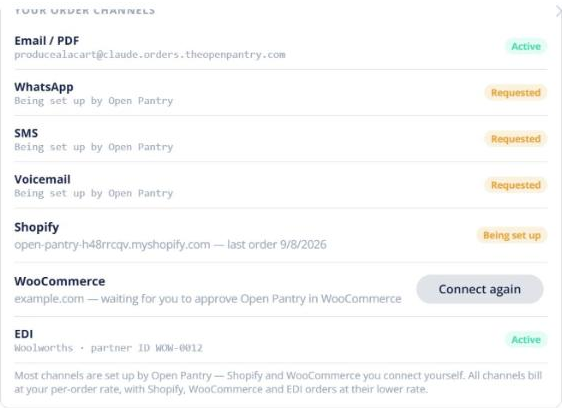
Switching a channel on
- On the WhatsApp, SMS or Voicemail row, click Request activation. The row shows Requested.
- We set up a number for you and switch the channel on. Give the number to your customers.
What happens to each order
- The message is matched to the customer by their phone number, and each item to your product list. Open Pantry learns each customer’s words over time.
- Orders it’s confident about can be processed automatically; the rest wait in Pending Review.
- Check the lines, fix anything, and confirm. It becomes a normal order.
Each processed order is charged from your AI order importing credit; failed or rejected ones are free. See AI order importing: credit, pricing and the Enterprise monthly allowance.