


Back
Bringing WooCommerce store orders into Open Pantry
Quick answer: If you sell wholesale on a WooCommerce (WordPress) shop, connect it under Imported Orders → ⚙ → Payments → Your order channels → WooCommerce. Store orders then come into Open Pantry to be picked, delivered and invoiced like any other order.
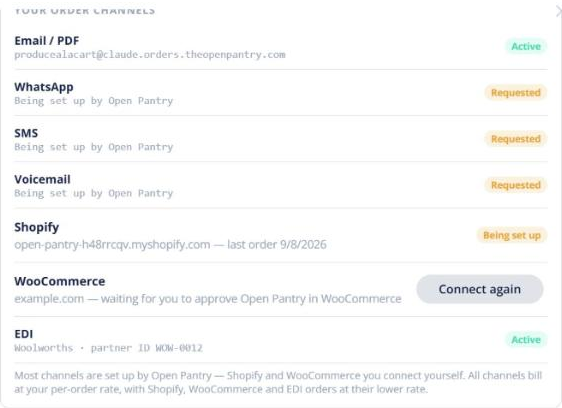
- Open the WooCommerce row and enter your shop’s web address (for example shop.example.com.au).
- Approve the connection on your own WordPress screen when it opens. WooCommerce sends Open Pantry the keys it needs.
- If that screen doesn’t work for your shop, you can paste a consumer key and secret instead.
The row then shows the connection’s status. New store orders appear in Imported Orders, matched to your customers and products. Store orders are charged at the lower structured-order rate. It works the same way as Shopify — see How do I bring my Shopify store orders into Open Pantry?